
IntroductionOverviewThis guide explains how a video phone can call a camera duri
This guide explains how a video phone can call a camera during a live conversation to enable video linkage.
This document is intended for users who need to enable video linkage.
Applicable models: BX3V/BX6U/BX210/BX210i/BX7C/BX7/BX7A/BF600S Applicable versions: all versions supported by these models
1、One BX6U phone connected to a switch and able to obtain an IP address automatically.
2、One configuration PC connected to the same switch, with network access to the phone.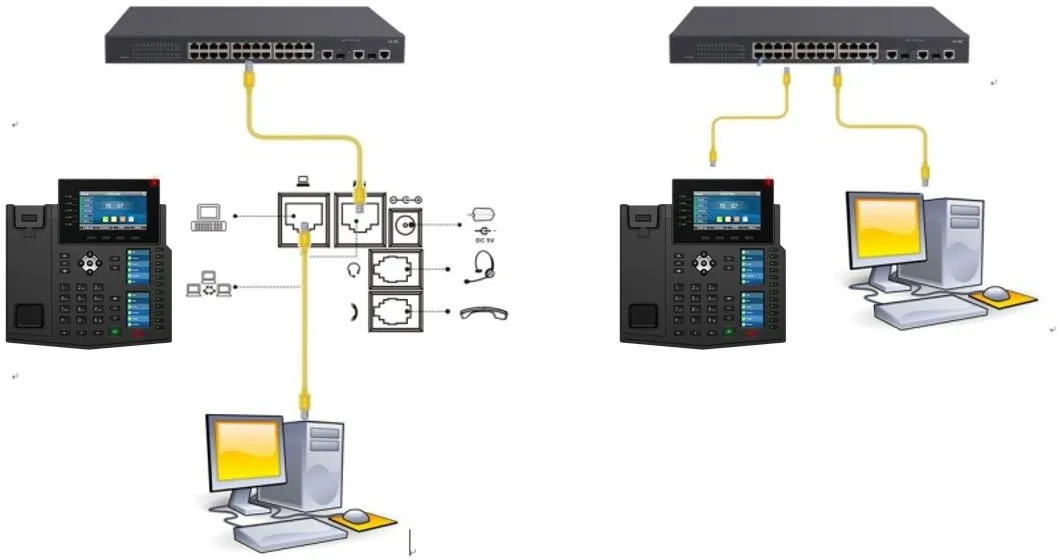
This example uses a Hikvision camera.
BX6U/BX7/BX7C/BX210/BX210i support up to 480P resolution, so they should use the sub stream of the IP camera, namely: rtsp://admin:Fangwei123@172.18.8.200/h264/ch1/sub/av_stream
BX3V/BX7A/BF600S support up to 1080P resolution, so they should use the main stream of the IP camera, namely: rtsp://admin:Fangwei123@172.18.8.200/h264/ch1/main/av_stream
Go to Line---Action Plan---Add Action Plan, then add the number for which video linkage is required (x. means all numbers, or it can be set to a specific number). Set the type to “Connected”, set the URL to the corresponding RTSP address of the camera, set the multicast codec to “PCMU”, choose “Video” as the action, and then click “Add”.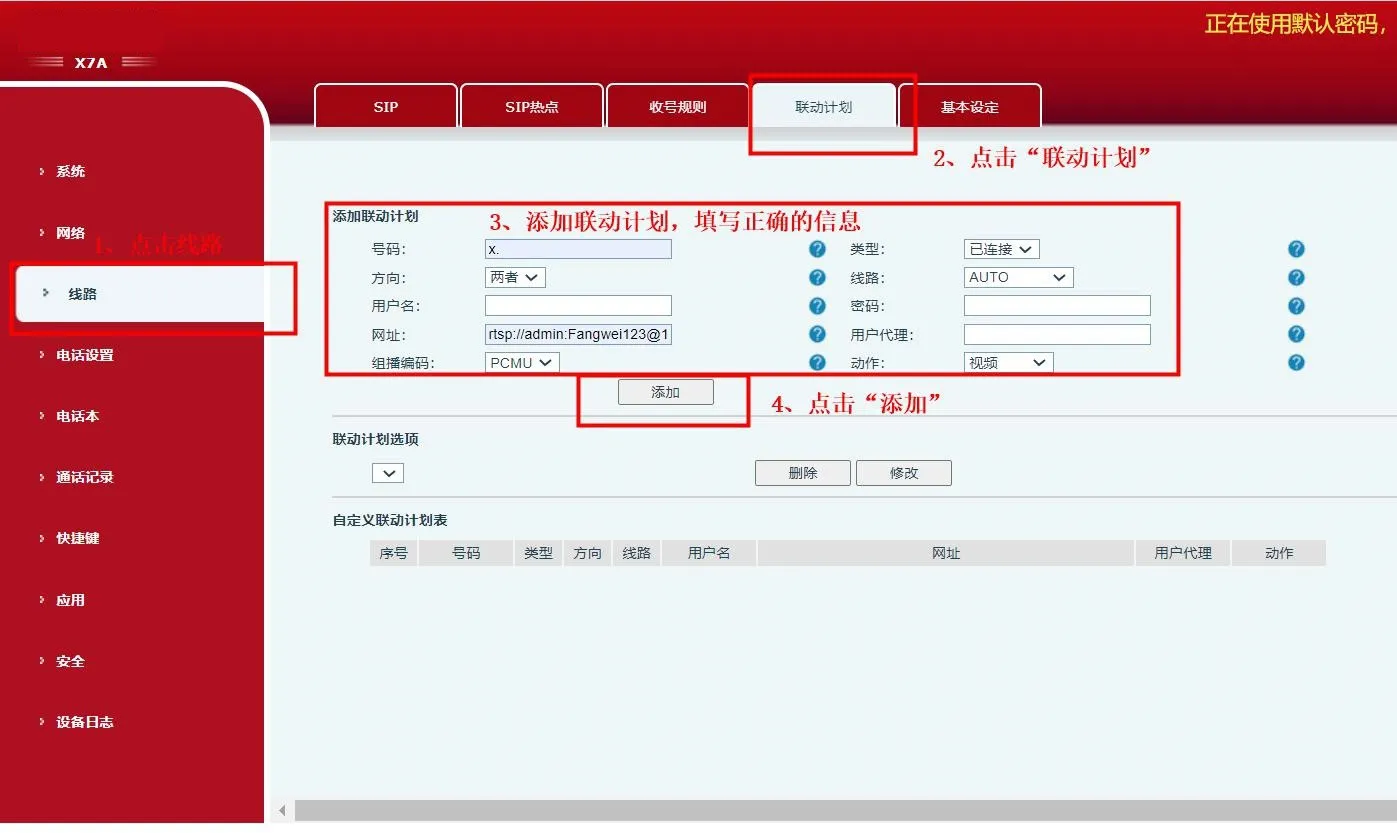
After the entry is added, the custom action plan list will display the newly created video linkage rule.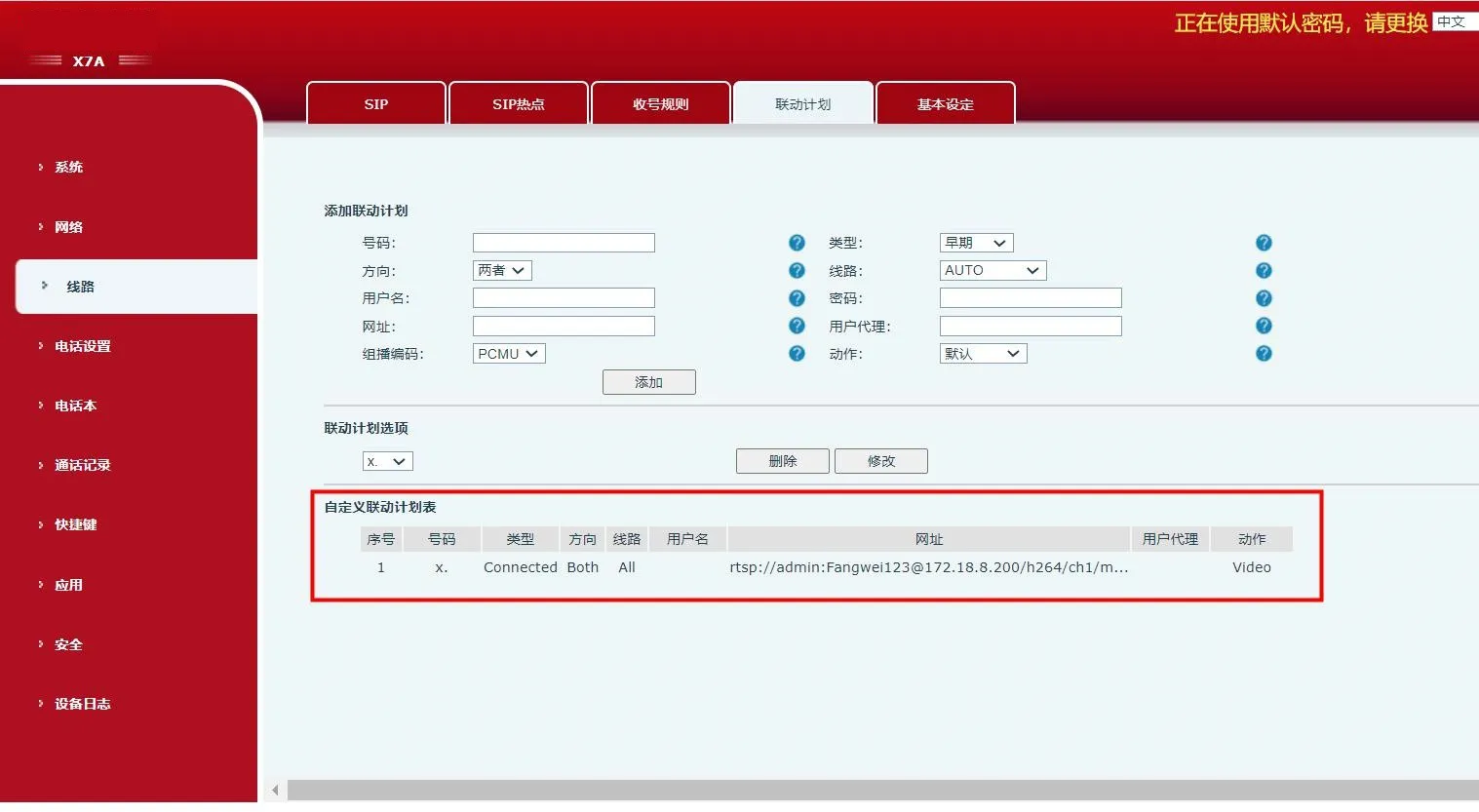
After video linkage is configured successfully on the phone, any phone can call this device, and the video image will be displayed during the conversation.
