
IntroductionOverviewMid-range and high-end phones can access the RTSP URL of cer
Mid-range and high-end phones can access the RTSP URL of certain IP cameras so that video can be displayed on the phone screen.
Applicable models: BX3V / BX6U / BX210 / BX210i / BX7C / BX7 / BX7A / BF600S
Applicable firmware: all versions for the supported models
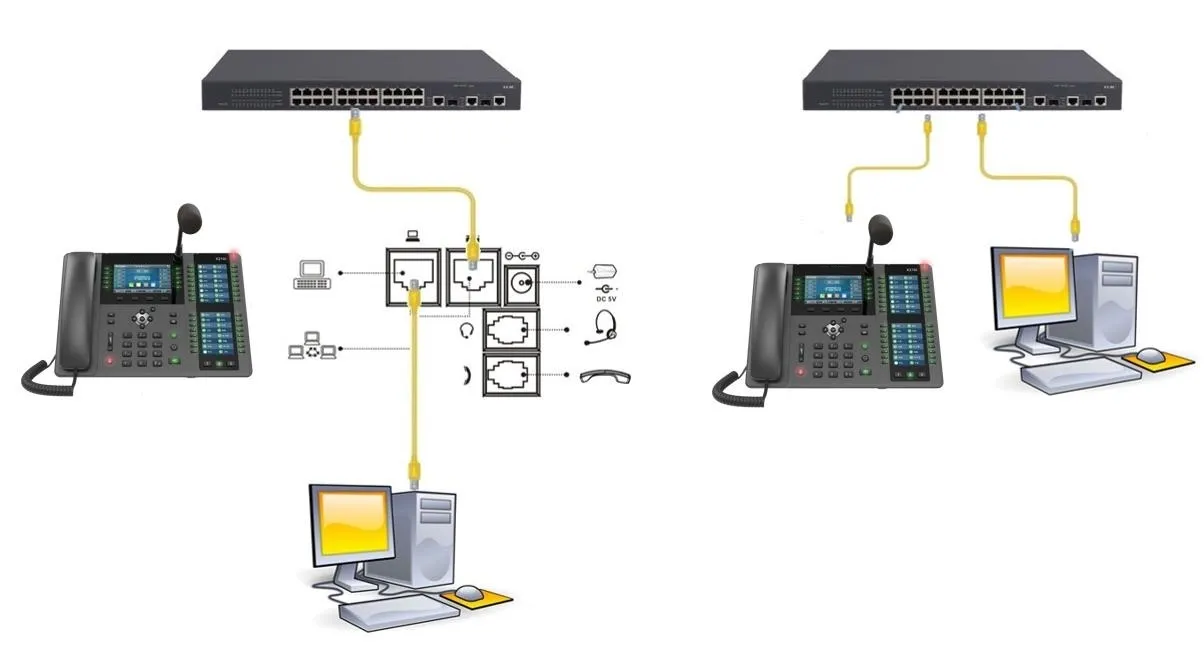
① Two Becke BX210i phones, connected to a switch and able to obtain IP addresses automatically.
② One configuration PC, also connected to the switch, with network connectivity to the phones.
1. Log in to the phone web interface.
2. Go to the Function Key settings page.
3. Configure a DSS key, for example DSS Key 12.
4. Set the type to URL, and enter the camera RTSP URL in the value field, for example:
rtsp://admin:Fangwei123@172.18.8.200:554/H.264/ch1/subtype/av_stream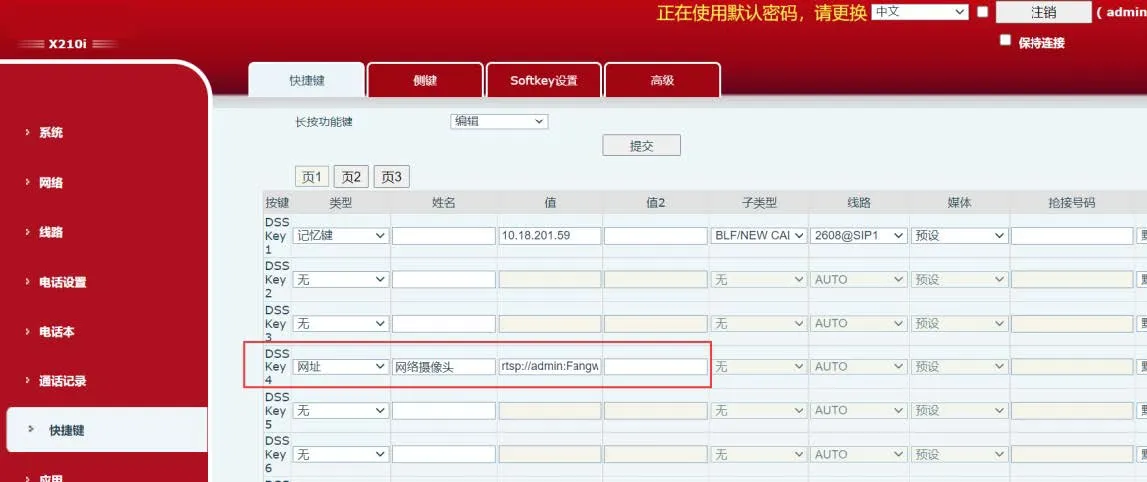
1. Press and hold a DSS key on the phone, for example DSS Key 12.
2. Set the type to Hyperlink, and enter the camera RTSP URL in the value field, for example:
rtsp://admin:Fangwei123@172.18.8.200:554/H.264/ch1/subtype/av_stream
After the configuration is completed, press the corresponding key on the phone to display the video from the IP camera.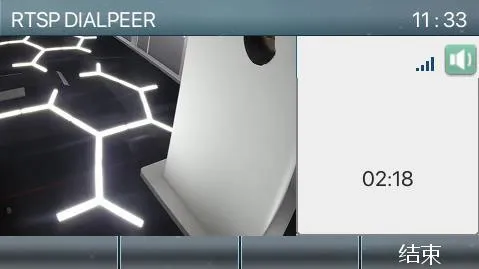
Note: BX7A and BF600S support video up to 1080p resolution. Other models support up to 480p resolution, so the substream of the IP camera should be used.
