This guide explains how access control devices connect to an NVR for video recording, covering supported models, recording environment preparation, network topology, RTSP settings, channel management, and digital channel adding.
This article explains how access control devices connect to an NVR, mainly to provide video recording for industry terminal products. The NVR client sends RTSP commands to the industry video terminal, and then the video stream from the industry camera is sent back to the client, enabling real-time video viewing and recording.
NVR: the full name is Network Video Recorder. It is the storage and forwarding component of a network video surveillance system. The NVR works together with video encoders or network cameras to complete video recording, storage, and forwarding.
i30,i31S,i32V,i33V,i61,i62,i63,i64
1.3.1. Device Preparation
Use one video access control device and one Hikvision or Dahua NVR
1.3.2. Network Connection Diagram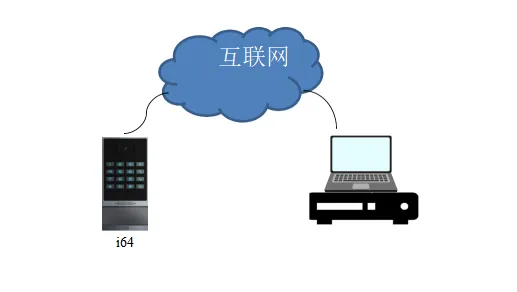
① Log in to the NVR web interface through a browser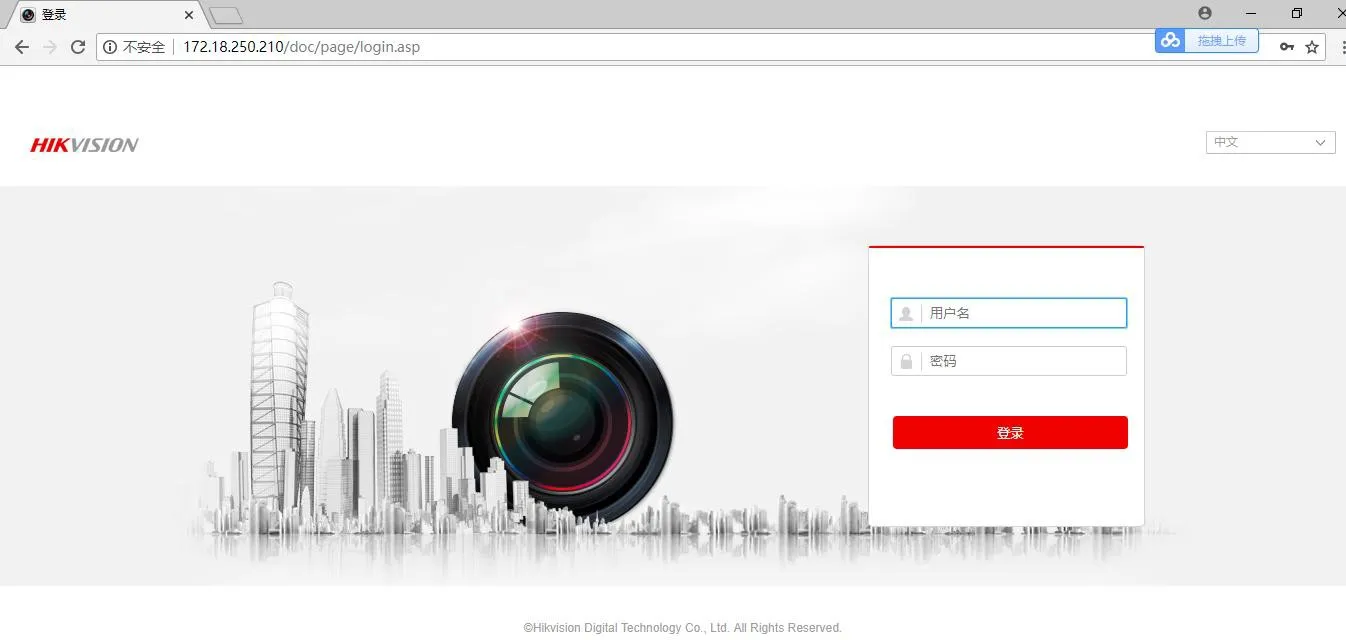
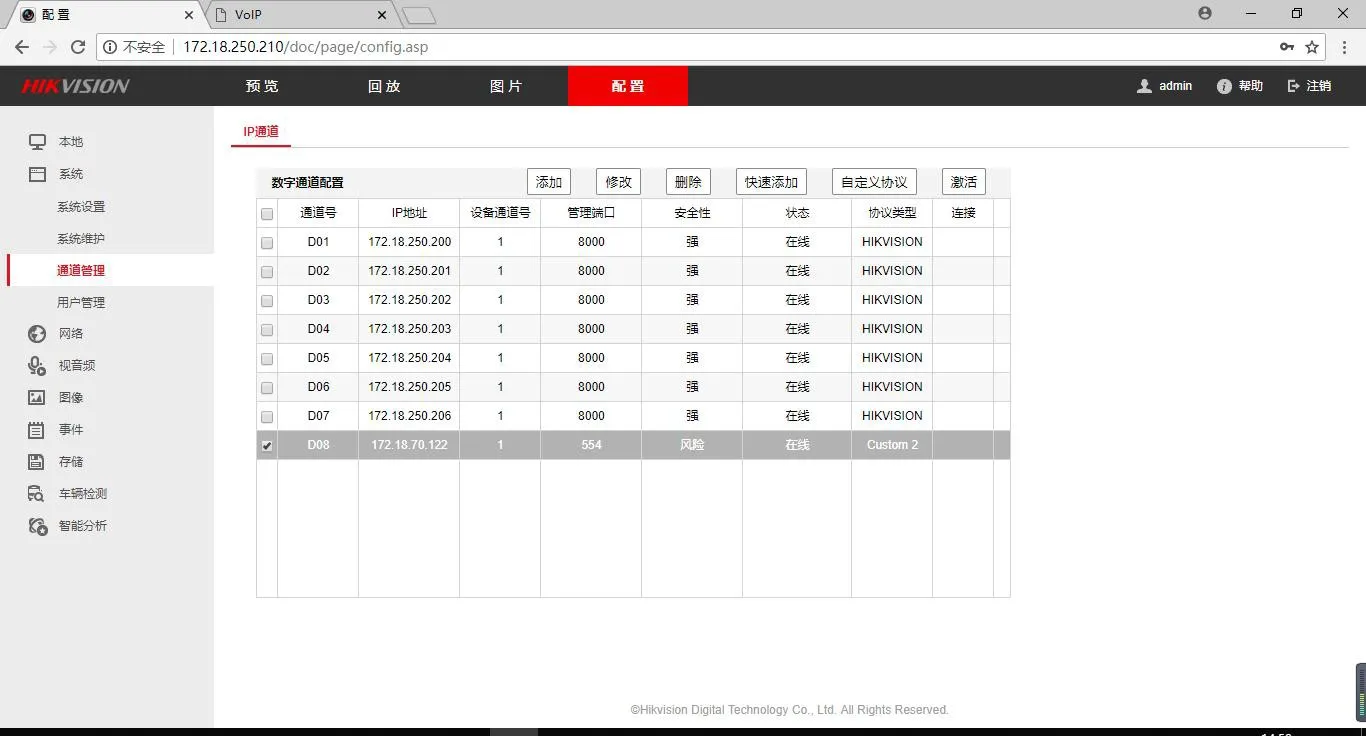
② EnterConfiguration - Channel Management module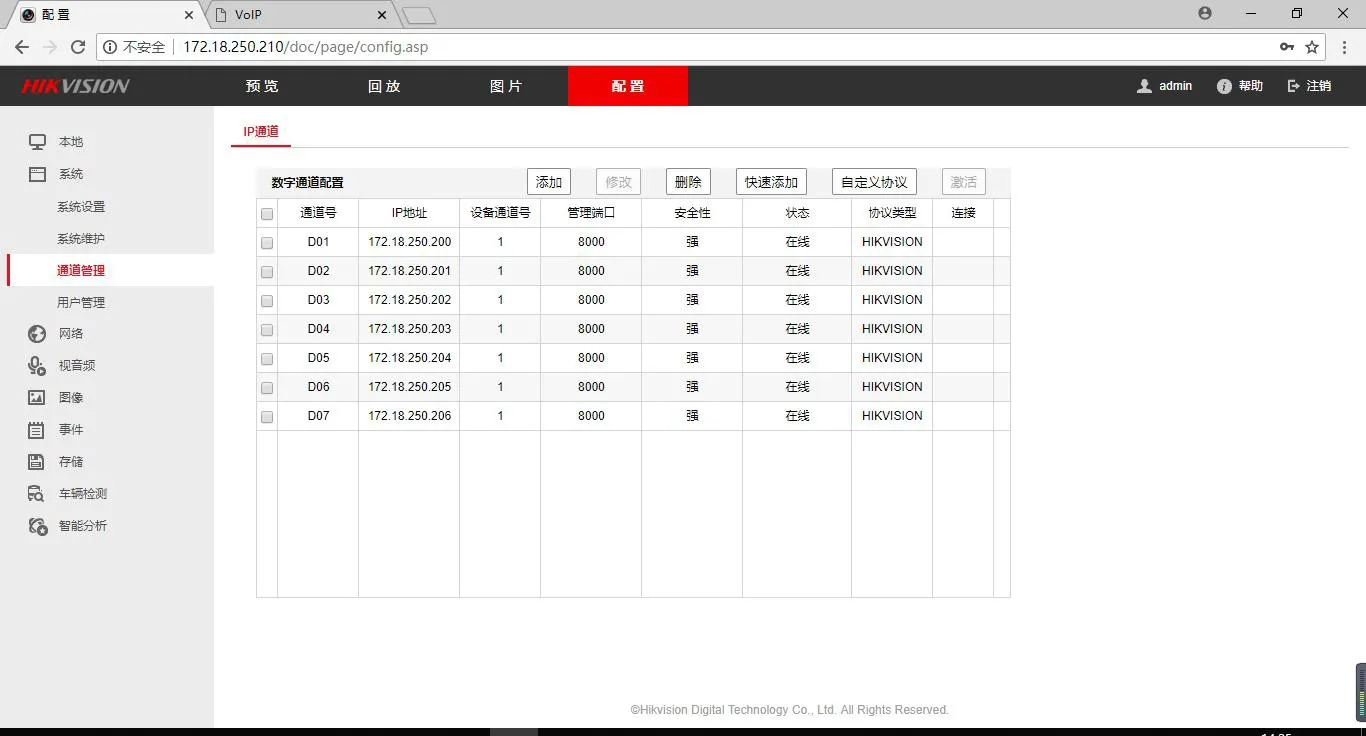
③ Configure a custom protocol
Protocol type: RTSP
Transmission protocol: Auto; port: 554
Resource path: copy Access Control Settings_Video Settings_RTSP Information_Main Stream URL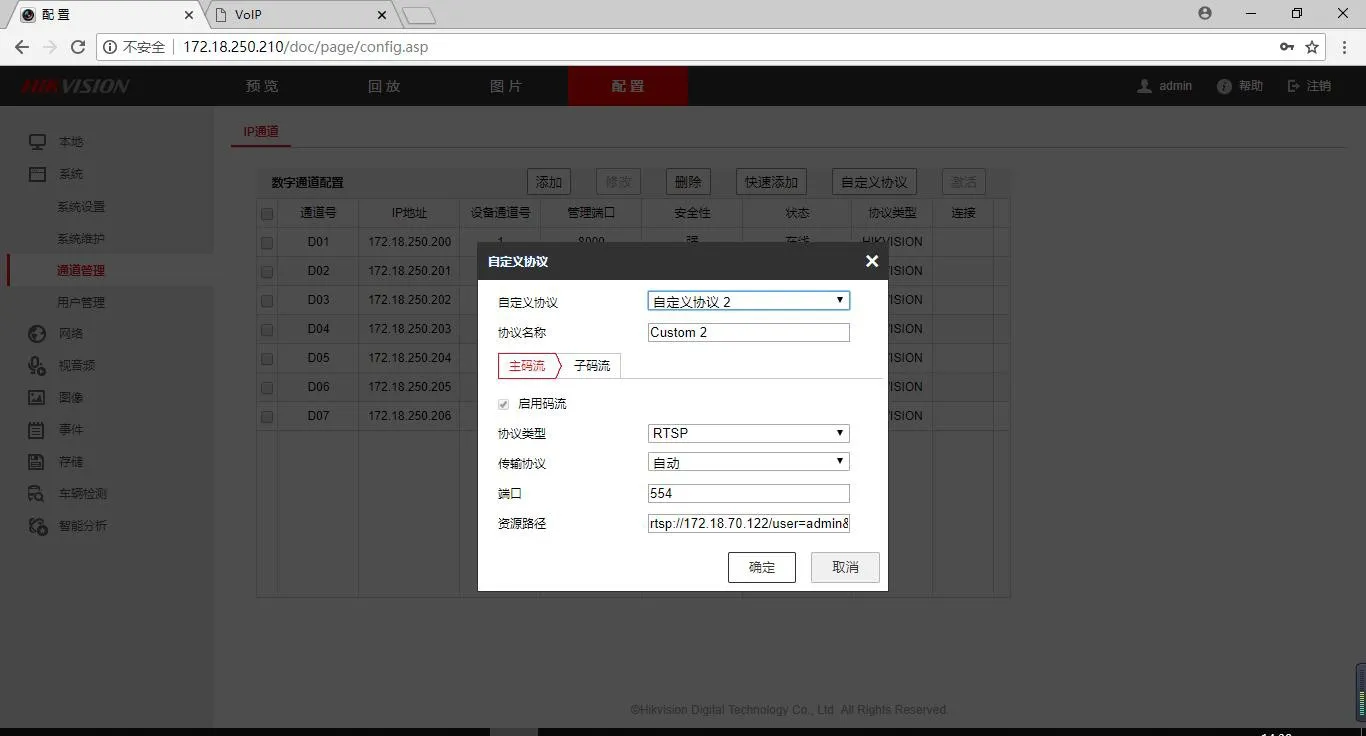
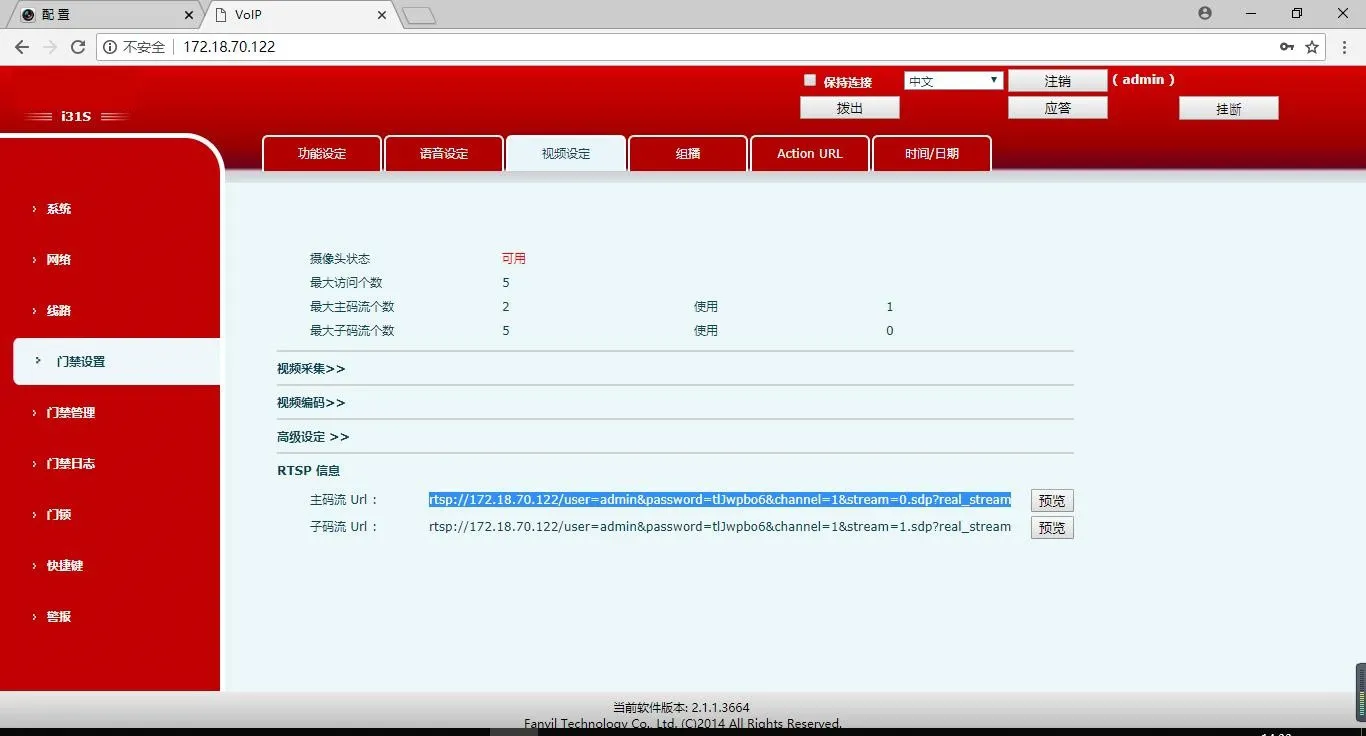
④ Digital channel configuration - Add
IP channel address: industry device IP
Protocol type: protocol name in the custom protocol
Management port: displays the configuration item in the custom protocol by default
Username: custom
Password: custom
Confirm password: same as the password
Transmission protocol: default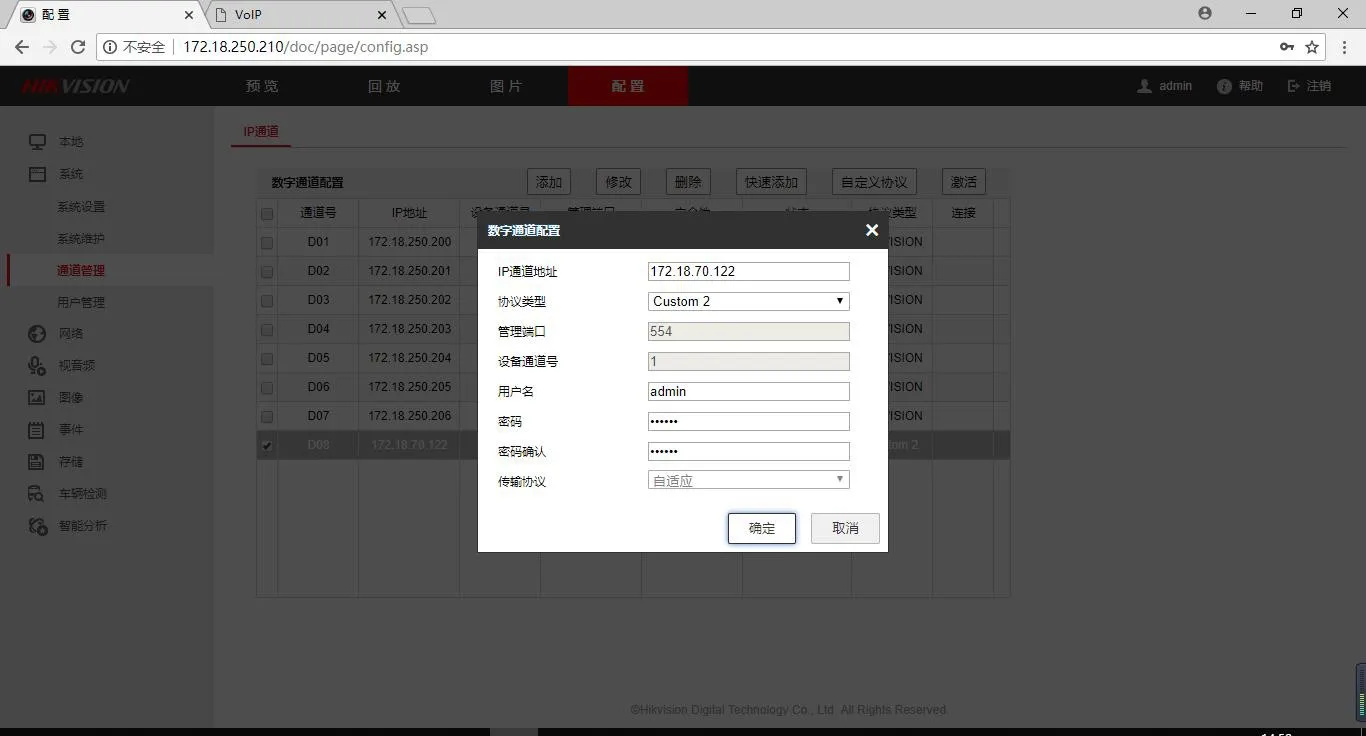
⑤ Added successfully