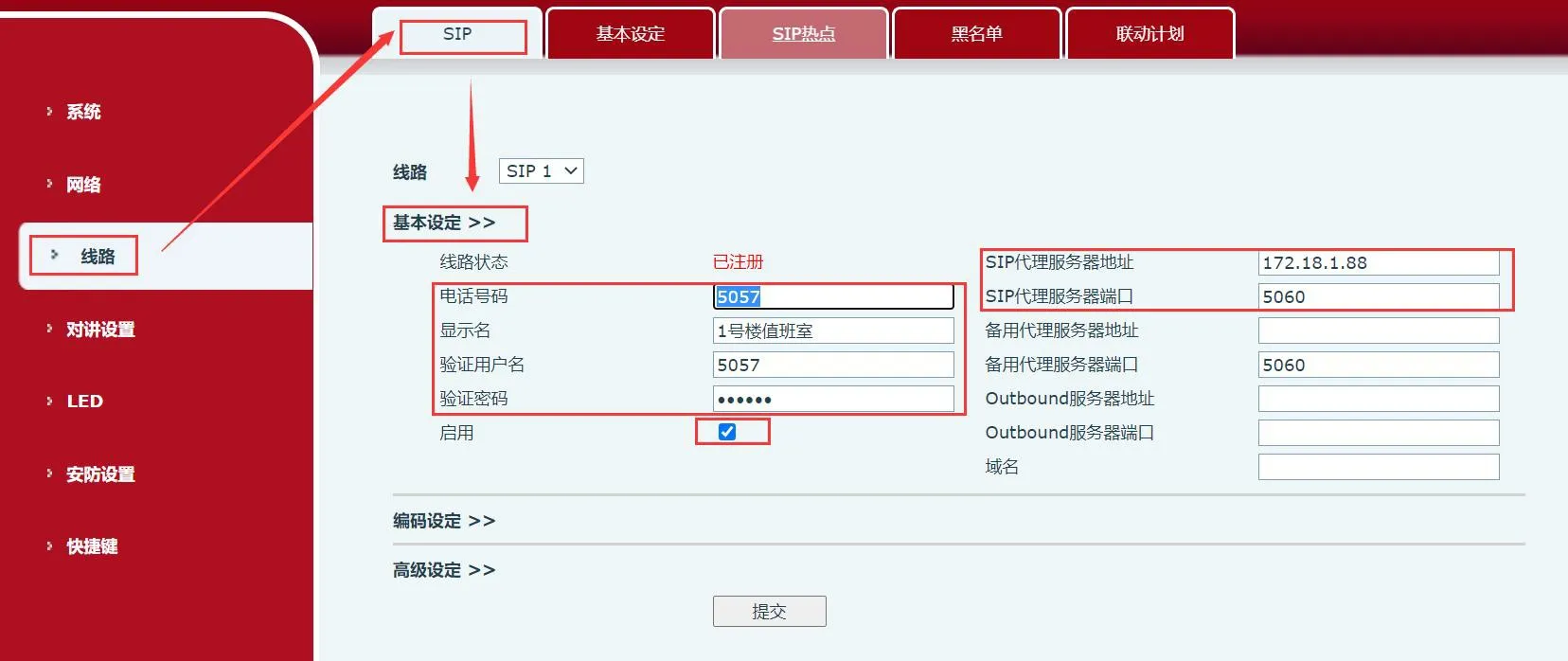
This guide explains how SIP industrial phone devices register a SIP account, covering applicable devices, device-to-PC network connection, indoor station web backend registration settings, intercom SIP basic settings, information entry, and submit registration steps.
Industry devices need to support incoming and outgoing calls, which can be achieved through SIP account registration.
Industry devices
① One i53W and one BHP-SOS1016V, one POE switch (or DC power supply), and connect the devices to the switch.
② One debugging computer, and connect the computer to the switch to ensure that the network between the computer and the phone is reachable.
Connect i53W and BHP-SOS1016V to the switch, and connect the computer to the same switch as the devices. Ensure that the network between the computer and the devices can communicate with each other. The connection diagram is shown in Figure 1.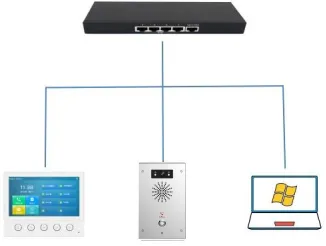
Figure 1
Indoor Station:
Log in to the web backend of the indoor station. Go to Line---SIP---Registration Settings, fill in the corresponding information, and submit registration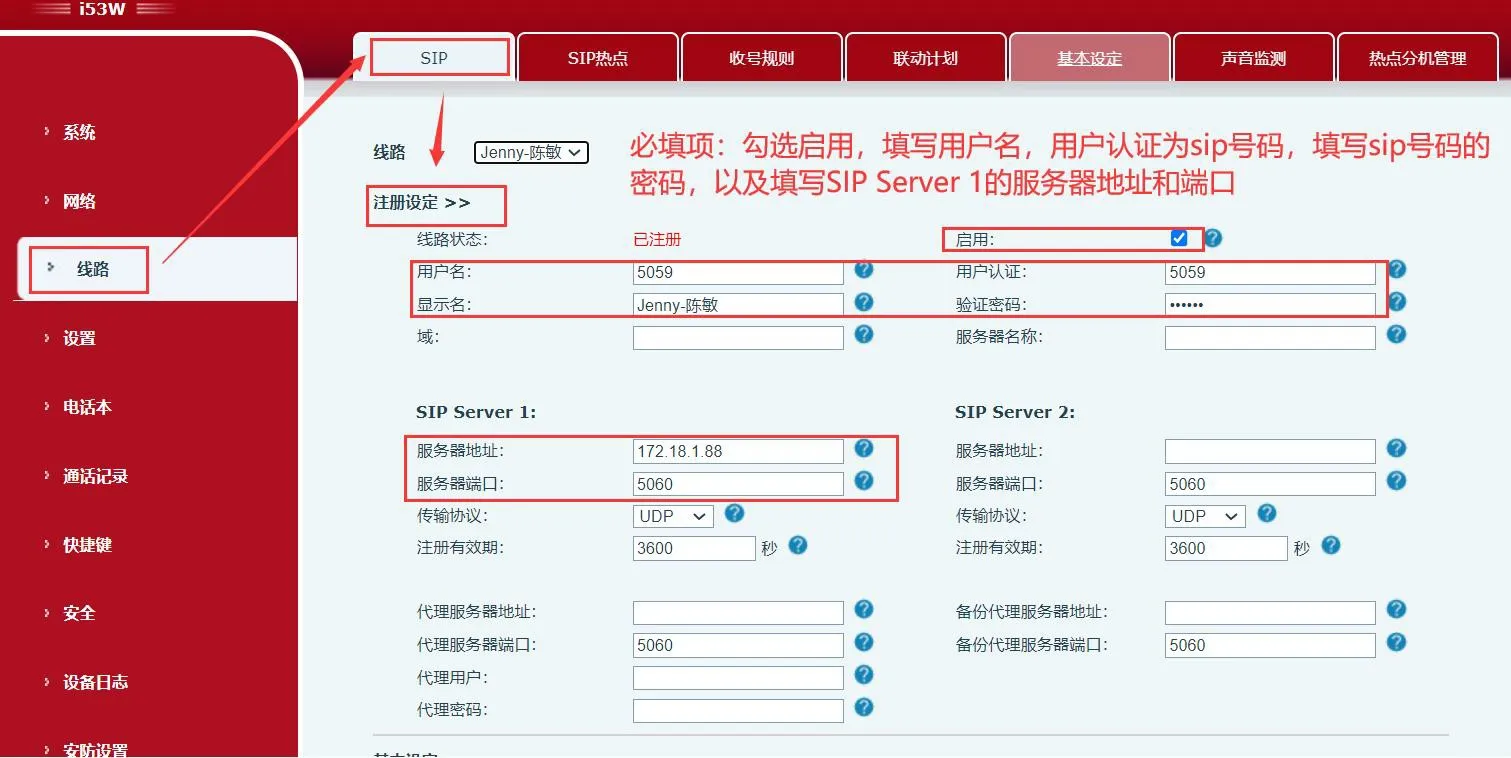
Intercom:
Log in to the web backend of the intercom. Go to Line---SIP---Basic Settings, fill in the corresponding information, and submit registration