This guide explains how Becke intercom and access control devices receive multicast, including switch connection, same-network PC access, web backend settings, enabling automatic multicast, entering listen address and port, and playing paging, alarms, or music.
Becke intercom or access control devices can automatically receive multicast to support broadcast paging, alarms, music playback, and other audio applications.
All intercom or access control devices from our company.
Connect the device to the switch, and connect the computer to the same switch. Ensure that the network between the computer and the device is reachable, as shown below.
Switch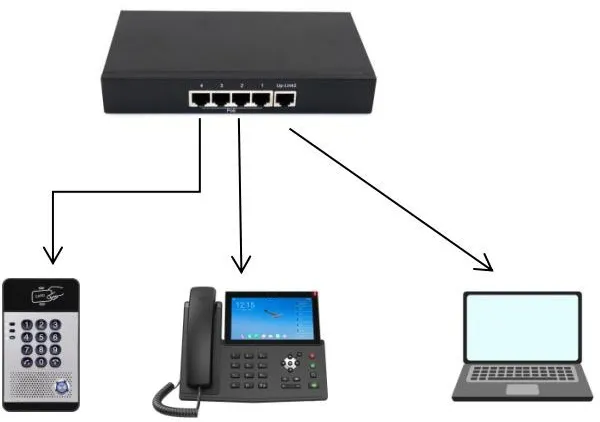
①: Obtain the device IP address and enter the device web backend
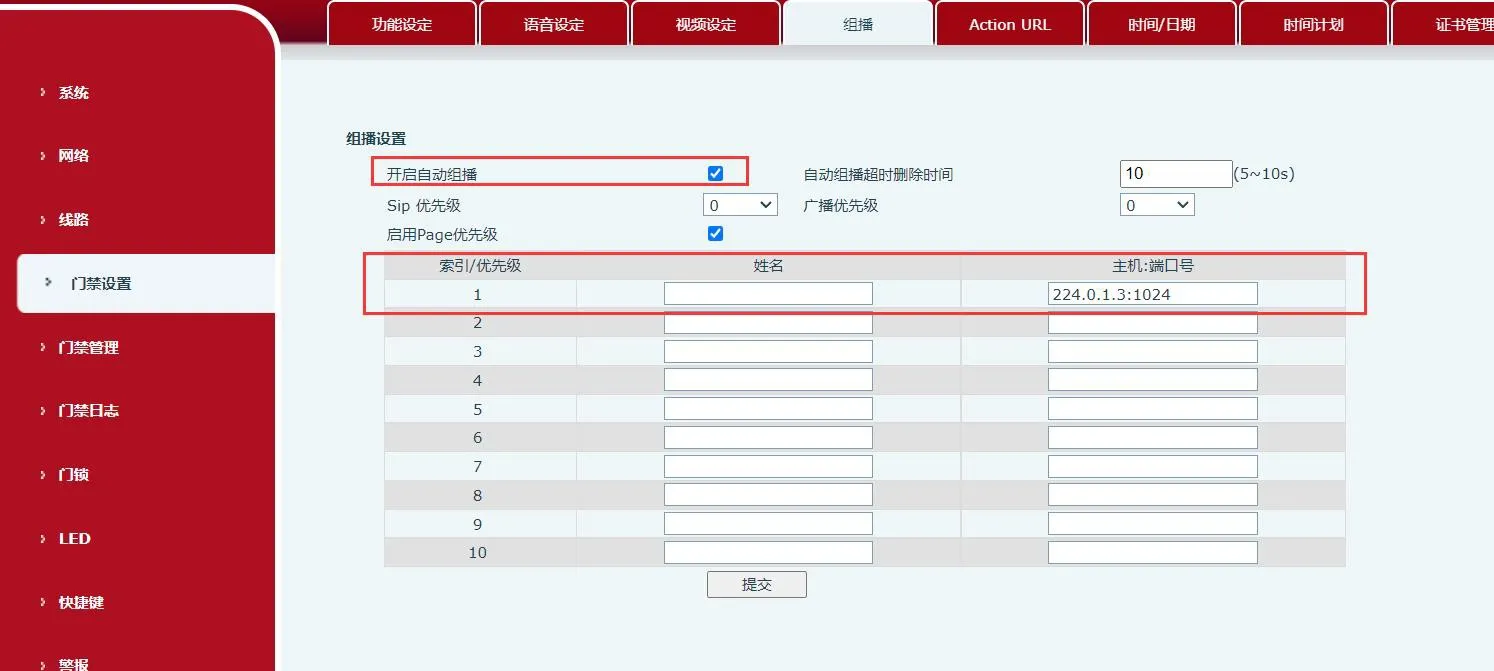
②: Web backend→Access Control Settings/Intercom Settings→Multicast
③: Check Enable Auto Multicast, and fill in the multicast address to be monitored and the corresponding port number. When multicast is sent to the monitored multicast address and port, the device will automatically play the audio.