
This guide explains how to configure access control speed dial keys to call different numbers during different time periods, covering supported models, device connection, shortcut key setup, primary/secondary forwarding, time period mode, and call switch timing.
When customers need to use the function where an access control speed dial key calls different numbers during different time periods, they can refer to the method described in this document.
i20S/i23S/i30/i31S/i32V/i33V/i33VF/i6X
① Four i6X devices and one POE switch (or DC power supply), with the devices connected to the switch.
② One debugging computer, and connect the computer to the switch to ensure that the network between the computer and the phone is reachable.
Connect the i6X devices to the switch, and connect the computer to the same switch as the devices. Ensure that the network between the computer and the devices can communicate with each other. The connection diagram is shown in Figure 1.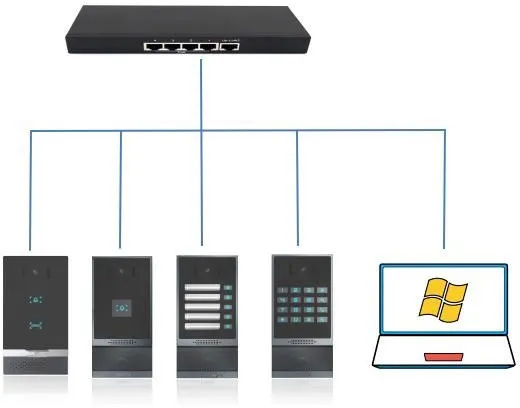
Figure 1
Press the speed dial key. When number 1 is called and no one answers, the call is automatically forwarded to number 2. Refer to the following instructions for the specific settings.
Log in to the web backend of the indoor station. In Shortcut Key---Shortcut Key---Shortcut Key Settings, fill in the speed dial key information, select “Hot Key” as the type, set number 1 and number 2, select the corresponding line, select “Speed Dial” as the subtype, and finally click the Submit button.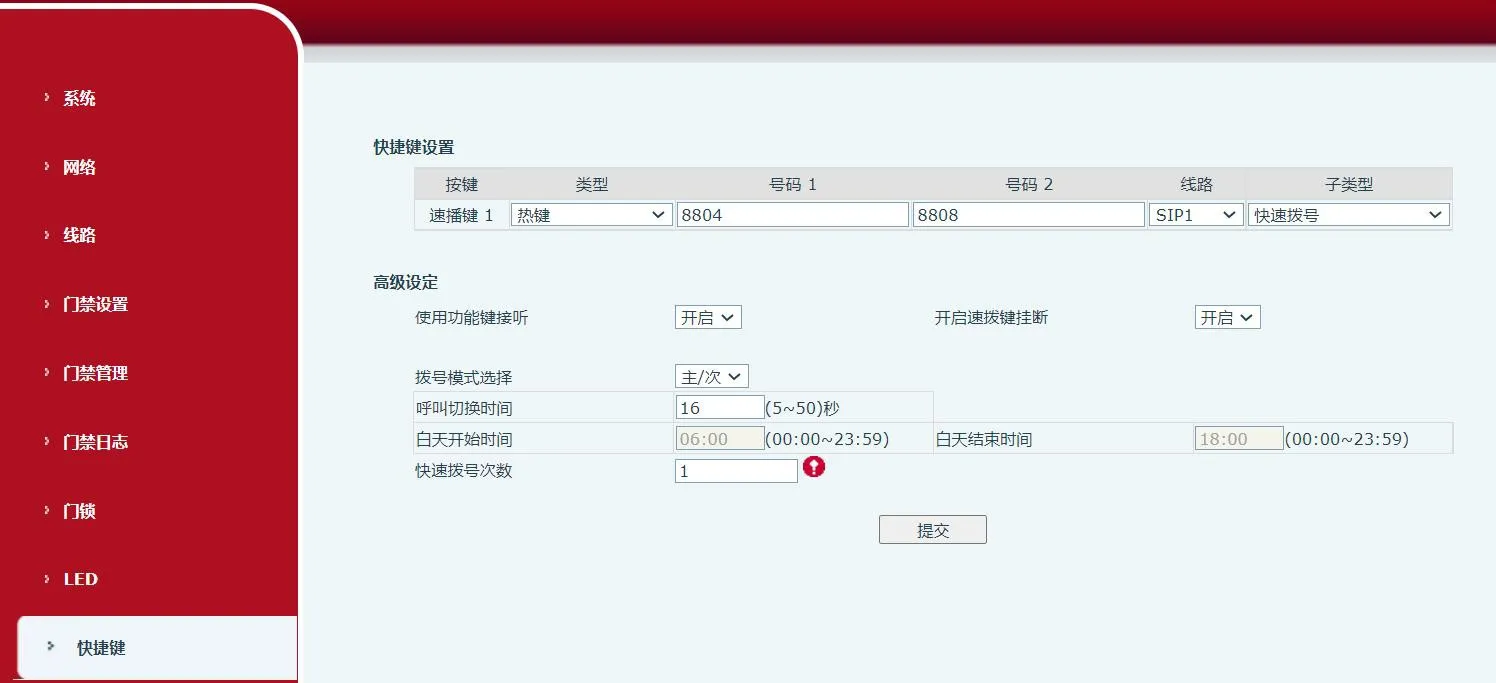 Special Notes:
(1) Dialing mode selection:
Select the mode for forwarding number 1 to number 2.
