


A call button may look like a very simple device element, but in an actual deployment plan it often plays a much larger role than people first expect. In many communication and response systems, the call button is the first physical action that turns a passive terminal into an active service point. Once pressed, it can start an intercom session, trigger a help request, notify a control room, activate a workflow, call a duty team, or link the event to alarms, video, logs, and dispatch functions. In practical terms, the call button is often the most direct bridge between a person in the field and the system that is meant to respond.
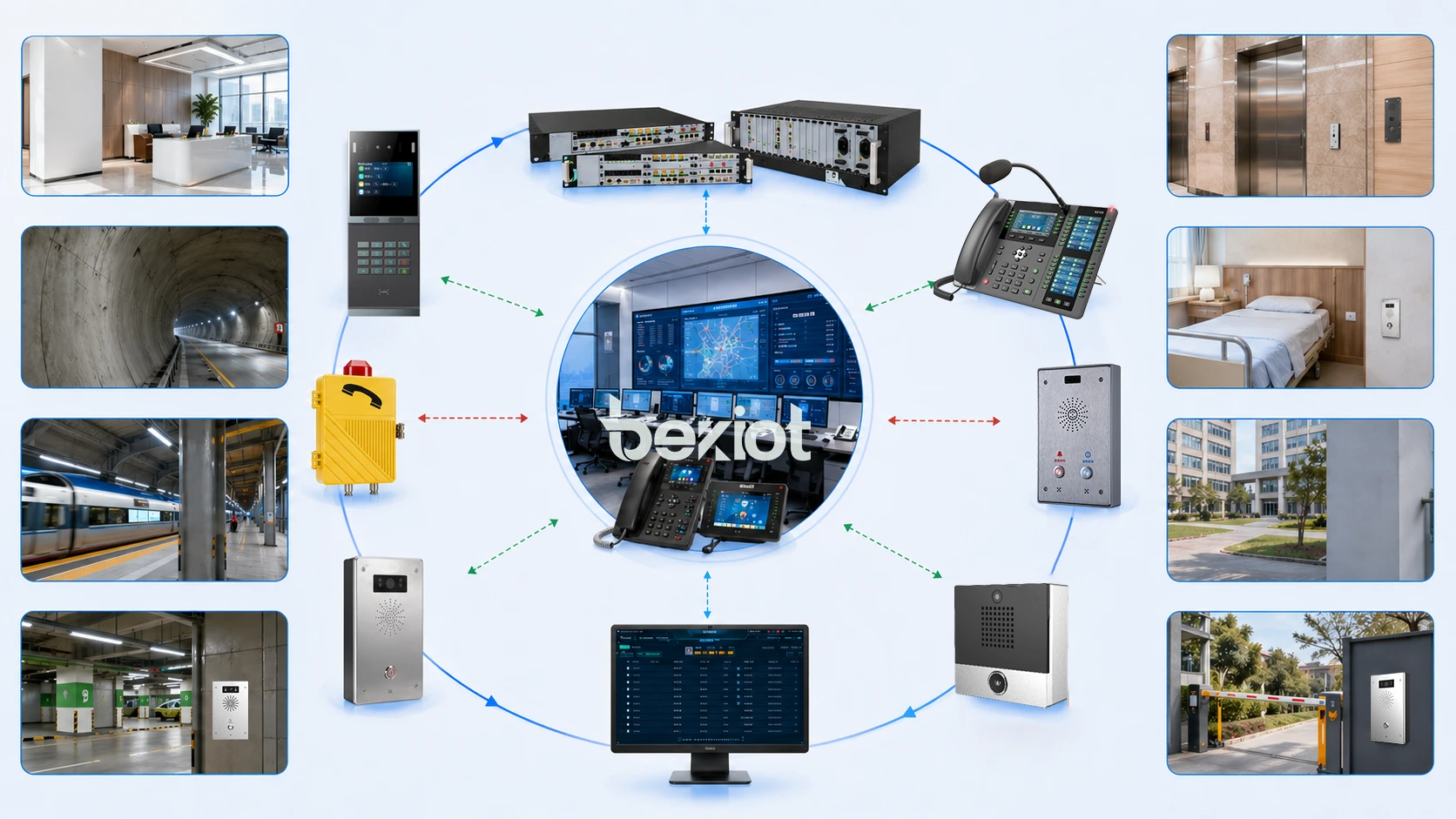
This is why call buttons appear in so many real-world deployment plans. They are used in emergency help points, industrial telephones, wall intercoms, elevator communication panels, campus safety terminals, nurse and assistance stations, access control devices, tunnel communication points, transport platforms, public service kiosks, and internal communication terminals. The surrounding platform may be complex, but the human interaction remains simple: press once and request support.
In project design, the value of the call button is not limited to user convenience. It supports visibility, speed, accessibility, and operational discipline. A well-placed call button can shorten the path between incident and response, reduce user hesitation, and give the entire communication system a clearer front-end interaction model. That is why, in many deployment plans, the call button is treated not as a minor accessory but as a key field-level trigger.
What Is a Call Button in a Deployment Context?
Definition and Operational Meaning
In practical deployment terms, a call button is a physical trigger built into a communication terminal, wall station, help point, desktop unit, or integrated device that allows the user to initiate a call or service request immediately. Depending on system design, pressing the button may call a predefined extension, open a SIP intercom session, send a signal to a dispatch platform, trigger a local relay action, or activate a broader response workflow.
The operational meaning of the call button is direct access. It removes the need for the user to dial manually, search menus, or understand system logic in detail. This is especially important in environments where the person using the device may be stressed, unfamiliar with the equipment, physically constrained, or working under time pressure.
In that sense, the call button is not only a hardware component. It is a simplified response interface between people and communication infrastructure.
A call button is often the fastest way to convert human intent into an actionable communication event.
Why It Matters More in Real Projects Than on Paper
On paper, system architecture often focuses on platforms, servers, network topology, SIP registration, integration protocols, and management software. Those layers are important, but the real user does not interact with architecture diagrams. The user interacts with the physical terminal. In many cases, that interaction begins and ends with one button.
This is why the call button matters so much in actual deployment. A project may be technically sophisticated, but if the front-end activation point is unclear, slow, fragile, or difficult to use, the practical value of the whole system can drop. A call button that is intuitive, visible, and reliable often improves the real usability of the deployment more than minor specification differences elsewhere.
The button therefore becomes a field-level design decision that directly affects response efficiency, user confidence, and operational success.
How the Call Button Works in an Actual Deployment Plan
From Physical Press to System Response
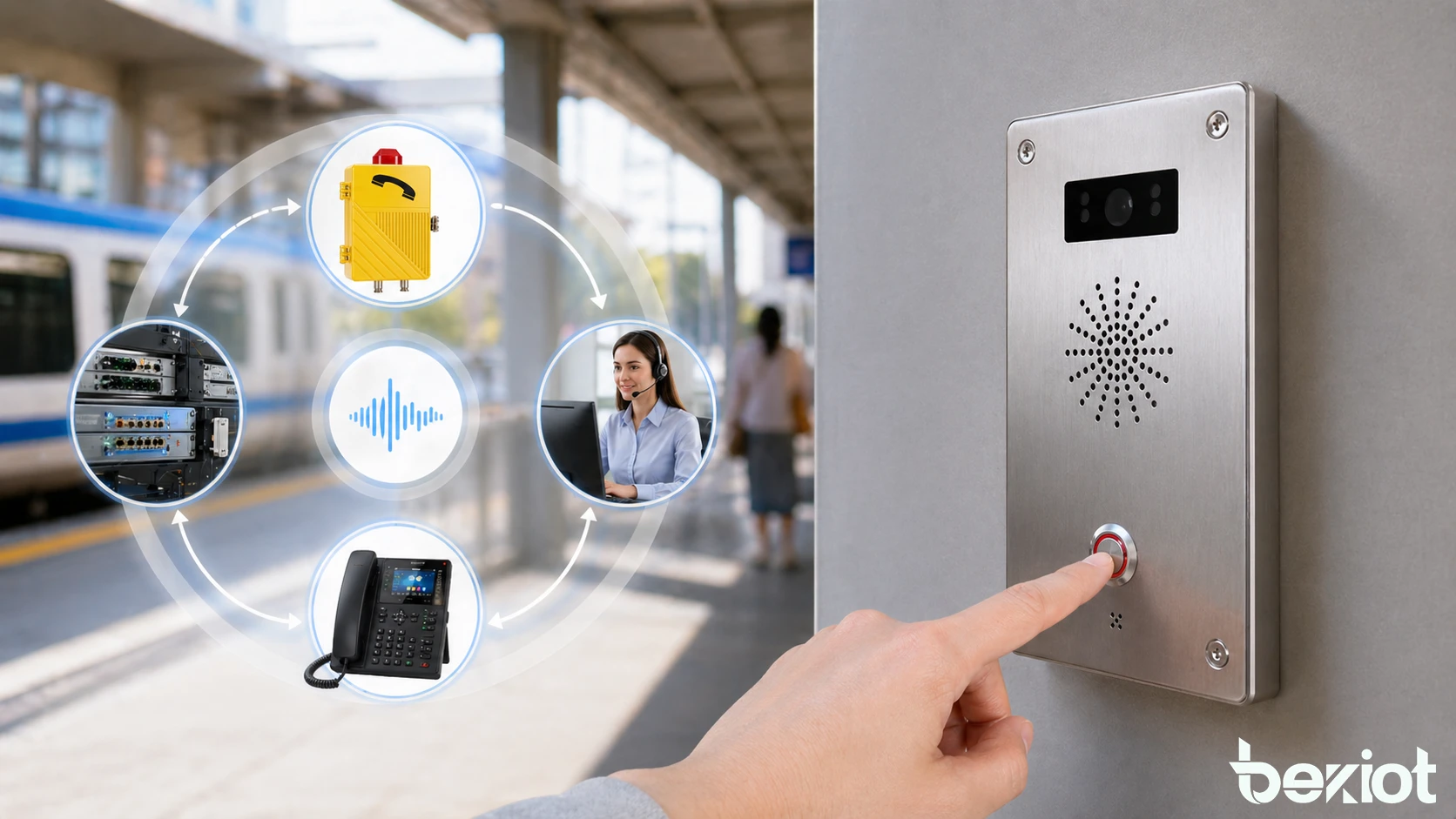
The basic logic begins when the user presses the call button. That action may be read by the local terminal controller, intercom board, IP communication module, or embedded system inside the device. The terminal then sends a call request or event signal to the configured destination. In a simple setup, that may mean dialing a control room extension. In a more advanced system, it may open a SIP session, send an event to a visual dispatch platform, associate the terminal ID with a map location, and start linked functions such as recording or nearby camera display.
This chain matters because it shows that the button is not working in isolation. Its value comes from how cleanly it connects to the rest of the deployment architecture. The physical press is only the front end. Behind it are call routing rules, device identity, user permissions, escalation logic, audio handling, and operational workflows.
In actual planning, the best call button deployments are the ones where this whole chain is designed clearly from press event to final response outcome.
Why Simplicity at the Front End Supports Complexity Behind It
A useful deployment principle is that the field interaction should remain simple even when the back-end system is sophisticated. Users in an emergency, a noisy plant, a corridor, a platform, or a hospital room should not need to understand routing tables or response hierarchies. They should only need to recognize the call point and activate it.
This is one of the strongest practical arguments for the call button. It allows designers to build advanced response logic behind an interface that remains immediate and low-friction. A single press can still trigger priority routing, group notification, alarm linkage, or dispatch attention without making the user think through the system step by step.
That design balance is one reason the call button remains so common in professional deployment plans.
The call button works best when the user experience stays simple while the system response behind it remains rich, structured, and reliable.
Main Characteristics of a Good Call Button Deployment
Directness, Visibility, and Physical Clarity
One of the most important characteristics is directness. The call button should initiate the required communication path without unnecessary delay or ambiguity. If the user has to guess whether the button worked, wait through unclear behavior, or wonder who was called, the practical quality of the deployment is weakened.
Visibility is equally important. A call button used in real sites should be easy to locate quickly. This may involve color contrast, icon clarity, installation height, protective design, labeling strategy, or illuminated status depending on the environment. In high-stress or low-familiarity settings, visibility is part of functional performance rather than just appearance.
Physical clarity matters because the button is often used by non-technical people. It should feel obvious in purpose and reliable in action.
System Association and Traceable Identity
Another key characteristic is clear system association. A good deployment ensures that the platform knows exactly which button or terminal was pressed, where it is located, and what response logic should follow. This may sound basic, but it is essential in larger environments with many identical devices spread across multiple areas.
Traceable identity allows operators and platforms to understand the event source immediately. Instead of simply receiving a generic call, the control side can know that the event came from a tunnel help point, a corridor intercom, a gate station, a bedside unit, or a platform emergency panel. That context can greatly improve response speed and accuracy.
In actual deployment planning, the button is therefore most useful when it is tightly linked to device identity and site context, not just to a raw call action.
Practical Advantages of the Call Button in Actual Deployment
Faster Help Initiation and Lower User Hesitation
One of the clearest practical advantages is speed. A call button allows users to request help or open communication immediately instead of navigating a more complex interface. This reduces the time between need and action, which can be especially valuable in emergencies, public assistance situations, industrial incidents, and staff support workflows.
It also lowers hesitation. In many environments, users are more willing to press one clearly marked button than to interact with a keypad, menu system, or software sequence they do not fully understand. This matters not only in public safety but also in ordinary daily operations where simplicity encourages correct use.
In practical deployment terms, the call button improves system accessibility by making communication initiation easier under real human conditions.
Reduced Training Burden and Easier Public Use
Another strong advantage is reduced training dependency. A well-designed call button is almost self-explanatory. This is extremely useful in environments where the system may be used by visitors, temporary staff, patients, passengers, contractors, or members of the public who cannot be expected to learn a detailed device workflow.
Even in staff-only environments, easier use reduces operational friction. A single call button can standardize how help is requested across different departments or site areas, which makes procedures more consistent and lowers misuse caused by uncertainty.
This gives the deployment plan a more inclusive and practical front end without requiring every user to become a trained system operator.
A call button adds value not because it is technologically complicated, but because it removes unnecessary complexity from the moment people need help most.
Additional Operational Advantages
Supports Better Workflow Discipline
In a real deployment plan, a call button can also support operational discipline by standardizing how requests enter the system. Instead of relying on ad hoc personal calls, shouted requests, or inconsistent reporting channels, the button creates a formal entry point into the response workflow. Once pressed, the event can be logged, routed, recorded, prioritized, or linked to other functions.
This makes the surrounding operation more manageable. Supervisors and control-room teams can review when requests were initiated, from which locations, and how fast they were answered. That improves traceability and helps organizations build more consistent service procedures over time.
In this way, the call button supports not only communication access, but also process control.
Improves Integration With Broader Safety and Communication Logic
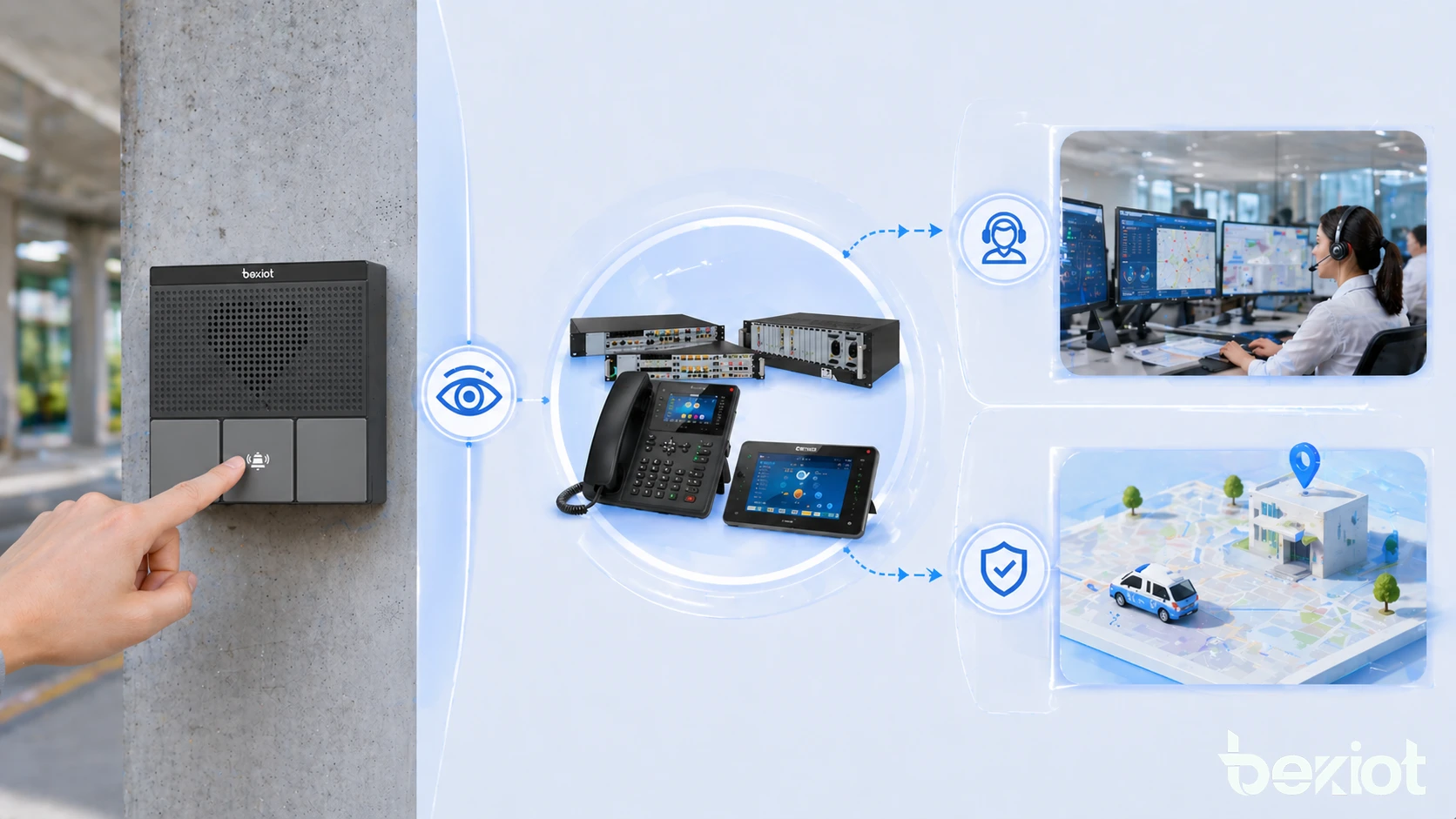
Another practical advantage is integration potential. In advanced deployments, pressing a call button does more than start a voice connection. It may also trigger nearby camera pop-up, visual dispatch attention, event logging, alarm status updates, audio recording, or escalation if the call is unanswered. This makes the button a practical trigger point inside a larger safety and communication ecosystem.
That broader integration is especially valuable in industrial sites, transport systems, campuses, and managed facilities where communication events often need context rather than voice alone. The button becomes the first signal in a structured chain instead of a simple isolated input.
This is why planners often view the call button as a small component with disproportionate operational importance.
Applications in Real Deployment Scenarios
Public Help Points, Campuses, and Transport Sites
In public and semi-public deployment scenarios, the call button is widely used in help points, platform assistance terminals, campus safety stations, parking facilities, building entrances, and roadside or tunnel emergency panels. In these settings, the button must be easy to identify and quick to use because the person pressing it may be under stress, unfamiliar with the location, or in need of immediate assistance.
The practical advantage here is direct user access to support. The terminal does not require the user to know numbers, system structure, or contact procedures. A press action is enough to open the communication path. That makes the system much more approachable in real life than a more complex calling method would be.
For deployment planning, this means the call button often becomes the most important human-facing feature in the entire terminal.
Industrial Sites, Facilities, and Internal Operational Points
In industrial and enterprise settings, call buttons are often deployed at production lines, workshops, duty rooms, machine areas, restricted zones, warehouse points, substations, loading areas, and staff assistance stations. Here, the button may be used for service requests, emergency contact, dispatch communication, maintenance coordination, or quick access to a central room.
The advantage in these environments is not only emergency use. It is also operational efficiency. Workers can call the correct point quickly without leaving the task area or searching for another communication tool. This can save time, improve incident reporting, and support better coordination across larger facilities.
In actual project planning, this makes the call button useful for both safety scenarios and daily operational communication.
Best Practices for Real Deployment Planning
Place the Call Button Where Action Naturally Starts
One of the best planning principles is to install the call button where the need for action naturally occurs, not just where wiring is convenient. In a corridor, that may be near a visible assistance point. In a plant, it may be near an operator area or safety access zone. In a public environment, it should be placed where users can notice and reach it quickly.
This sounds obvious, but location strongly affects practical value. A high-quality communication system can still underperform if the button is not easy to find, access, or trust under real conditions. Good planning therefore treats button placement as a functional response decision, not only an installation detail.
When the location matches the likely need point, user response becomes more immediate and reliable.
Design the Workflow After the Press, Not Just the Button Itself
Another important best practice is to design what happens after the press event. The button by itself is only the beginning. The project must define who receives the call, what happens if there is no answer, how the terminal identity is displayed, whether the event is logged, and whether linked systems such as video, alarms, or dispatch screens react.
In other words, the best call button deployment is not the one with the nicest hardware alone. It is the one where the full workflow from press to response has been thought through clearly. That includes routing, escalation, operator experience, and field reliability.
Practical deployment quality depends on the response chain behind the button just as much as on the button itself.
The real success of a call button deployment is measured less by the press action alone and more by how well the system responds afterward.
Analysis of Actual Deployment Cases
In many of Becke Telcom's previous one-click alarm project scenarios, the call button is not presented merely as a physical key on the terminal surface. It is treated as the field-level trigger that starts a structured response chain. Once pressed, the event can move through SIP intercom logic, industrial communication routing, paging linkage, help-point response, or dispatch attention depending on the site design.
This way of using the button is especially meaningful in projects where voice communication is tied to broader operational visibility. The value is not just that someone can call; it is that the call becomes identifiable, manageable, and easier to connect with the right response resource inside the platform.
That perspective makes the call button feel less like a basic hardware feature and more like the first operational action point in the overall solution.
Why the Becke Telcom Integration Angle Feels Practical Rather Than Forced
In Becke Telcom-related deployments, especially those involving industrial intercoms, emergency phones, outdoor help stations, or unified dispatch communication, the call button fits naturally because those solutions often serve environments where speed and clarity at the field edge matter. The button is where the user meets the system. If that point is designed well, the rest of the platform becomes easier to use and easier to trust.
This is particularly relevant in tunnels, campuses, transport sites, plants, utility areas, and critical facilities where one-button communication is often more realistic than dial-based interaction. In that sense, the Becke Telcom value is not only in offering the platform behind the device, but in turning the first user action into a cleaner and more structured communication event.
The result is a more grounded form of brand integration: the button is not added to decorate the solution narrative, but to explain how the solution actually starts working in the field.
Conclusion
In an actual deployment plan, the call button offers several practical advantages: it speeds up help initiation, reduces user hesitation, lowers training burden, supports better workflow discipline, and integrates naturally with broader communication and response logic. Although physically simple, it often performs one of the most important roles in the entire front-end design of the system.
Its value becomes especially clear in public assistance points, industrial sites, transport environments, managed buildings, and safety-related communication terminals where users need immediate and dependable access to support. In these settings, the call button improves both usability and response structure.
When naturally integrated into Becke Telcom deployment thinking, the call button becomes more than a piece of terminal hardware. It becomes the first reliable action point that turns field demand into a structured communication event across the wider solution.
FAQ
What is the main advantage of a call button in deployment?
The main advantage is fast and simple communication initiation. A user can request help or open a call immediately without dialing, searching menus, or understanding the system in detail.
This is especially useful in stressful, public, or operational environments.
Why is a call button important in practical system design?
It is important because it serves as the human-facing trigger point of the system. If the button is clear, easy to use, and well linked to the response platform, the whole deployment becomes more practical and more effective.
In many real projects, this front-end simplicity is critical to actual system success.
Where are call buttons commonly deployed?
Call buttons are commonly deployed in help points, emergency phones, intercom stations, industrial communication terminals, transport facilities, campuses, hospitals, building entrances, and service request locations.
They are most valuable where quick access to communication matters more than complex user interaction.







