


Call hold is a common telephony feature that allows one party in a live call to place the other party in a temporary waiting state without ending the conversation completely. In practical terms, it gives the user time to check information, consult a colleague, transfer the call, or manage another communication task while keeping the call session active. Instead of hanging up and calling back, the conversation remains open and ready to resume.
This feature is widely used in business telephony, call handling systems, IP PBX platforms, SIP-based communications, customer service workflows, front desk operations, help desks, hospitals, administrative offices, and enterprise contact environments. Although call hold seems simple on the surface, it plays an important role in making voice communication more manageable in real working conditions.
In modern communication systems, call hold is especially valuable because conversations often involve more than one action at a time. A receptionist may need to confirm a department extension, a support agent may need to check a record, a supervisor may need to join the conversation later, or a staff member may need to coordinate with another person before continuing the call. Call hold helps create that temporary pause without losing the connection.
What Is Call Hold?
Definition and Core Meaning
Call hold is the function that temporarily suspends the active speaking path between two parties while preserving the call session itself. When a call is placed on hold, the caller is still connected to the system, but the conversation is paused from the perspective of direct live voice exchange. Depending on the system design, the caller may hear silence, a tone, hold music, an announcement, or a custom waiting message.
The core meaning of call hold is temporary retention of the call. It is not the same as hanging up, disconnecting, or ending the conversation. Instead, it creates a waiting state that allows the call to continue later once the user is ready to resume.
This is why call hold is treated as a practical call control feature rather than a passive status condition. It gives the user more control over how the conversation is handled in real time.
Call hold does not end a conversation. It creates a controlled pause that allows communication to continue more effectively afterward.
Why Call Hold Matters in Real Communication
In real business communication, many calls cannot be completed in one uninterrupted exchange. A user may need to confirm an order detail, find a colleague, check a schedule, open a file, or transfer the call to another extension. Without call hold, the conversation would be more likely to become awkward, fragmented, or prematurely disconnected.
Call hold matters because it protects continuity while giving the operator or staff member time to manage the next step. This is especially useful in customer service, front desk operations, internal administration, and any environment where live calls often depend on additional information or coordination.
In that sense, call hold is not only a convenience feature. It is a basic tool for structured call handling.
How Call Hold Works
Temporary Call Suspension Without Disconnection
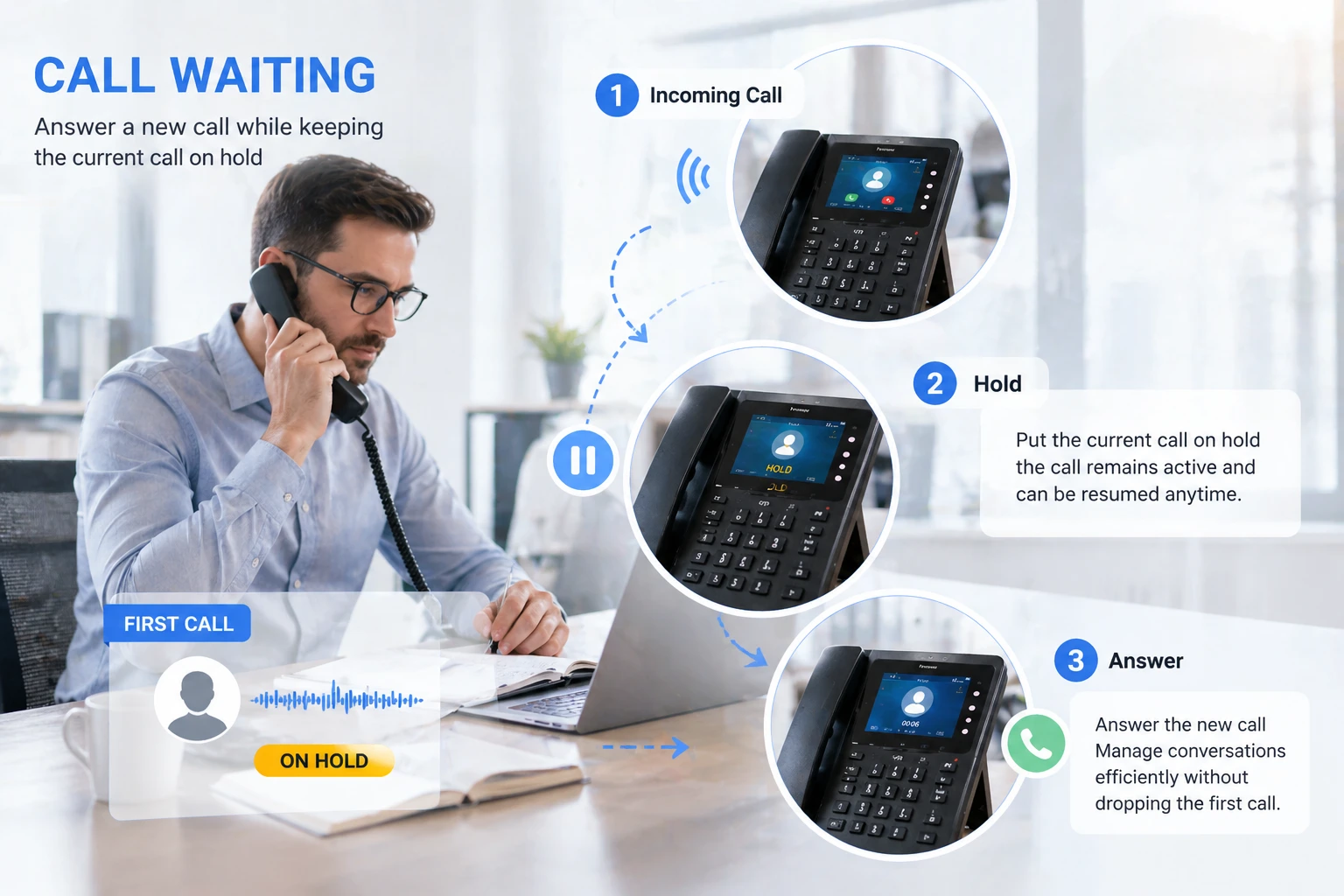
The basic mechanism of call hold is straightforward. During an active call, one party activates the hold function through a desk phone button, softphone interface, touchscreen menu, headset control, or PBX-related call control command. Once activated, the live speaking path is paused, but the call remains connected inside the communication system.
The held party does not continue hearing the normal live conversation because the session has entered a waiting state. Depending on the system configuration, the held party may hear music on hold, a tone, a recorded message, or another audio treatment designed to indicate that the call is still active but temporarily paused.
When the user is ready, the held call can be resumed and the two-way conversation continues. This mechanism makes call hold useful for many routine and professional call handling tasks.
Relationship With Transfer, Consultation, and Multi-Line Use
Call hold is often closely connected with other telephony functions such as attended transfer, consultation calling, call pickup, and multi-line call handling. For example, a receptionist may place one caller on hold while contacting another extension to confirm whether the recipient is available. A support agent may hold the customer briefly while checking a system record or asking a supervisor for clarification.
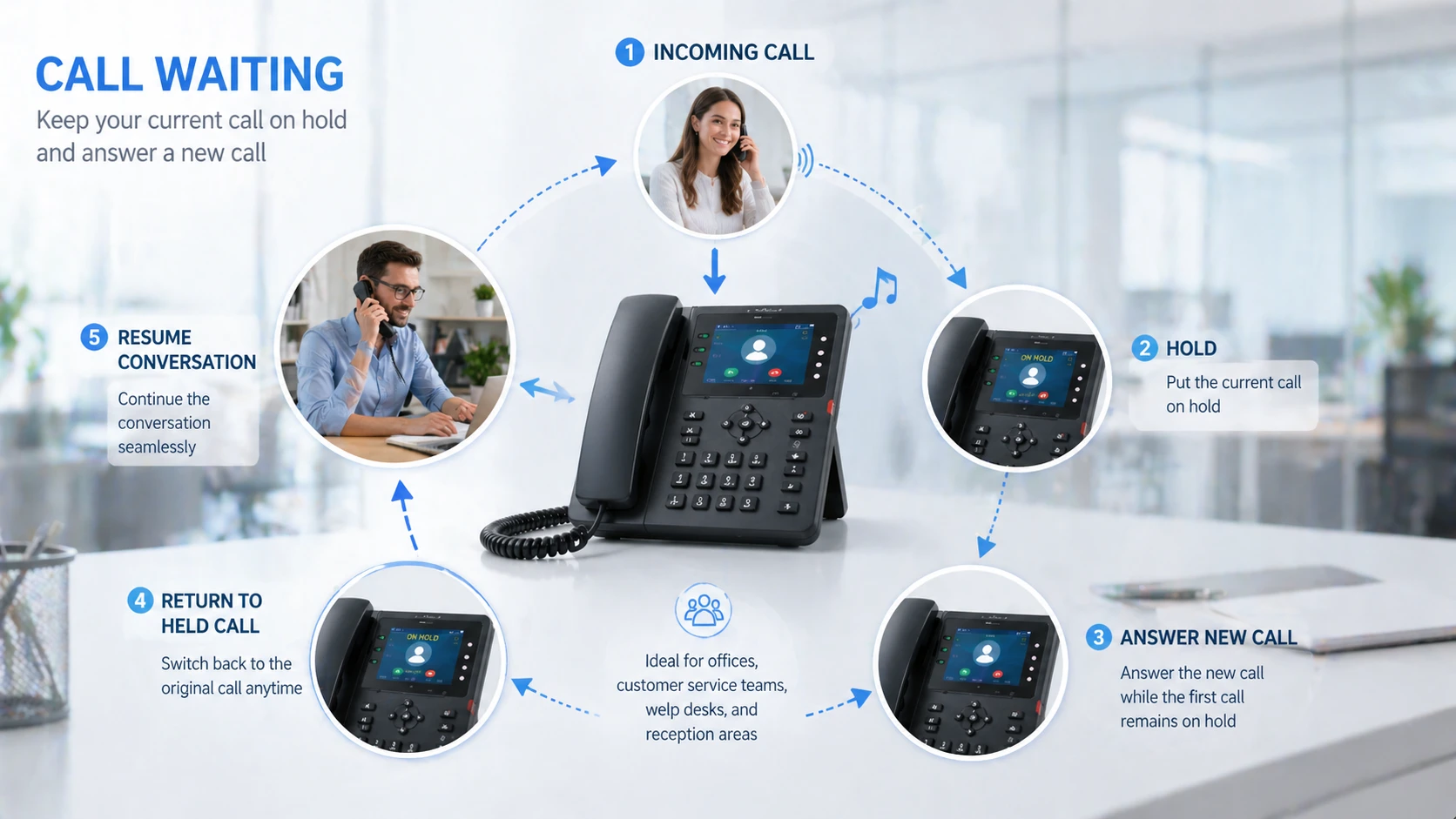
In multi-line business phones and unified communication systems, hold can also help users switch attention between different active calls. One call is temporarily held while another is answered or reviewed. This creates more flexible call control and helps the user manage concurrent communication demands with less confusion.
Because of this, call hold is often most valuable as part of a wider call management workflow rather than as an isolated feature.
Call hold becomes especially powerful when it works together with transfer, consultation, and multi-line communication control.
Main Characteristics of Call Hold
Temporary, Reversible, and Session-Preserving
One of the defining characteristics of call hold is that it is temporary and reversible. The call is not terminated. Instead, it is kept alive in a waiting state until the user chooses to resume it, transfer it, or manage it in another permitted way. This allows more flexible handling without forcing either party to re-establish the call from the beginning.
Another important characteristic is that the session is preserved by the communication platform. The call remains part of the active system context, which means its existence is known to the phone system, IP PBX, SIP server, or communication platform even while live talking is paused.
This makes call hold fundamentally different from simply asking someone to wait verbally while leaving the call fully open. It is a system-level control state, not just a conversational courtesy.
Often Paired With Audio Feedback for the Waiting Party
Another common characteristic is the use of waiting audio. Many communication systems play hold music, ringback-style tones, or recorded announcements while the caller is on hold. This helps reassure the waiting party that the call has not been dropped and that the other side is expected to return.
In customer-facing environments, this detail can be very important. Silence may cause confusion or make the caller think the connection has failed. Hold audio creates a more controlled and professional waiting experience, especially in service and office environments where short hold periods are routine.
This is one reason call hold is often treated as both a technical feature and a user experience feature.

Advantages of Call Hold
Better Communication Flexibility
One of the biggest advantages of call hold is improved flexibility in live communication. The user does not have to either continue speaking immediately or end the call completely. Instead, the conversation can pause while necessary follow-up actions happen in the background. This makes call handling much more adaptable in real work environments.
For example, a receptionist can place a caller on hold while locating the right department. A sales representative can verify pricing or delivery details before speaking again. A support agent can check a ticket or consult technical staff without forcing the customer to call back later. In each case, the held state allows the user to manage complexity without abandoning the call.
This flexibility is one of the main reasons call hold remains a standard feature across business telephony platforms.
Improved Professionalism in Customer and Office Calls
Call hold also supports a more professional communication style. Instead of asking the caller to wait informally while background noise, keyboard sounds, or side conversations continue on the line, the user can place the caller into a controlled waiting condition. This creates cleaner call handling and often feels more organized to the other party.
In customer-facing environments, this can improve perception of the business. A well-managed hold process suggests that the organization has call discipline and proper handling procedures. Even when the caller must wait briefly, the experience can feel more structured and less chaotic.
In that sense, call hold contributes not only to workflow control, but also to communication quality and brand impression.
A well-used hold function makes conversations easier to manage while also making the organization sound more controlled and professional.
Additional Operational Advantages
Supports Internal Coordination During Live Calls
Another practical advantage is that call hold helps internal coordination happen during a live call. Many business conversations require internal confirmation before a final answer can be given. A user may need to speak briefly with another department, check whether a manager is available, verify a schedule, or review a file. Holding the caller provides the necessary time without losing the connection.
This is especially useful in administrative offices, healthcare reception environments, customer support desks, logistics teams, and service coordination centers. In all of these settings, the call often depends on information that sits beyond the first person who answers.
By keeping the caller connected while internal coordination takes place, call hold supports smoother communication flow across the organization.
Reduces Unnecessary Disconnection and Callback Burden
Call hold can also reduce the need for unnecessary disconnections and follow-up callbacks. Without hold, users might need to end the call and promise to call back once the answer is found. That creates extra work, increases the chance of failed follow-up, and may weaken the caller experience.
A hold feature lets the conversation continue within the same session. Even if the pause is short, it often saves time for both sides and helps the issue reach a conclusion faster. In larger call environments, that reduction in repeated call handling can be operationally meaningful.
This makes call hold a small feature with very practical efficiency value.
Applications of Call Hold
Business Telephony and Office Communications
Call hold is used widely in office phone systems, business telephony platforms, and enterprise communications because office conversations often involve transfer, consultation, scheduling, and internal confirmation. Front desk staff, managers, administration teams, human resources personnel, finance teams, and customer support staff all benefit from the ability to keep callers connected while organizing the next step.
In these environments, call hold supports routine professionalism and reduces the pressure to answer every question instantly. It gives staff a practical mechanism for managing live communication in a more structured way.
This is one reason hold remains a standard feature in business IP phones, PBX systems, SIP clients, and unified communication applications.
Customer Service, Help Desks, and Reception Workflows
Customer service teams and help desks use call hold extensively because many requests require background verification. An agent may need to check a customer record, open a support case, consult a supervisor, or verify service status before continuing the call. Receptionists often need to place callers on hold while locating the right contact or checking availability.
In these workflows, call hold helps protect the continuity of the conversation while the operator performs necessary internal tasks. It also allows customer-facing staff to keep the caller within a managed call experience rather than forcing a disconnection.
As a result, call hold is often one of the most frequently used features in busy voice-handling environments.
Call Hold in Modern IP and SIP Systems
Role in IP PBX and Unified Communications
In modern IP PBX and unified communication environments, call hold remains a core feature because it supports flexible live call control across desk phones, softphones, mobile clients, and operator consoles. The function may be triggered through hardware keys, touchscreen menus, application controls, or SIP-based signaling behavior depending on the platform.
In these systems, hold can also interact with advanced features such as attended transfer, call park, shared line appearance, call waiting, recording control, and supervisory intervention. This makes it part of a much broader communication control model rather than a stand-alone telephony option.
For organizations using SIP and IP-based calling environments, hold is therefore both familiar and strategically useful in daily operations.
Importance in Multi-Device and Hybrid Work Environments
Call hold is also valuable in hybrid work settings where users may move between desktop phones, headsets, laptops, and mobile communication apps. In these environments, call handling is no longer limited to one fixed desk phone behavior. Users need flexible controls that let them manage conversations while switching context, gathering information, or coordinating with distributed teams.
A good call hold function supports this kind of practical communication behavior by keeping the conversation open even while the user handles another task. Whether the environment is office-based, remote, or hybrid, the underlying advantage remains the same: controlled pause without lost continuity.
This is why call hold remains relevant even as communication platforms become more software-driven and multi-device in design.
Maintenance Tips and Good Practices for Using Call Hold
Keep Hold Time Reasonable and Communicate Clearly
One important best practice is to keep hold time reasonable. The hold feature is useful, but it can become frustrating if callers are left waiting too long without explanation. In business communication, short and purposeful hold periods are usually far more effective than long silent delays.
Users should also communicate clearly before placing someone on hold whenever possible. A simple explanation such as checking details or contacting the right person helps the held party understand why the pause is happening. This improves cooperation and reduces irritation.
In practical terms, the best use of call hold combines technical control with polite communication behavior.
Use Hold as a Workflow Tool, Not as a Delay Habit
Another good practice is to use hold deliberately rather than automatically. Call hold is most valuable when it supports a meaningful next step such as transfer, consultation, lookup, or coordination. If it becomes a default response to every incoming request, it may create unnecessary waiting and weaken service quality.
Organizations should therefore treat hold as a workflow tool, not simply a delay mechanism. In customer-facing environments, this distinction matters a great deal because the caller experience is shaped not only by whether hold exists, but by how responsibly it is used.
Good hold practice improves both efficiency and caller satisfaction.
Call hold works best when it creates a brief, purposeful pause that helps the conversation move forward more effectively afterward.
Conclusion
Call hold is a practical telephony feature that temporarily pauses a live conversation without disconnecting the call. Its characteristics include session preservation, easy resumption, structured waiting control, and frequent integration with transfer and consultation workflows. These qualities make it an important tool in everyday business communications.
Its main advantages include better communication flexibility, improved professionalism, stronger support for internal coordination, and reduced need for unnecessary disconnection or callback. In offices, customer service teams, help desks, and IP-based communication systems, call hold helps users manage real conversations more effectively.
For organizations that depend on voice communication, call hold may seem simple, but it remains one of the most practical features for making live call handling more controlled, efficient, and professional.
FAQ
What is call hold in simple terms?
In simple terms, call hold means placing the other party in a temporary waiting state without ending the call. The conversation pauses, but the connection remains active so it can resume later.
It is commonly used when someone needs time to check information or contact another person.
What is the advantage of call hold?
A major advantage is that it lets users manage live calls more flexibly. They can confirm details, transfer the call, or consult another person without hanging up and forcing the caller to reconnect.
It also helps create a more professional and organized communication experience.
Where is call hold commonly used?
Call hold is commonly used in office phone systems, customer service teams, reception desks, help desks, administrative departments, and IP PBX or SIP-based business communication environments.
It is especially useful where calls often require internal coordination before the conversation can continue.







