A school is not a single room or a single process. It is a living environment made up of classrooms, administration offices, corridors, gates, dormitories, libraries, sports facilities, cafeterias, parking areas, and open public spaces. Every one of these areas has different patterns of movement, different levels of supervision, and different types of risk. When something unexpected happens, such as a medical emergency, an aggressive visitor, a student conflict, an unauthorized entry, or an evacuation event, the first few moments matter more than anything else.
That is why a school panic button project should never be approached as a simple hardware installation. The real requirement is broader. Schools need a practical way to report incidents immediately, identify where they are happening, communicate with responders, notify the right people, and coordinate follow-up actions without confusion. A button may initiate the alert, but it is the communication system behind that button that determines whether the response is organized, fast, and effective.
A modern school panic button and emergency communication solution combines one-touch alarm triggering, SIP intercom, IP phones, paging, visual notification, CCTV linkage, and centralized management into one connected safety framework. Instead of relying on isolated devices that work separately, schools can build a response workflow that supports both routine incident handling and high-priority emergencies across the entire campus.
When an incident occurs on campus, the first challenge is often not whether someone can raise an alarm. The real problem is whether the school can understand the event quickly enough to respond well. A teacher may press a panic button, but the security office still needs to know where it happened, what kind of situation is unfolding, and who should respond first. If that information has to be confirmed through multiple phone calls, manual checks, or staff running between rooms, precious time is lost.
Schools also operate as shared environments rather than isolated workspaces. An issue in one classroom may affect the corridor outside it. A gate incident may require input from guards, administrators, and nearby staff. A medical emergency during a sports activity may involve the school nurse, teachers, and campus security all at once. Because of this, schools need a solution that helps people act together instead of responding through disconnected tools.
Many campuses still depend on a mixture of telephones, handheld radios, standalone alarm buttons, basic public address systems, and separate video monitoring platforms. Each tool may serve a purpose, but when they are not connected, the overall response becomes slower and less predictable. Staff may receive only part of the information. Security teams may not know how urgent the event is. Administrators may be informed too late. On larger campuses, these gaps become even more visible.
An integrated solution changes this by turning emergency reporting into a structured communication process. The moment an alert is triggered, the system can identify the location, notify responsible personnel, establish voice communication, open linked cameras, and support targeted announcements if wider notification is needed. This improves not only technical efficiency, but also the human side of response by reducing uncertainty and helping staff stay calmer under pressure.
In school safety, the goal is not simply to raise an alarm. The goal is to help the right people understand what is happening, where it is happening, and how they should respond without delay.
A school panic button and emergency communication solution is a campus safety system designed to support immediate incident reporting, real-time communication, structured notification, and centralized response management. It typically includes panic buttons in key rooms, emergency call stations in public areas, SIP intercom terminals, IP phones in offices and security rooms, paging integration, visual alarm devices, CCTV linkage, and a management platform that displays and tracks active events.
The solution is intended for a wide range of scenarios, including medical emergencies, staff distress, violent behavior, unauthorized access, student conflicts, suspicious activity, after-hours incidents, and evacuation-related events. Its purpose is not to replace school safety procedures, but to make those procedures work more reliably by giving staff faster communication tools and clearer situational awareness.
When a panic button or emergency call point is activated, the event is sent to the central platform and to designated response endpoints such as the security office, administration office, duty room, or mobile responders. The alarm is associated with a precise location, such as a building, room, gate, corridor zone, or outdoor area. Depending on the design, the system can also assign a priority level and trigger a predefined response workflow.
If voice verification is enabled, staff can immediately open two-way communication with the reporting point through a SIP intercom or connected terminal. If video integration is available, the related cameras can be displayed automatically to help responders understand the situation before arrival. If the event requires wider communication, the paging system can be used to send instructions to a specific building, floor, or campus zone. In this way, the alarm becomes the first step in a coordinated response rather than a standalone warning.
Panic buttons can be installed in classrooms, administration offices, nurse rooms, counseling rooms, reception desks, laboratories, libraries, and dormitory management areas. In some locations, the button is visible and intended for direct use. In others, especially at public-facing desks or more sensitive areas, it may be designed to remain discreet while still being easy for authorized staff to reach.
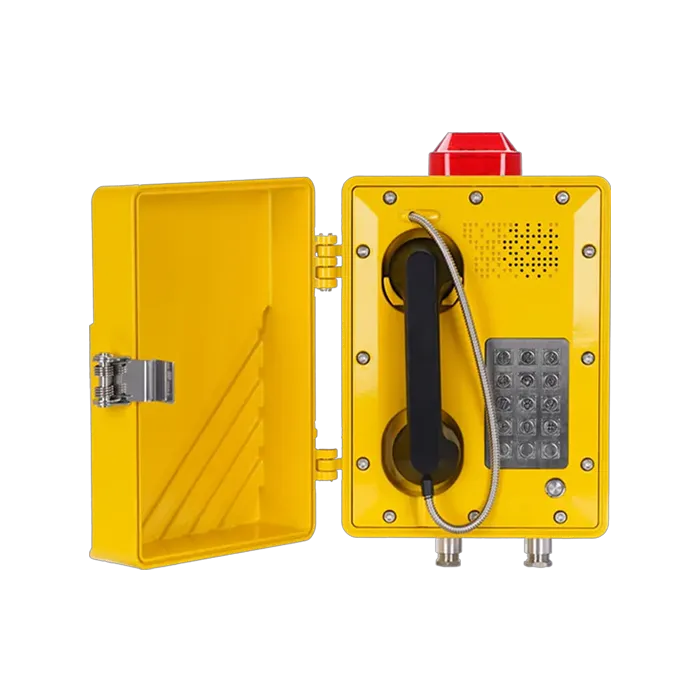
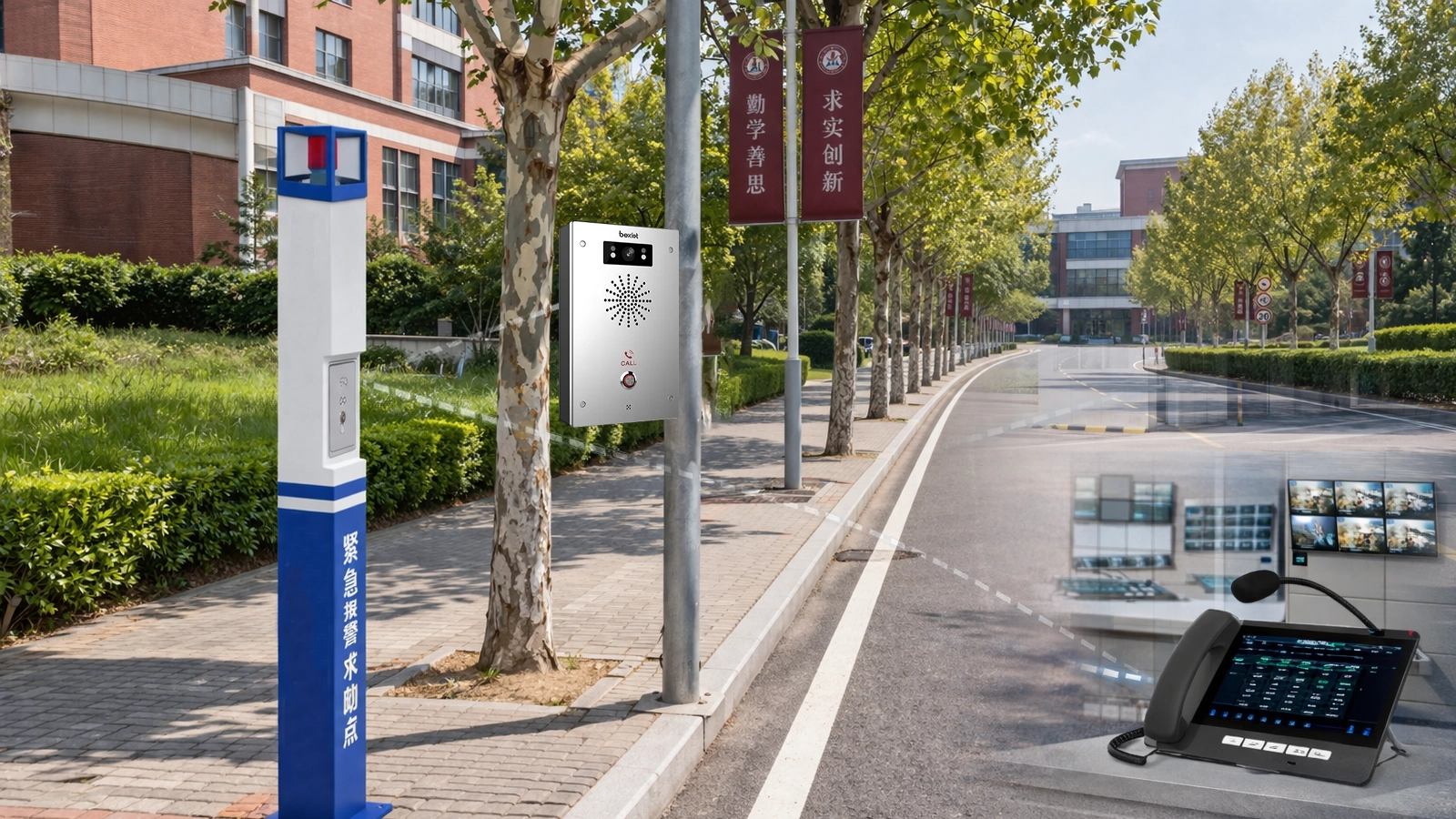
Emergency call stations can be placed at gates, entrances, outdoor walkways, corridors, stairwells, parking zones, and playground access points. These devices are especially useful in areas where someone may need immediate help but may not be near a staffed office. They provide not only a fast way to raise an alert, but also a direct communication path to security or administration personnel.
One-touch alerting is important, but it does not by itself explain what is happening. Voice communication adds that missing context. SIP intercom terminals, classroom communication points, and IP phones in offices or control rooms allow the school to confirm the nature of an incident, calm the people involved, and guide the next step more effectively.
Because these devices operate over an IP network, they can become part of a broader campus communication system rather than staying locked inside a separate subsystem. This helps security staff, administrators, gate personnel, and designated responders work within one shared framework. It also makes future expansion easier when the school adds buildings, departments, or even additional campuses.
Some incidents require quiet handling and careful coordination. Others require immediate notification across a wider area. Integration with paging or public address systems allows schools to deliver instructions, lockdown messages, evacuation notices, or operational guidance to selected zones or across the full campus when needed. This flexibility matters because not every alarm should trigger the same public response.
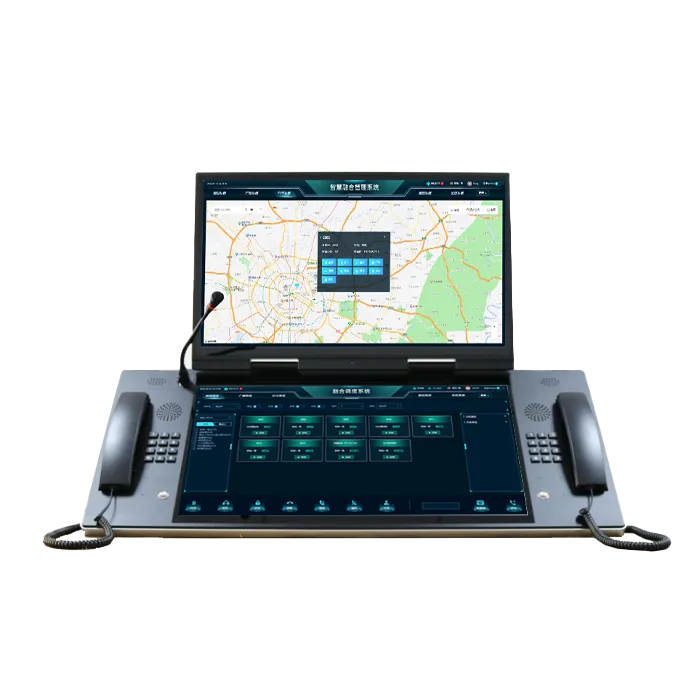
Visual notification devices such as beacons, strobes, or local indicators can support awareness in noisy or crowded environments where voice alone may not be sufficient. At the center of the system, the management platform gives staff a unified view of active alarms, locations, device status, and response actions, making it easier to manage the event from one place and keep a clear operational record.
Panic buttons for classrooms, offices, reception areas, and sensitive locations
Emergency call stations for gates, corridors, outdoor spaces, and public areas
SIP intercom terminals for real-time two-way voice communication
IP phones for administration offices, nurse rooms, and security posts
Paging and public address integration for emergency announcements
Visual alarm devices for local warning and fast recognition
CCTV linkage for incident verification and better situational awareness
Centralized software for monitoring, escalation, event logging, and coordination
The first role of the system is to let staff report an incident without hesitation. In a classroom, office, or gatehouse, pressing one button is often more practical than searching for a number, explaining the situation under stress, or leaving the scene to find help. The system can also be configured so that alarms from different locations follow different workflows depending on their role and risk level.
For example, a panic button at the front office may trigger a security-focused process, while an alert from the nurse room may route first to administration and on-site support staff. This kind of flexible configuration makes the solution far more useful than a uniform alarm design that treats every location the same way.
Once an alarm is received, responders need to understand the situation as quickly as possible. Two-way voice can make a major difference here. A teacher may be able to explain that a student has collapsed, that a visitor is behaving aggressively, or that smoke has been noticed near a stairwell. A gate staff member may be able to confirm whether an unauthorized person is still on site. These details help responders choose the right action immediately.
Voice communication is also valuable because it reduces guesswork. Instead of treating every alert as an unknown, the school can assess the event more accurately and respond with the appropriate combination of security, medical, administrative, or facility support.
Location accuracy is essential in any campus incident. A response team cannot afford to lose time asking whether the event is in Building A or Building C, on the second floor or the ground floor, inside a classroom or outside near the entrance. Every panic button and communication endpoint should therefore be associated with a clearly defined room, office, gate, zone, or public area.
The central platform should present this information clearly and consistently so that staff know exactly where to go. On larger campuses, endpoints can be grouped by building, floor, department, or outdoor sector, which helps not only during emergencies but also in maintenance, event review, and daily operational management.
Schools need the ability to communicate beyond the point where the alarm was raised. Paging integration allows staff to send live or pre-recorded announcements to selected buildings, floors, or the entire campus, depending on the type of event. This can support lockdown measures, evacuation guidance, weather-related instructions, or broader operational communication during an unfolding situation.
Just as important, zone-based paging helps schools avoid unnecessary disruption. Not every event should become a campus-wide announcement. A good system allows the school to isolate a problem area, notify only the relevant zones, and keep the rest of the campus operating as normally as possible.
During busy school hours, a single event may involve teachers, guards, administrative staff, nurses, counselors, and facility personnel. Without a structured management process, important steps can be missed. A centralized platform helps organize the response by showing who has been notified, whether the alarm has been acknowledged, and whether it needs escalation.
If the first assigned responder does not answer within a defined time, the system can forward the event to a supervisor or backup team. If multiple alarms occur at once, the platform can help staff prioritize them by severity and location. This makes the response process more dependable and easier to evaluate afterward.
A staff member or authorized user activates a panic button or emergency call point.
The system identifies the exact room, building, gate, or zone.
Security, administration, or designated responders receive the alert immediately.
Two-way voice and linked video can be opened if needed.
Targeted announcements or visual notifications are activated when appropriate.
The event is acknowledged, managed, and recorded through the platform.
If the response is delayed, the alarm escalates automatically.
Good school safety systems do not simply react to alarms. They create a clear path from alert to action, helping staff stay organized even when the situation itself is stressful.
Classrooms remain one of the most important deployment areas because they are where teachers carry daily responsibility for student safety. In a medical event, behavioral incident, security concern, or sudden disturbance, the teacher needs a fast and dependable way to request help without leaving the room.
Teaching buildings also include corridors, stairwells, staff offices, and multipurpose rooms, all of which can become part of the same incident landscape. A thoughtful system design therefore looks at the whole building as an operating environment rather than treating each classroom as a separate and isolated point.
School entrances are often where security issues first appear. Visitor management, delivery access, student drop-off pressure, after-hours entry, and unauthorized access attempts all create risk. Panic buttons and help points at gates, reception desks, and security posts allow frontline staff to report concerns immediately and, when needed, establish direct communication with the control room.
These areas benefit particularly from CCTV linkage because video gives security and administration teams immediate visual confirmation of what is unfolding. That visibility supports faster and more confident decision-making.
On campuses with student housing, communication needs continue long after the school day ends. Dormitories, entrances, common rooms, and resident staff offices require dependable ways to report medical issues, behavioral problems, after-hours disturbances, and fire-related events. Because staffing may be lighter at night, clear notification and escalation become even more important.
In these environments, two-way voice and targeted paging are especially useful because they allow resident staff to assess the event quickly and coordinate with administrators or security personnel without delay.
Shared spaces create a different kind of challenge because they involve larger groups, changing occupancy, and more open movement. A student collapse in a cafeteria, a conflict in a library, an injury on a sports field, or a safety concern during a campus event all require quick reporting and coordinated follow-up. Emergency call stations, outdoor help points, and linked communication tools make it easier to manage these spaces effectively.
Because these areas can affect many people at once, they also benefit from controlled wider-area notification options. In some cases, local response is enough. In others, public instructions may be necessary to preserve order and guide movement safely.
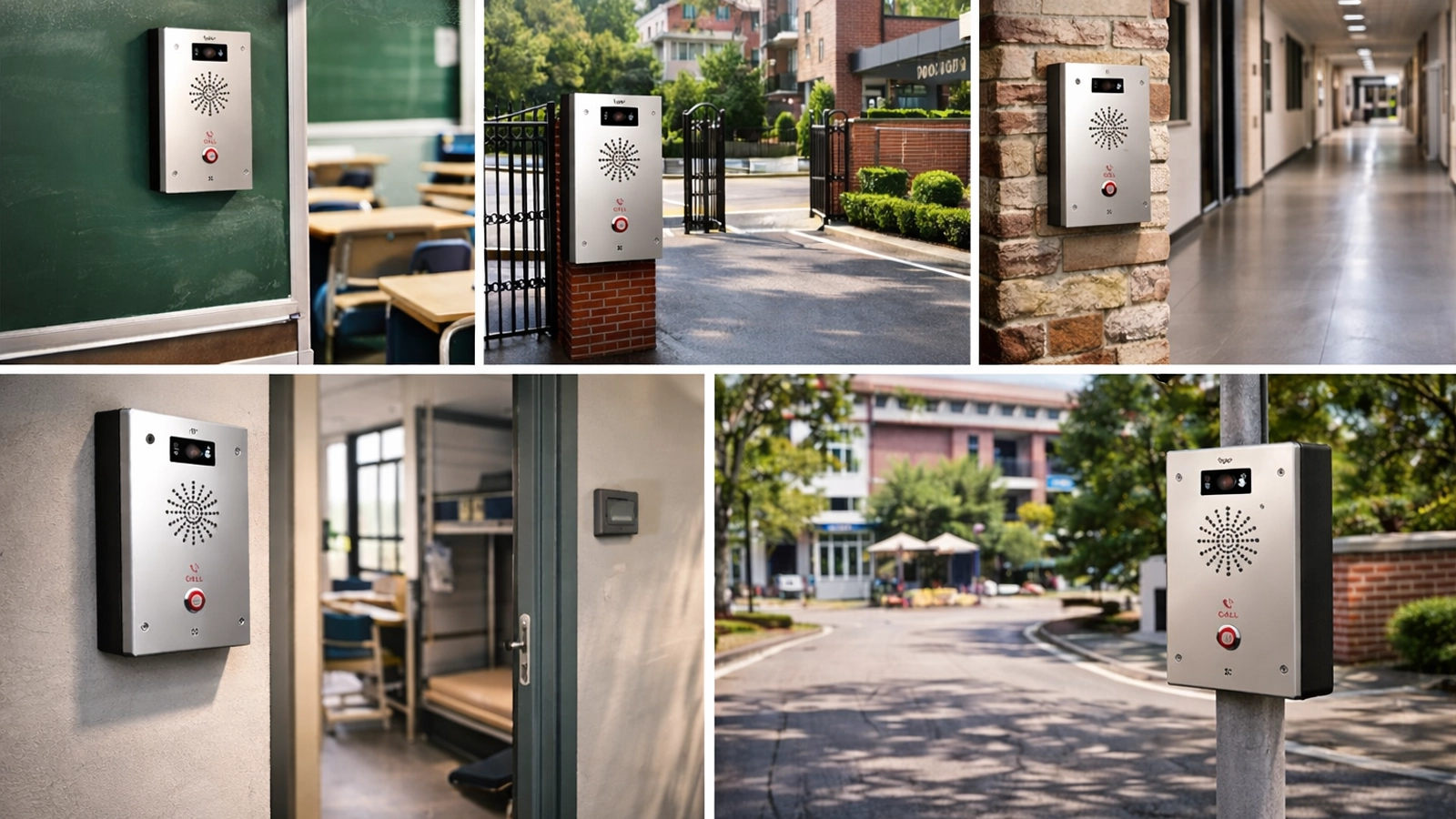
Video integration is one of the most practical extensions of a school emergency communication solution. When an alert is triggered, operators can automatically view the cameras associated with the room, entrance, or zone involved. This helps confirm whether the event appears to be a medical incident, a confrontation, a visitor issue, or a broader safety concern.
In school environments, that additional visibility reduces uncertainty. Responders can prepare more appropriately before they arrive, and administrators can determine whether broader measures, including external emergency services or campus-wide notification, are necessary.
School emergencies are rarely managed by one person alone. Security staff may handle the immediate response, but administrators may need to manage follow-up communication, student movement, parent contact, or coordination with teaching staff. A unified platform allows different roles to work from the same event information while still respecting operational responsibilities and access levels.
This kind of coordination reduces duplication and confusion. Instead of piecing together separate reports from different systems, the school can operate from a single shared picture of the event.
A successful deployment depends on how well the system fits the real life of the school. Device placement should reflect daily movement patterns, supervision gaps, higher-risk offices, public access points, and after-hours use cases. Alarm workflows should be designed in advance so that staff know who receives which type of alert, how events are categorized, and when announcements or escalations should occur.
In practice, many schools also look for a solution partner that can combine communication devices, alarm logic, and centralized management into one practical framework. Becke Telcom supports campuses with integrated designs that bring together panic buttons, SIP intercom, IP phones, paging, visual alerts, CCTV linkage, and management software according to the layout and response needs of the site. For schools that want to improve safety without adding unnecessary complexity, that kind of unified approach is often far more sustainable than piecing separate systems together over time.
The most visible benefit is speed. One-touch alarm activation shortens the time between incident discovery and response initiation. Automated location display and notification reduce the time spent confirming where the event is and who should go first. Voice and video integration reduce uncertainty, allowing responders to arrive better prepared.
For school staff, this does more than improve emergency performance. It also builds confidence in the safety process itself. Teachers, guards, and administrators are more likely to act decisively when they know the communication system behind them is reliable.
Every campus includes people with different roles, ages, and vulnerabilities. Students need protection. Teachers need a fast way to request help. Office staff may need discreet alerting in a public-facing situation. Visitors need access to help points in common areas. An integrated emergency communication system supports all of these needs without forcing the school to depend on a patchwork of unrelated tools.
Because the solution can be tailored by zone and event type, it strengthens campus safety while still respecting the normal rhythm of school life.
After an incident, schools often need to review what happened, how it was reported, who was notified, and whether procedures were followed. A centralized system provides event logs, acknowledgements, and history that support internal review and continuous improvement. This is valuable for administrators who want to strengthen campus safety over time rather than only reacting to isolated events.
It also helps facilities and technical teams because device status, zone mapping, and event records are easier to manage when the solution is organized as one connected system.
Faster incident reporting from classrooms, offices, and public areas
Clear room and zone identification for responders
Better communication between security, administration, and staff
Support for targeted announcements and wider campus notification
Improved situational awareness through voice and video linkage
More consistent escalation and follow-up handling
Scalable deployment across multiple buildings or campuses
Reliable event records for review and safety improvement
A school panic button and emergency communication solution should be understood as a complete campus response workflow rather than a simple collection of alarm devices. Its purpose is to help schools report incidents quickly, identify locations accurately, communicate clearly, and coordinate response across classrooms, gates, offices, dormitories, and public areas. When these capabilities are connected, the campus becomes better prepared not only for major emergencies but also for the everyday situations that require calm and immediate action.
By combining one-touch alerts, SIP intercom, IP phones, paging, visual alarms, CCTV linkage, and centralized management, schools can build a safety environment that is more responsive, more manageable, and better suited to real campus operations. For schools planning to strengthen communication, speed up incident handling, and improve coordination across multiple areas, Becke Telcom can support a tailored solution built around actual site needs and day-to-day response requirements.
The main purpose is to allow staff or authorized users to report emergencies immediately and trigger a coordinated communication workflow. A well-designed system does more than send an alarm. It also helps identify the location, notify responders, and support follow-up actions.
Yes. A modern school solution can integrate panic buttons with SIP intercom terminals, classroom communication points, and IP phones so that responders can verify the situation and coordinate actions through real-time voice communication.
Yes. The system can be connected to school paging or public address platforms so that staff can deliver live or pre-recorded messages to selected zones or to the full campus, depending on the type of incident.
In many cases, yes. CCTV linkage helps security and administrators verify an incident visually, understand the environment around it, and make faster and better-informed response decisions.
Common deployment areas include classrooms, administration offices, entrances, gates, nurse rooms, reception areas, libraries, dormitory offices, corridors, sports zones, and other public or higher-risk campus spaces.
Yes. With centralized software and IP-based architecture, the system can monitor and manage alarms across multiple buildings or sites while maintaining consistent response rules and visibility.