


Call transfer is a telephony function that allows an active call to be moved from one user, extension, device, or endpoint to another without requiring the caller to hang up and start over. In simple terms, it lets the first person who answers pass the conversation to the person or department that should handle it next. This may sound like a basic feature, but in real communication environments it is one of the most important tools for keeping voice workflows efficient and organized.
In business telephony, IP PBX systems, SIP-based communications, customer service teams, office reception desks, hospitals, hotels, schools, and enterprise communication platforms, call transfer is used constantly. Many calls do not belong with the first person who answers. A caller may need billing, technical support, administration, a department specialist, an on-duty supervisor, or another branch office. Call transfer makes that movement possible without interrupting the overall call journey.
This is why call transfer is not just a convenience feature. It is a structural part of how professional phone systems work. It helps organizations route live conversations more intelligently, reduce repeated explanations, and connect callers with the right destination more quickly.
What Is Call Transfer?
Definition and Core Meaning
Call transfer is the process of moving an existing live call from one communication endpoint to another. The first user receives the call, identifies that another person or team should continue the conversation, and then uses the system’s transfer function to redirect the call. The caller remains within the same communication session rather than ending one call and beginning another manually.
The core meaning of call transfer is controlled call handoff. Instead of treating the first answering point as the final destination, the communication platform allows the conversation to move to the most relevant handler. This makes the phone system more aligned with real business structure, where different people and teams have different responsibilities.
In practical terms, call transfer helps the organization move calls to the right place while preserving continuity for the caller.
Call transfer keeps the conversation alive while changing the person or endpoint responsible for it.
Why It Matters in Real Communication
In real office and service environments, the first answering party often acts as a gateway rather than the final problem-solver. A receptionist may answer the main line, but the caller may actually need finance, technical support, or logistics. A nurse station may receive an internal call that belongs with another ward or on-duty staff member. A support agent may discover that the issue must go to a specialist or supervisor.
Without call transfer, these interactions would be much less efficient. The caller might need to hang up, dial again, repeat the request, or wait for a callback. That creates frustration, wastes time, and increases the chance of communication failure. Call transfer reduces that friction by making the handoff part of the live communication process.
For that reason, call transfer is one of the core features that turns a basic phone line into a functional business communication system.
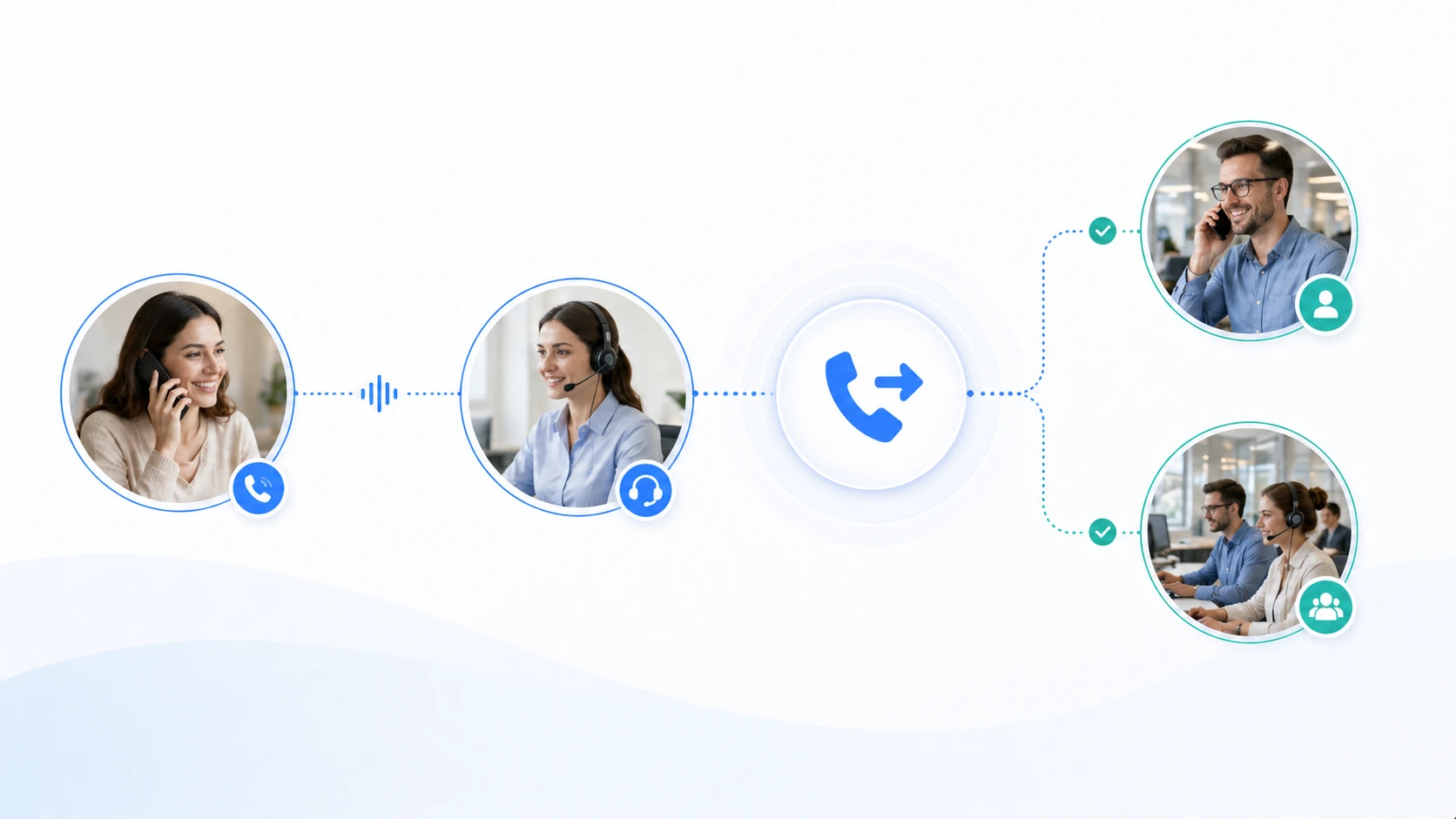
How Call Transfer Works
Moving the Call Through the Communication Platform
The basic mechanism begins when one user is already in an active call. That user decides the conversation should continue with another destination and activates the transfer function on a desk phone, softphone, headset interface, operator console, or unified communication client. The system then uses its call control logic to redirect the live session to the selected extension, group, external number, or other allowed endpoint.
In modern IP and SIP-based systems, this process is managed by the communication platform rather than by simple physical line switching. The transfer action is handled through signaling logic, call control rules, and endpoint coordination. From the caller’s perspective, the result is that the conversation continues with another person while the first participant steps out of the call path.
This system-level handling is what makes call transfer fast, repeatable, and reliable in professional communications.
Transfer as a Workflow Step, Not Just a Button
Although users often experience call transfer as a button on the phone, it is more accurate to think of it as a workflow step. The system is not merely sending the call somewhere else. It is preserving the session, changing responsibility, and maintaining the caller’s path inside the communication environment.
This matters because transfer usually happens within a wider call-handling process. The first user may identify the correct department, verify that the recipient is available, explain the issue briefly, or consult internally before completing the transfer. The feature therefore supports communication organization, not only device control.
In practice, call transfer is most valuable when it is part of a deliberate and well-managed call handling approach.
A transfer button starts the action, but the real value of call transfer lies in how it supports structured call handoff.
Main Types of Call Transfer
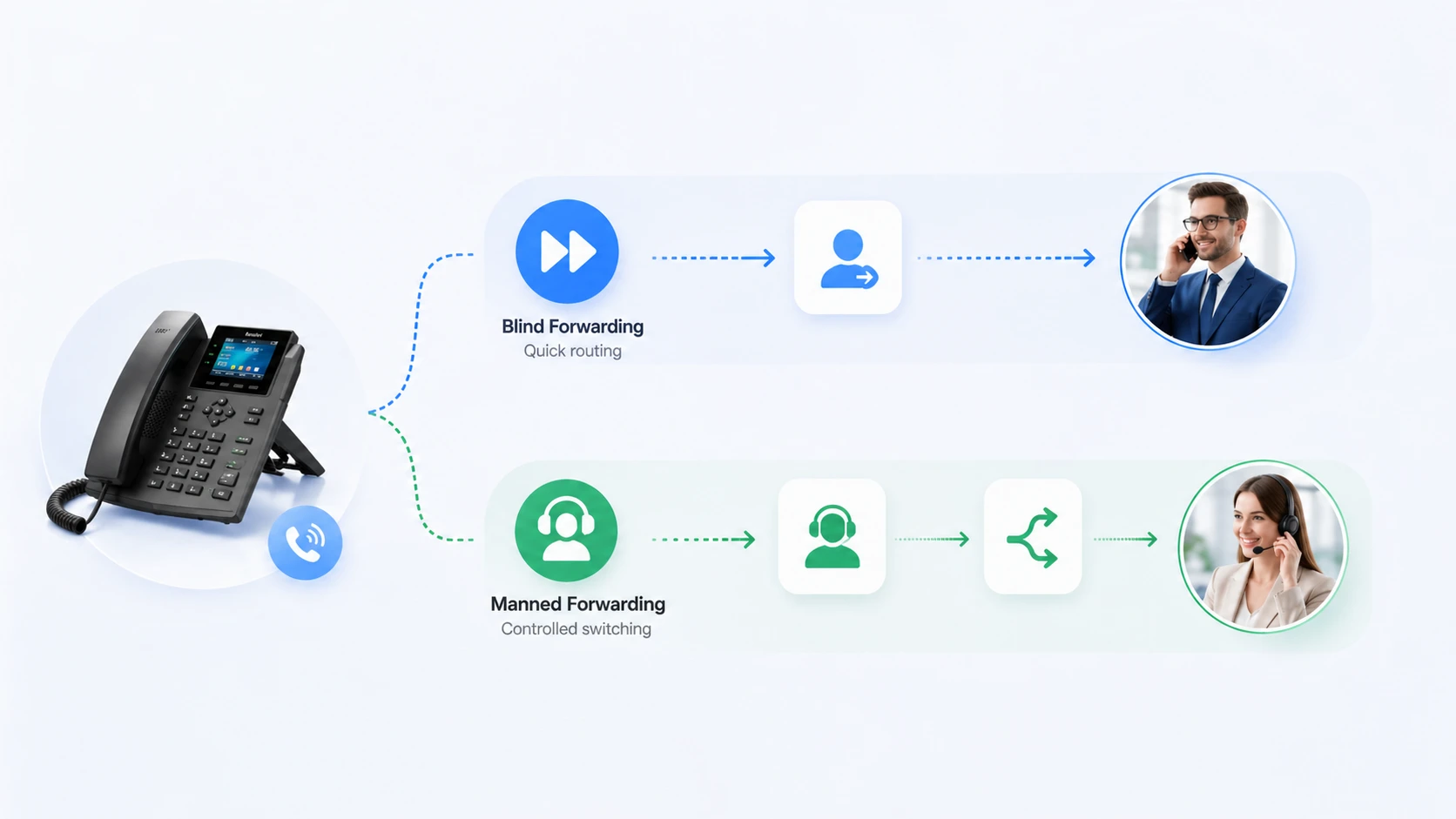
Blind Transfer
Blind transfer, sometimes called unattended transfer, means the first user sends the call directly to another destination without speaking to that destination first. The call is forwarded based on the assumption that the recipient or target endpoint should handle it. This method is fast and efficient when the destination is clear and the organization is confident in the routing choice.
Blind transfer is commonly used in environments where staff already know which extension or department is appropriate. For example, a front desk may immediately transfer calls for payroll, purchasing, or room service to the correct team without additional consultation. It reduces handling time and keeps call flow moving.
However, it works best when the destination is accurate and likely to answer. If the destination is unavailable, the caller experience may be weaker than in a more controlled transfer method.
Attended Transfer
Attended transfer, sometimes called supervised transfer, involves first contacting the target destination before completing the handoff. The original user can explain who is calling and why, confirm availability, and then decide whether to complete the transfer. This method takes slightly more time, but it often produces a smoother experience.
Attended transfer is especially useful in customer service, executive office support, healthcare environments, and situations where context matters. Instead of dropping the caller into an unknown endpoint, the first user makes sure the recipient is ready to take over the conversation.
In practical business use, attended transfer often feels more professional because it combines transfer mechanics with human coordination.
Main Features of Call Transfer
Live Session Continuity
One of the most important features of call transfer is continuity. The caller does not need to redial, re-establish the session, or begin the process again manually. The conversation stays within the live communication system and moves to a new destination through platform logic.
This continuity is valuable because it reduces communication friction. Every time a caller must restart the interaction, there is a higher chance of confusion, repetition, or failed contact. Transfer keeps the conversation moving forward within one call path instead of breaking it into disconnected steps.
In real business communication, that continuity improves both efficiency and caller confidence.
Flexible Handoff Between Users and Endpoints
Another important feature is flexibility. A transferred call can be sent to an individual extension, a hunt group, a queue, a mobile endpoint, another office device, or sometimes an outside number depending on the system’s permissions and design. This gives organizations more options for shaping call flow around real operational needs.
Flexibility matters because businesses rarely work with one device type or one fixed communication path. Staff may answer on desk phones, continue on soft clients, support remote workers, or distribute calls across branches and departments. A strong transfer feature supports this mixed environment instead of assuming one rigid endpoint model.
This makes call transfer a practical tool for modern communication systems rather than just a legacy office function.
Advantages of Call Transfer
Faster Connection to the Right Person
One of the biggest advantages of call transfer is that it helps callers reach the right person faster. Instead of ending the first conversation and starting a new search manually, the call can be moved directly into the next stage of handling. This saves time for both the caller and the organization.
In service environments, this can have a significant effect on perceived efficiency. A caller who is transferred correctly and quickly often feels the organization is responsive and well coordinated. By contrast, repeated redirection without proper transfer usually feels disorganized.
In practical terms, call transfer helps communication systems behave like structured service tools rather than isolated phones.
Reduced Repetition and Better Caller Experience
Another important advantage is that call transfer can reduce the amount of repeated explanation. When the call stays alive and is handed over properly, the caller is less likely to need to restart the entire conversation from zero. In attended transfer scenarios, the first user may even brief the next recipient before completing the handoff.
This improves the caller experience because it reduces frustration and gives the impression that the organization is listening and coordinating internally. In support and administrative environments, that can make a noticeable difference in how service quality is perceived.
A good transfer process therefore improves not only speed, but also the human experience of the call.
The best transfer experience does more than move the call. It reduces confusion and helps the next conversation start with better context.
Additional Operational Advantages
Supports Better Internal Coordination
Call transfer helps internal coordination by allowing the first answering user to connect the caller with the correct team without losing control of the live communication process. This is especially useful in offices where departments depend on one another, such as reception to administration, sales to technical support, or service desks to supervisors.
Instead of relying on informal instructions like “please call this other number,” the organization can manage the handoff directly inside the phone system. This makes communication more structured and often reduces failure points between departments.
In that sense, call transfer is part of internal collaboration as well as customer-facing service.
Improves Efficiency in Multi-Line and High-Volume Environments
Call transfer is also highly valuable in busy communication environments where one user cannot or should not handle every conversation personally. Reception desks, call-handling teams, clinics, hotels, contact centers, and internal operator positions often depend on efficient handoff to keep traffic flowing.
In those environments, transfer helps prevent bottlenecks. The first user does not need to keep ownership of every call, and callers do not need to wait for one person to resolve issues outside that person’s role. The system can shift the call to a better resource while the first user becomes available again for the next interaction.
This makes transfer a practical workload-management feature in addition to a communication feature.
Applications of Call Transfer
Office Communications and Front Desk Operations
One of the most common applications of call transfer is in ordinary office communication. Front desk staff, executive assistants, department administrators, and office coordinators often receive calls that belong to other people or teams. Transfer allows them to move those calls efficiently without forcing the caller to navigate the organization alone.
This is especially useful in organizations with shared main numbers, departmental extensions, and internal service structures. The transfer feature turns the first answering point into a guided access point rather than a dead end.
In everyday business telephony, this is one of the reasons transfer remains a core function rather than an optional extra.
Customer Service, Healthcare, and Hospitality
Customer service environments rely on transfer because callers often need to move between inquiry stages, specialists, or supervisors. A billing call may need technical input. A general support inquiry may need escalation. A reservation desk may need to involve another department. Transfer helps all of these handoffs happen inside one live communication path.
Healthcare and hospitality environments also benefit strongly. Calls may need to move between wards, stations, guest services, duty managers, reception desks, or support staff. In these settings, efficient transfer improves both responsiveness and organizational professionalism.
The practical value is the same across sectors: move the live conversation to the right person without unnecessary interruption.
Call Transfer in Modern IP and SIP Systems
Role in IP PBX and Unified Communications
In IP PBX and unified communication environments, call transfer remains one of the most frequently used live call control features. It may be activated through hardware keys on IP phones, touchscreen menus, softphone interfaces, operator consoles, headset platforms, or integrated communication apps.
In SIP-based systems, transfer is supported through signaling logic that allows the call to be redirected under platform control. This makes transfer more flexible than in older standalone analog environments, especially where desk phones, remote users, branch offices, and mobile communication clients all participate in the same system.
For this reason, call transfer remains central even as business communications move further into IP-based and software-driven models.
Part of a Broader Call Management Strategy
Transfer also becomes more valuable when combined with other communication features such as call hold, shared line appearance, call park, queues, hunt groups, voicemail, and presence-aware routing. In modern systems, transfer is rarely used completely alone. It usually forms part of a broader live call management strategy.
This broader context matters because it changes how organizations think about transfer. Instead of treating it as a simple redirection tool, they can use it as one building block in a more controlled communication workflow across teams and devices.
In practical deployment, the strength of call transfer often depends on how well it fits into the larger call-handling model around it.
Best Practices for Using Call Transfer Well
Choose the Right Transfer Type for the Situation
One important best practice is choosing between blind transfer and attended transfer appropriately. If speed matters and the destination is known with high confidence, blind transfer may be efficient. If the caller’s issue is sensitive, complex, or likely to require context, attended transfer is often the better choice.
This judgment affects user experience directly. A fast transfer is not always a good transfer if it sends the caller into the wrong place or to an unavailable endpoint. The most effective organizations usually train staff to think about transfer quality, not just transfer speed.
Good transfer practice therefore depends on call awareness as much as on the button itself.
Keep Handoff Clear and Minimize Caller Uncertainty
Another good practice is to keep the handoff clear for the caller. Whenever possible, the first user should explain what is happening, who the caller is being transferred to, and why. This creates a more confident experience and reduces the chance that the caller feels abandoned or lost inside the system.
It is also helpful to monitor how transfer works in real operation. If calls are frequently transferred multiple times, sent to unavailable destinations, or returned to the origin, that may indicate problems in routing logic, staffing, or call ownership rather than in the transfer feature itself.
In practice, transfer works best when it is part of a thoughtful communication process rather than a way to push calls away quickly.
A successful call transfer is not measured only by whether the call moved, but by whether the handoff improved the conversation’s outcome.
Conclusion
Call transfer is the function that moves a live call from one user or endpoint to another without ending the session. Its main features include session continuity, flexible handoff, blind and attended transfer options, and strong integration with wider call management tools. These qualities make it one of the core features in modern business communications.
Its applications span offices, customer service teams, healthcare, hospitality, IP PBX environments, and SIP-based communication systems. Its advantages include faster access to the right person, less repeated explanation, better internal coordination, and more efficient handling of live voice traffic.
In practical communication design, call transfer is not just a convenience tool. It is one of the key mechanisms that helps organizations turn many separate users and devices into a coordinated and professional voice service.
FAQ
What is call transfer in simple terms?
In simple terms, call transfer means moving a live call from one person or phone to another without hanging up. The conversation stays active while responsibility for the call changes.
It helps connect the caller to the right destination more efficiently.
What is the difference between blind transfer and attended transfer?
Blind transfer sends the call directly to another destination without first speaking to that destination. Attended transfer contacts the target first, confirms availability or context, and then completes the handoff.
Attended transfer usually offers more control, while blind transfer is usually faster.
Where is call transfer commonly used?
Call transfer is commonly used in office phone systems, reception desks, customer service teams, healthcare communications, hospitality environments, IP PBX platforms, and SIP-based business telephony systems.
It is especially useful where calls often need to move between departments, specialists, or service teams.







