Learn what a PA system is, how it works, what components it includes, and where it is used. This guide explains public address system architecture, signal flow, zoning, paging, emergency alerts, and modern IP-based deployment.
Becke Telcom
Introduction
Why PA Systems Still Matter
A PA system, or public address system, is designed to deliver clear audio to people across one or more defined areas. In practical terms, it allows a person, an automated source, or a control platform to broadcast speech, alerts, instructions, or background audio through connected loudspeakers. Although the concept is straightforward, the role of a PA system is far more important than many people realize. In busy buildings and large facilities, it often serves as the fastest and most reliable way to communicate with groups of people at once.
Modern PA systems are no longer limited to a microphone, an amplifier, and a few ceiling speakers. They now support multi-zone paging, scheduled announcements, emergency override, remote management, and integration with other communication platforms. That is why PA technology remains relevant in schools, hospitals, factories, warehouses, transportation hubs, campuses, and public venues where communication must be both immediate and understandable.
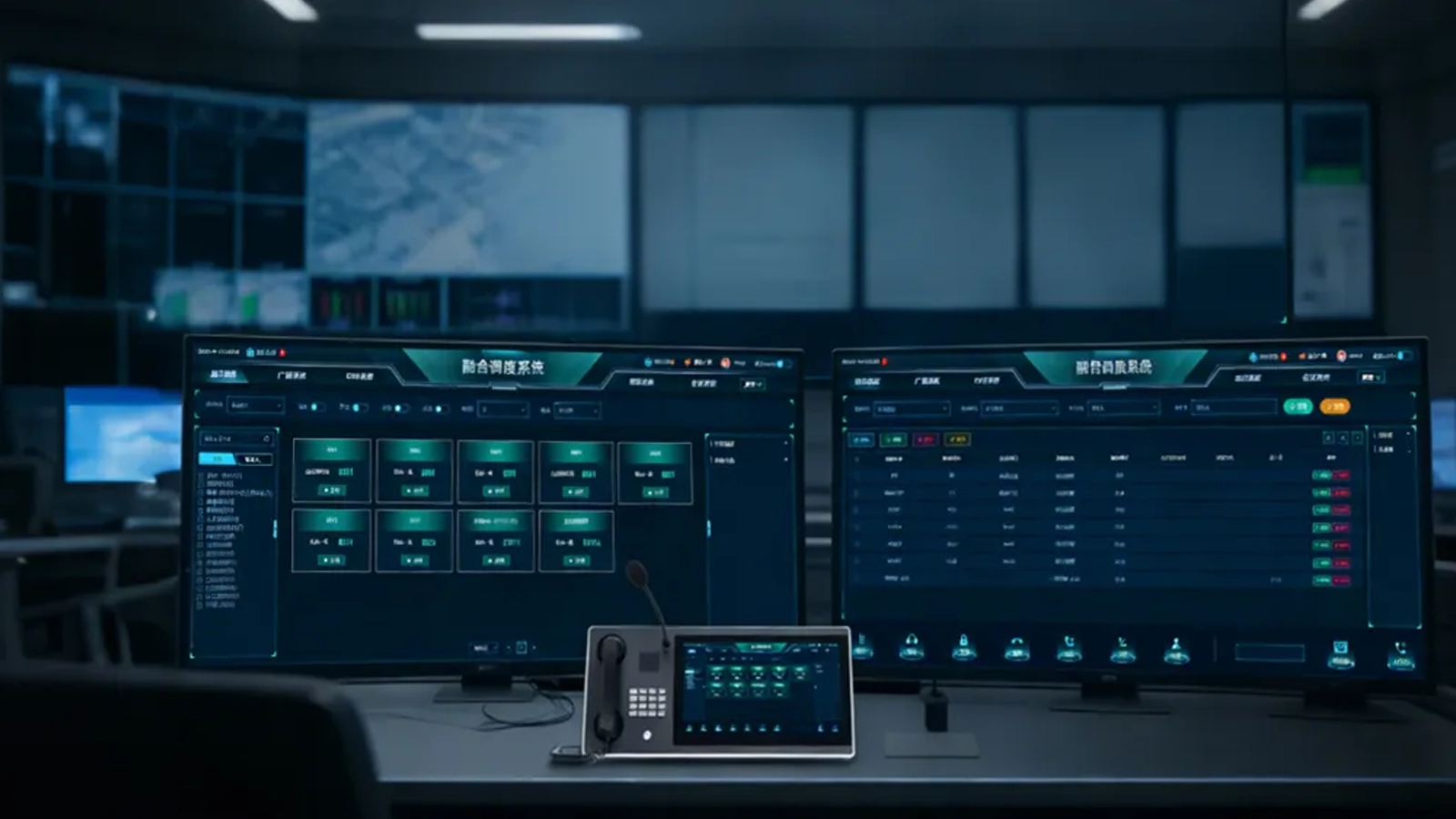
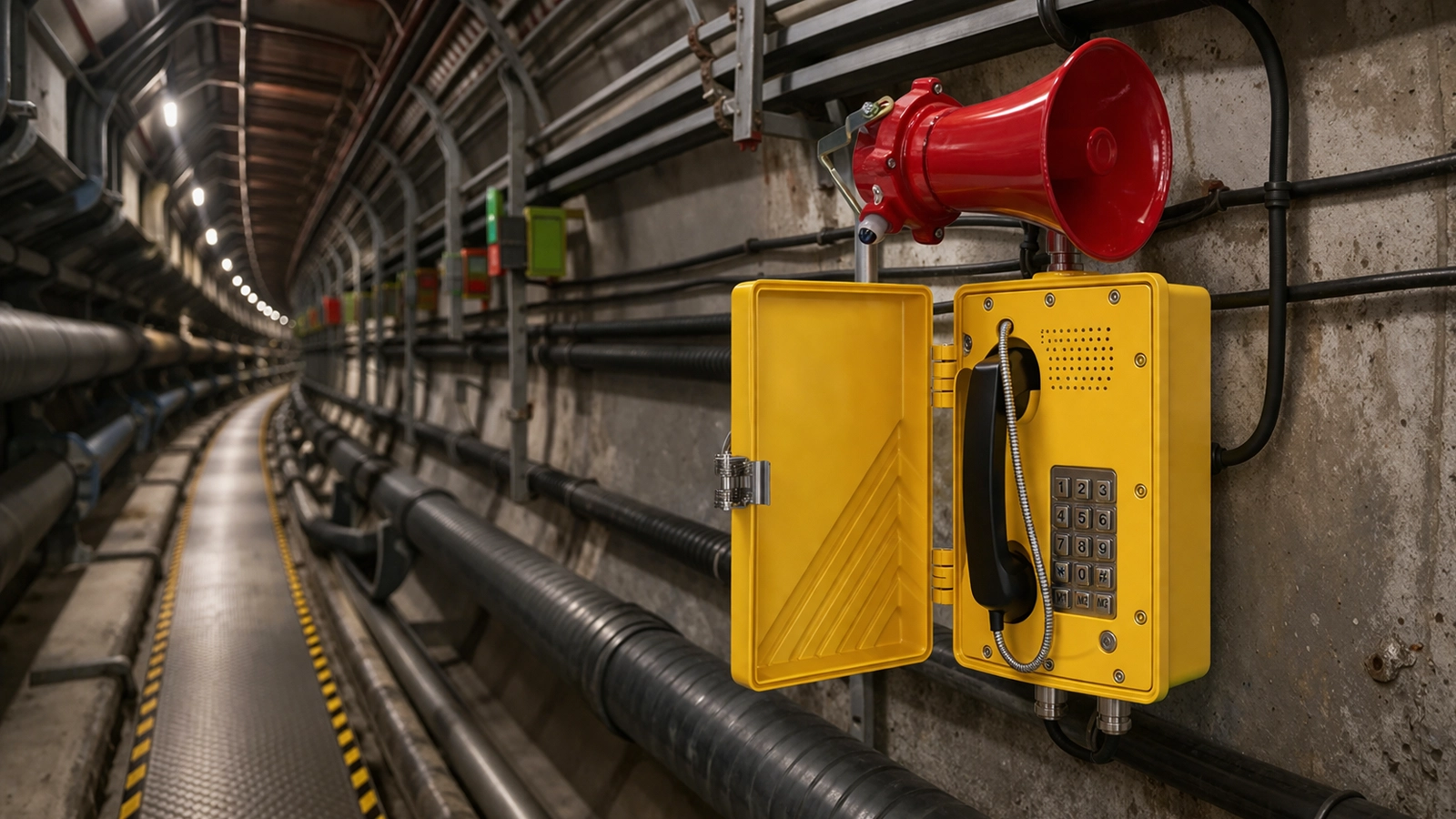
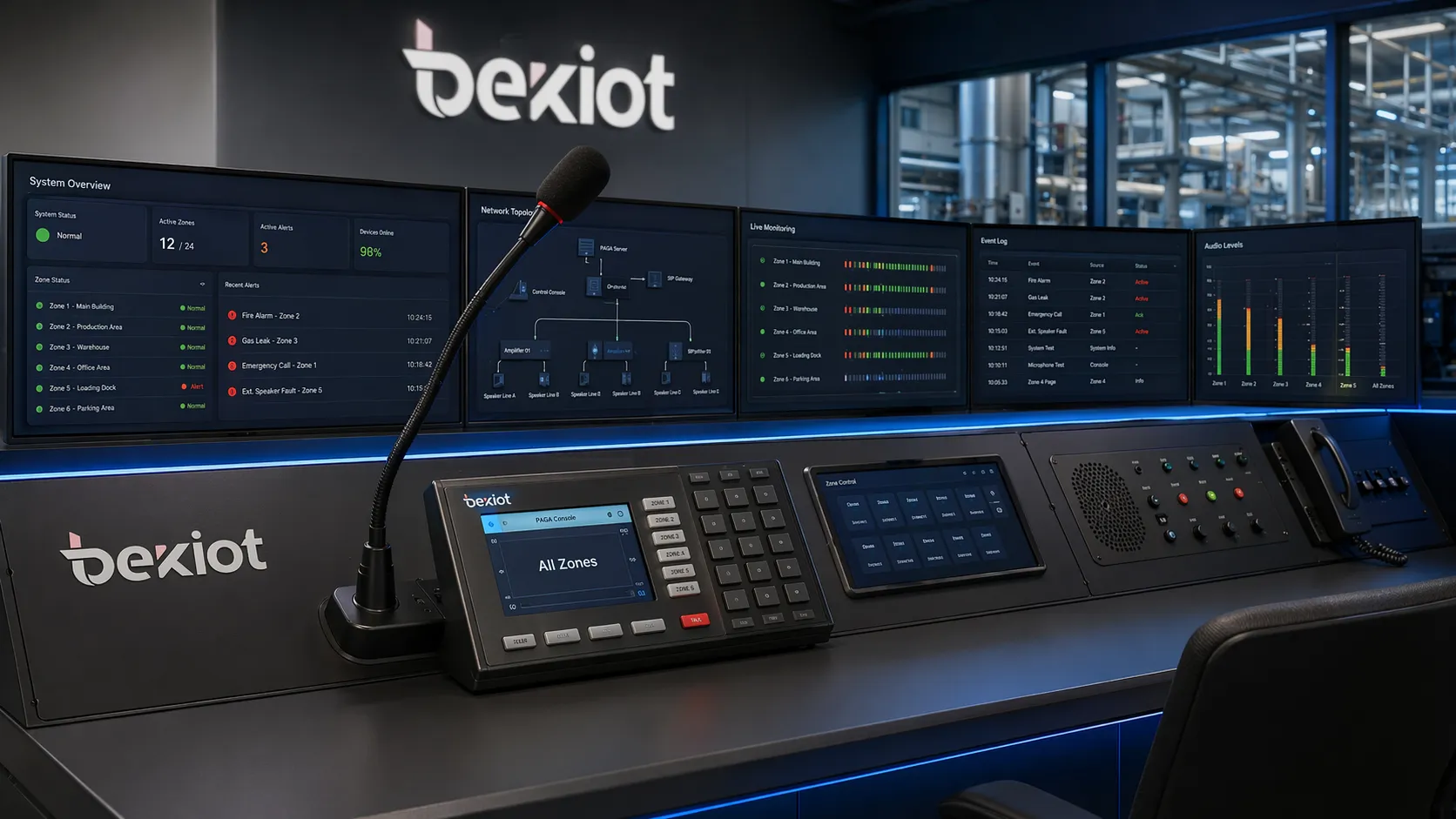
A modern PA system combines audio input, signal control, amplification, and loudspeaker distribution for clear site-wide communication.
What Is a PA System?
Definition of a Public Address System
A PA system is an audio distribution system used to project live or recorded sound to listeners in a targeted area. The term PA stands for Public Address, which reflects the system’s main purpose: addressing people in a public, shared, or managed space. Depending on the design, the system may cover a single room, an entire building, several floors, an industrial site, or multiple locations linked across an IP network.
In its most basic form, a PA system takes an audio source, processes it, increases it to a usable output level, and sends it to speakers. In more advanced deployments, the same system can control who hears what, when they hear it, and how priority rules are applied. This means a routine announcement in one zone can coexist with an emergency evacuation message in another, while the system continues to monitor faults and maintain service continuity.
Main Purpose in Daily Operations and Emergency Communication
The everyday purpose of a PA system is to distribute understandable voice messages quickly and efficiently. A school may use it for class change announcements, a hospital for staff notifications, a warehouse for shift coordination, and a transport terminal for passenger guidance. In each case, the goal is not just to make sound louder, but to make information more accessible to the right audience at the right time.
Its importance increases even further during emergencies. When an alarm event occurs, a properly designed PA system can provide clear spoken instructions that reduce confusion and improve response. Unlike general noise signals alone, voice announcements can tell people exactly what to do, where to go, and which areas to avoid. For this reason, PA systems are often part of broader safety, evacuation, and operational continuity strategies.
A well-designed PA system is not simply about volume. Its real value lies in message intelligibility, controlled coverage, priority handling, and dependable operation when communication matters most.
Main Components of a PA System
Audio Input and Control Devices
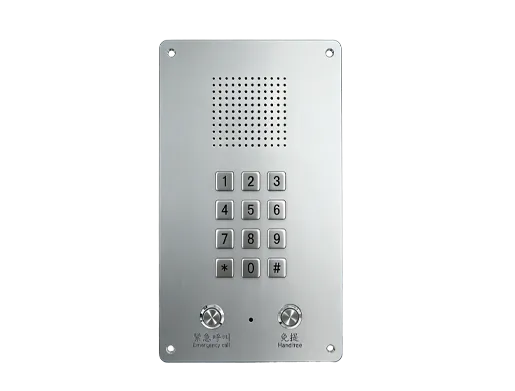
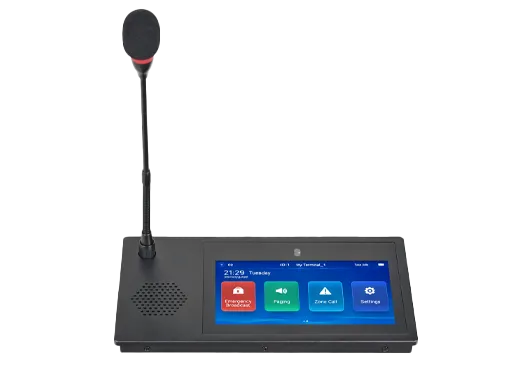
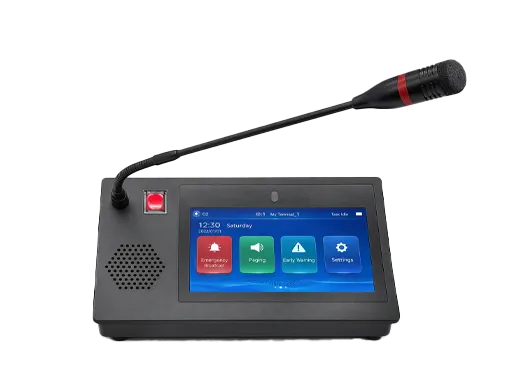
Every PA system starts with one or more audio sources. These may include handheld microphones, desktop paging consoles, wall-mounted help points, media players, intercom stations, or software-based control interfaces. In some systems, announcements are triggered manually by an operator. In others, they are scheduled automatically or activated by external systems such as alarm panels, building management platforms, or command software.
Control devices determine how audio enters the system and how users interact with it. A paging microphone may allow a receptionist to speak to all zones, while a network console may let an operator select specific areas and launch pre-recorded messages. In larger installations, control permissions can be layered so that different users have different levels of broadcast authority. This structure helps maintain order, reduce misuse, and protect emergency priority functions.
Amplifiers, DSP, and Zone Controllers
Once audio enters the system, it usually passes through signal processing and amplification stages. Digital signal processing, often called DSP, helps optimize the audio before it reaches the speakers. This can include equalization, filtering, gain adjustment, feedback control, dynamic range management, and sometimes delay handling for larger acoustic spaces. The goal is to keep announcements clear and consistent rather than simply making them louder.
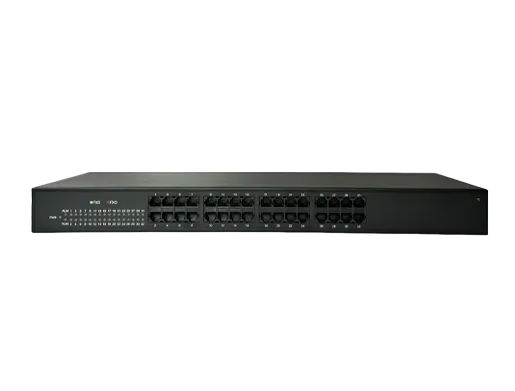
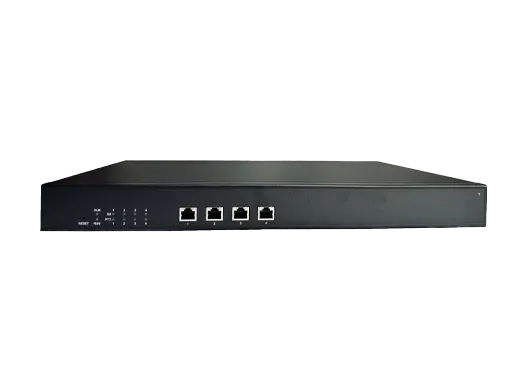
Amplifiers provide the electrical power required to drive loudspeakers across the site. Zone controllers, meanwhile, determine where the audio goes. They allow the system to divide a building or campus into separate broadcast areas, such as offices, corridors, workshops, waiting rooms, outdoor perimeters, or loading zones. This zoning function is one of the most practical features of a PA system because it prevents unnecessary noise and makes communication more targeted.
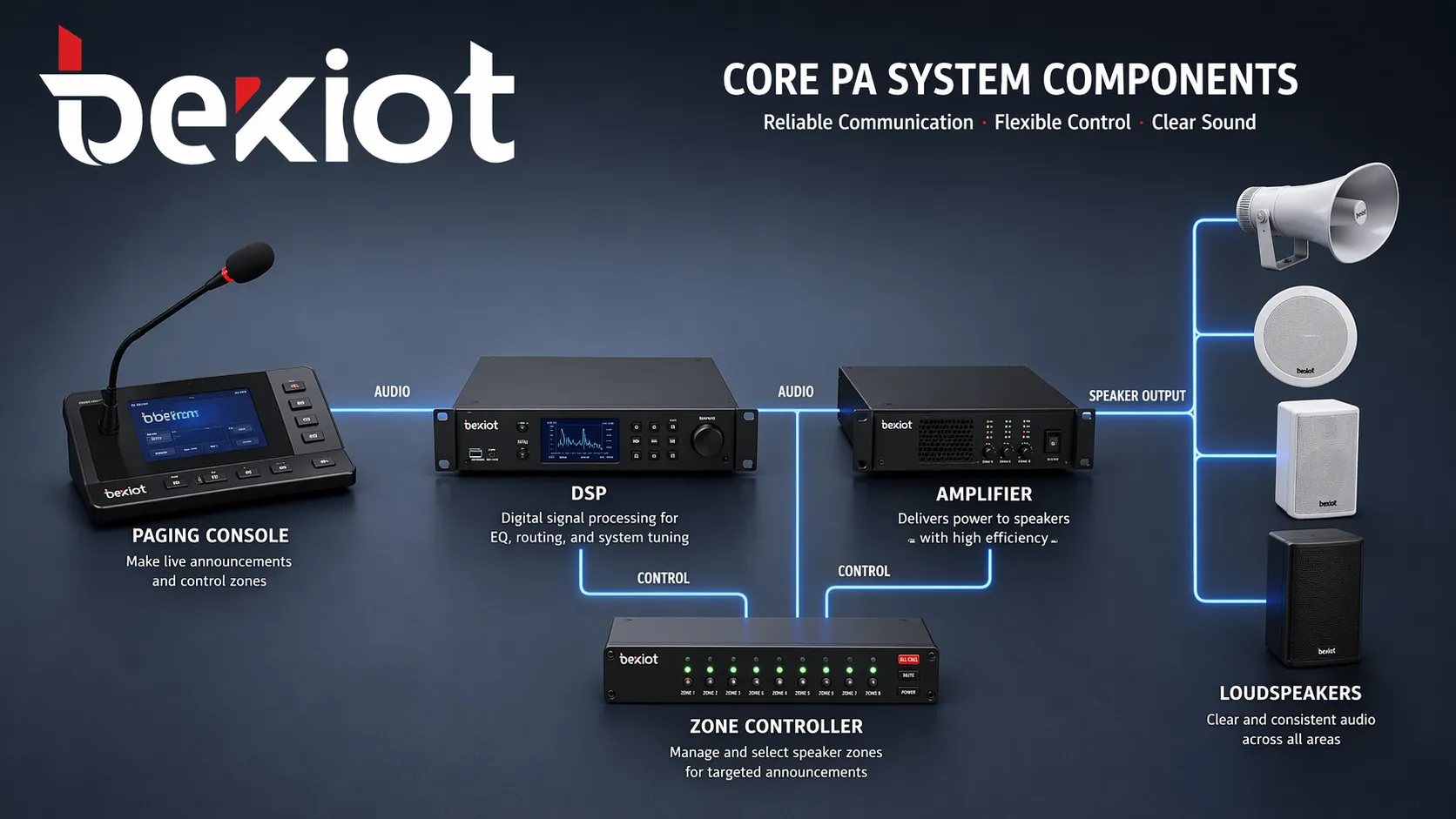
Typical PA architecture includes input devices, processing modules, amplifiers, zone control, and loudspeaker endpoints.
Loudspeakers, Cabling, and Power Backup
Loudspeakers are the final output points of the system, and their selection has a direct effect on intelligibility and coverage. Ceiling speakers are often used in offices and corridors, wall-mounted speakers suit general indoor broadcasting, horn speakers are common in noisy industrial areas, and column speakers may be chosen for reverberant halls or public spaces. The speaker type must match the acoustic environment rather than the visual layout alone.
Behind the visible hardware, infrastructure matters just as much. A PA system may rely on analog speaker lines, structured IP networks, fiber links, or hybrid cabling depending on the design. Power supplies, backup batteries, and redundancy measures also play a central role. If a system is expected to support emergency communication, it must continue operating under fault or power-loss conditions for the required duration and with appropriate monitoring.
How Does a PA System Work?
Step 1: Sound Input and Signal Capture
The first working stage begins when sound is introduced into the system. This may come from a person speaking into a microphone, a dispatcher using a paging terminal, a recorded message stored in memory, or an event-driven audio file triggered by a connected platform. At this point, the system captures the audio as an electrical or digital signal that can be managed and transmitted.
In a simple local PA arrangement, the path from input to output may be direct. In a more advanced installation, the audio source is authenticated, assigned a priority level, and associated with a broadcast destination. For example, a scheduled school bell tone may be low priority, while a fire evacuation announcement may immediately override ongoing background music or routine paging in all related zones.
Step 2: Processing, Prioritization, and Routing
After input, the system processes the signal to improve quality and prepare it for delivery. This can include volume normalization, tone adjustment, noise control, and digital encoding in IP-based systems. In multi-function installations, the platform also checks routing rules and determines which zones, devices, or speaker groups should receive the message.
Prioritization is a defining element of how a PA system works. Not every message is equally important, and the system must decide which audio should take precedence. Emergency announcements are usually placed at the highest level, operational pages may come next, and background music remains at the lowest level. This layered logic ensures that important instructions are heard without delay, even when the system is already active.
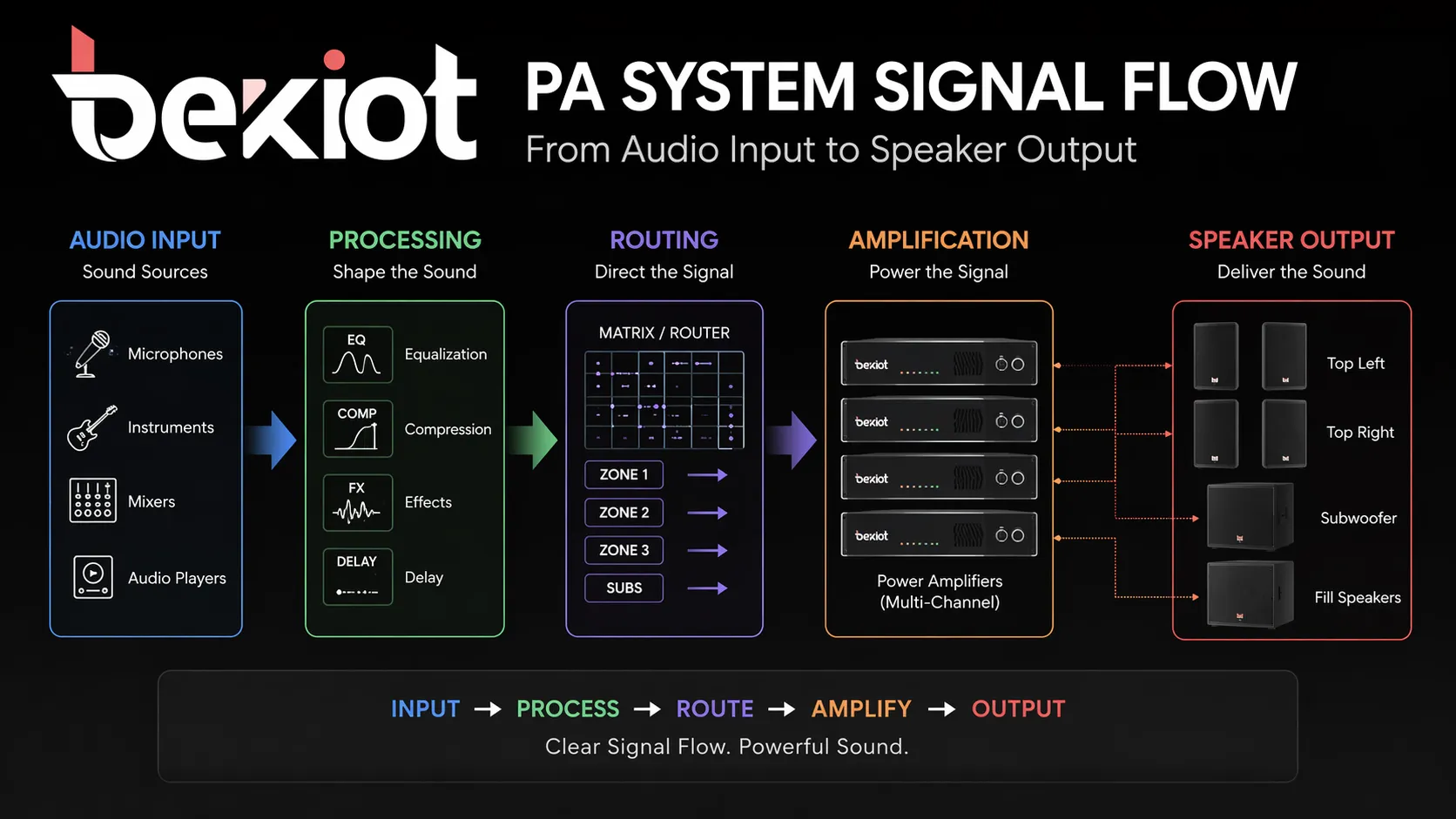
The signal flow of a PA system typically moves from input to processing, zone routing, amplification, and final loudspeaker output.
Step 3: Amplification and Speaker Output
Once routed, the audio is sent to the correct amplifier path or network audio channel and delivered to the appropriate loudspeakers. The amplifier increases the signal to a level that can drive speakers across short or long cable runs while maintaining sufficient clarity and consistency. In distributed systems, multiple amplifiers may serve different buildings, floors, or operational sectors.
The loudspeakers then reproduce the message acoustically so listeners can hear it. Good system design ensures that the message is not only audible, but also intelligible within the real acoustic conditions of the site. This is especially important in environments with background noise, echoes, open-air exposure, or moving crowds, where poor sound distribution can quickly reduce communication effectiveness.
Step 4: Monitoring, Feedback, and Continuity
In modern PA systems, operation does not end once a message is played. Many systems continue to monitor speaker lines, amplifier health, control paths, and network status to detect faults. This is particularly important in emergency and mission-critical environments where a hidden failure could leave part of the site without audio coverage when it is needed most.
Some systems also provide event logs, remote diagnostics, automatic switchover, or backup amplifier functions. These capabilities help maintain continuity and simplify maintenance planning. In other words, how a PA system works is not only about sound transmission. It also involves supervision, reliability management, and readiness for the next announcement or alert.
The true effectiveness of a PA system comes from the complete signal path: input, control, routing, amplification, speaker performance, and ongoing system supervision.
Types of PA Systems
Conventional Analog PA Systems
Analog PA systems are built around traditional audio wiring and centralized amplification. They remain useful in many small and medium-sized sites where the layout is stable and the functional requirements are straightforward. Their strengths often include familiar installation practice, simple local operation, and predictable signal paths.
However, analog systems can become less flexible as the site grows or requires more advanced control. Expanding zones, linking buildings, or integrating with digital communication platforms may require additional interfaces or redesign. For this reason, analog PA remains practical in certain applications, but it is no longer the default choice for every new project.
IP-Based and Networked PA Systems
IP PA systems use data networks to transport audio and control signals. This architecture makes it easier to connect multiple buildings, distribute endpoints across wide areas, and manage the system from a central software platform. It also supports flexible scaling, since new endpoints or zones can often be added without rebuilding the entire signal backbone.
Networked PA systems are especially useful in campuses, industrial sites, transportation infrastructure, and multi-building environments. They also support remote management and integration more naturally than many conventional architectures. When organizations expect growth, centralization, or cross-site coordination, IP-based design often provides a stronger foundation.
SIP-Enabled and Emergency-Capable PA Systems
Some modern PA platforms are designed to work with SIP, allowing them to integrate with IP PBX systems, intercom devices, and broader unified communication environments. In these cases, paging may be initiated from telephones, dispatch consoles, software clients, or integrated control platforms. This creates a more unified communication workflow and reduces separation between voice systems.
Emergency-capable PA systems place additional emphasis on priority logic, redundancy, monitored paths, and reliable message delivery. They may integrate with fire alarm systems, safety platforms, and evacuation workflows so that emergency voice communication takes precedence over all non-essential audio. This makes them particularly important in facilities where operational risk and life safety are closely connected.
Key Functions of a PA System
Live Paging, Scheduled Announcements, and Zoning
One of the core functions of a PA system is live paging. A user can speak into a microphone or console and send a real-time message to a specific area or to the whole site. This supports announcements, operational instructions, and rapid coordination without relying on individual calls or physical movement between locations.
Scheduled broadcasting is another common function. Schools may automate bells, factories may issue shift reminders, and public facilities may play routine notices at defined times. Zoning adds even more value by allowing different audio content to be sent to different spaces. This prevents unnecessary disturbance and helps each area receive the information most relevant to its function.
Emergency Alerts and Priority Override
In many installations, the PA system also serves as a voice alert or emergency notification channel. This allows organizations to deliver spoken instructions during fire events, security incidents, equipment failures, or evacuation scenarios. Compared with alarms alone, voice guidance can reduce uncertainty and improve how people respond under pressure.
Priority override is what makes this practical. The system can automatically interrupt lower-priority content, such as background music or routine pages, so emergency announcements are heard first. In well-designed systems, the override logic is consistent and fast, helping ensure that critical messages are not delayed by ordinary activity.
Integration and Centralized Management
Another important function is system integration. A PA platform may connect with intercom systems, SIP telephony, alarm interfaces, building management tools, dispatch software, or event control systems. This allows announcements to be triggered manually or automatically based on operational needs, making the communication environment more coordinated.
Centralized management simplifies daily use and long-term maintenance. Operators can monitor zones, launch announcements, check system status, and review events from one interface rather than managing separate audio islands. In larger organizations, this centralized model supports both efficiency and more consistent communication standards across sites.
Broadcast live speech to single or multiple zones
Play scheduled tones, notices, or pre-recorded messages
Prioritize emergency announcements over routine audio
Support centralized monitoring and fault supervision
Integrate with telephony, intercom, and alarm systems
Where PA Systems Are Commonly Used
Commercial Buildings, Campuses, and Public Facilities
PA systems are widely used in office buildings, schools, universities, hospitals, retail centers, and municipal facilities. These environments need fast communication across shared spaces, but they also need control. Offices may use PA for visitor notices and emergency instructions, schools for bells and campus communication, and hospitals for staff paging or controlled announcements in shared areas. These environments typically require clear speech reproduction, flexible zoning, and a balance between audibility and comfort.
Because these sites often host diverse groups of people, the ability to target messages is especially valuable. A hospital might need one type of page in a service corridor and another in a waiting area. A campus may need separate messages for academic buildings, sports facilities, and outdoor gathering spaces. The best PA systems support this operational nuance without making the user interface overly complex.
Industrial, Transport, and Large Outdoor Areas
Factories, warehouses, ports, tunnels, rail stations, airports, utility sites, and outdoor public areas place different demands on a PA system. High background noise, long distances, weather exposure, and operational risk all affect system design. In these environments, loudspeaker type, placement strategy, redundancy, and environmental protection become especially important. The system must be engineered for audibility, durability, and controlled delivery under real working conditions.
Transport and industrial facilities also benefit from integration. A message may need to be triggered by dispatch software, a safety platform, a help point, or a centralized operator console. In large outdoor areas, zoning can separate perimeters, platforms, work yards, and assembly points so that each region receives relevant instructions. This is one reason PA systems are widely used in critical infrastructure and high-activity operational sites.
PA System vs Related Communication Systems
PA System vs Intercom and Paging System
A PA system is mainly designed for one-to-many audio distribution. It sends a message from one source to a group of listeners. An intercom system, by contrast, is built primarily for two-way communication between endpoints. While both may include speakers and microphones, their roles are not identical. Intercoms support conversations, verification, and direct assistance, whereas PA systems focus on broad, efficient announcement delivery.
The term paging system is often used alongside PA system, and the two are closely related. In many cases, paging is one of the core functions within a PA system. However, a paging system may refer more specifically to the act of making announcements, while a PA system can include the wider infrastructure needed for zoning, scheduling, emergency override, music distribution, monitoring, and platform integration.
PA System vs General Broadcasting System
The phrase broadcasting system is broader and can refer to many forms of audio distribution, including entertainment, media, public information, or site-wide announcements. A PA system is more specific. It is typically designed around intelligible voice communication, controlled audio routing, and location-based sound distribution for operational or safety purposes. In professional environments, that difference matters because system goals shape both hardware selection and control logic.
For example, a venue may use one audio system primarily for performances and another for safety announcements. Even when some infrastructure overlaps, the design priorities are different. Public performance systems focus on musical quality and dynamic range, while PA systems prioritize speech clarity, zone management, reliability, and emergency readiness. Understanding this distinction helps buyers avoid choosing a solution that sounds impressive but is poorly suited to operational communication.
How to Choose the Right PA System
Coverage, Intelligibility, and Environmental Conditions
The first step in choosing a PA system is understanding the site itself. How large is the coverage area? Is it indoors, outdoors, or mixed? What are the background noise levels, acoustic reflections, and listener distances? A quiet office corridor and a noisy loading yard do not need the same loudspeakers, amplifier strategy, or spacing approach. Good selection begins with the listening environment, not with the equipment catalog.
Speech intelligibility should always be a primary criterion. If people can hear the sound but cannot understand the message, the system has failed in its core mission. That is why coverage design, speaker type, mounting location, and system tuning matter so much. Environmental conditions also influence enclosure rating, material durability, and protection against dust, moisture, temperature variation, or vibration in more demanding installations.
Integration, Scalability, and Reliability Planning
The second step is looking beyond current needs. A PA system may need to integrate with IP telephony, intercom, alarm platforms, dispatch software, or building control systems over time. If growth, remote control, or multi-site coordination is likely, an expandable architecture will usually provide better long-term value than a rigid standalone design. Choosing a system that fits only today’s layout can create unnecessary cost and limits later.
Reliability planning is equally important. Decision-makers should consider backup power, fault monitoring, amplifier redundancy, network resilience, and maintenance visibility. In mission-critical sites, these are not optional extras. They are part of what makes the system trustworthy. The best PA solution is therefore not always the one with the most features, but the one whose architecture aligns with the site’s communication risk, operational complexity, and future development path.
Define coverage zones based on real operational areas
Match speaker types to the acoustic and environmental conditions
Check whether emergency override and priority logic are required
Consider IP, SIP, or hybrid integration needs from the beginning
Plan for backup power, monitoring, and future expansion
Conclusion
Why the Right PA Architecture Matters
A PA system is much more than a collection of speakers. It is a structured communication platform that captures audio, processes it, routes it intelligently, amplifies it, and delivers it where it is needed. Its value appears in both daily operations and exceptional situations, from routine paging to emergency guidance. When designed correctly, it supports clarity, speed, control, and coordinated response across the entire site.
Understanding how a PA system works helps organizations choose solutions that match their environment instead of relying on generic assumptions. Whether the requirement is a simple building announcement system or a networked, multi-zone, IP-based platform, the core principle remains the same: the system must deliver the right message to the right people with dependable intelligibility. That is what turns sound distribution into effective communication.
FAQ
What does PA stand for in a PA system?
PA stands for Public Address. The term describes a system used to address groups of people in shared spaces through loudspeakers. The objective is to distribute spoken information or other audio clearly across a defined coverage area.
In professional environments, the phrase usually refers to site communication infrastructure rather than entertainment sound alone. That is why PA systems are commonly associated with paging, zoning, alerts, and operational announcements.
How does a PA system work in a building?
In a building, a PA system takes audio from a microphone, console, media source, or automated trigger, then processes and routes that signal to the correct loudspeakers. The system may broadcast to one room, one floor, several zones, or the entire building depending on how it is configured.
More advanced systems also manage priority levels, scheduled announcements, emergency override, and fault monitoring. This allows the same infrastructure to support both daily communication and emergency response.
What is the difference between a PA system and an intercom system?
A PA system is mainly intended for one-way communication from one source to many listeners. It is designed to broadcast messages efficiently across a wider area. An intercom system, on the other hand, is mainly intended for two-way communication between specific endpoints.
In modern deployments, the two systems may be integrated, especially in IP and SIP environments. Even so, their primary purposes remain different: one emphasizes broad announcements, and the other emphasizes direct interaction.
Can a PA system work over an IP network?
Yes. Many modern PA systems use IP networks to carry audio and control traffic. This makes it easier to connect multiple buildings, manage zones remotely, scale the system, and integrate with telephony, intercom, and software platforms.
IP-based architecture is particularly useful in distributed sites or organizations planning future growth. It offers more flexibility than many conventional architectures, especially when centralized management is required.
Where are PA systems most commonly used?
PA systems are widely used in schools, hospitals, office buildings, shopping centers, factories, warehouses, transport hubs, campuses, industrial plants, and outdoor public areas. Any site that needs clear communication to groups of people can benefit from a suitable PA design.
The exact system structure depends on the environment. A campus may prioritize zoning and schedules, while an industrial site may place more emphasis on rugged speakers, high intelligibility, alarm integration, and reliable operation under demanding conditions.
We use cookie to improve your online experience. By continuing to browse this website, you agree to our use of cookie.
Cookies
This Cookie Policy explains how we use cookies and similar technologies when you access or use our website and related services. Please read this Policy together with our Terms and Conditions and Privacy Policy so that you understand how we collect, use, and protect information.
By continuing to access or use our Services, you acknowledge that cookies and similar technologies may be used as described in this Policy, subject to applicable law and your available choices.
Updates to This Cookie Policy
We may revise this Cookie Policy from time to time to reflect changes in legal requirements, technology, or our business practices. When we make updates, the revised version will be posted on this page and will become effective from the date of publication unless otherwise required by law.
Where required, we will provide additional notice or request your consent before applying material changes that affect your rights or choices.
What Are Cookies?
Cookies are small text files placed on your device when you visit a website or interact with certain online content. They help websites recognize your browser or device, remember your preferences, support essential functionality, and improve the overall user experience.
In this Cookie Policy, the term “cookies” also includes similar technologies such as pixels, tags, web beacons, and other tracking tools that perform comparable functions.
Why We Use Cookies
We use cookies to help our website function properly, remember user preferences, enhance website performance, understand how visitors interact with our pages, and support security, analytics, and marketing activities where permitted by law.
We use cookies to keep our website functional, secure, efficient, and more relevant to your browsing experience.
Categories of Cookies We Use
Strictly Necessary Cookies
These cookies are essential for the operation of the website and cannot be disabled in our systems where they are required to provide the service you request. They are typically set in response to actions such as setting privacy preferences, signing in, or submitting forms.
Without these cookies, certain parts of the website may not function correctly.
Functional Cookies
Functional cookies enable enhanced features and personalization, such as remembering your preferences, language settings, or previously selected options. These cookies may be set by us or by third-party providers whose services are integrated into our website.
If you disable these cookies, some services or features may not work as intended.
Performance and Analytics Cookies
These cookies help us understand how visitors use our website by collecting information such as traffic sources, page visits, navigation behavior, and general interaction patterns. In many cases, this information is aggregated and does not directly identify individual users.
We use this information to improve website performance, usability, and content relevance.
Targeting and Advertising Cookies
These cookies may be placed by our advertising or marketing partners to help deliver more relevant ads and measure the effectiveness of campaigns. They may use information about your browsing activity across different websites and services to build a profile of your interests.
These cookies generally do not store directly identifying personal information, but they may identify your browser or device.
First-Party and Third-Party Cookies
Some cookies are set directly by our website and are referred to as first-party cookies. Other cookies are set by third-party services, such as analytics providers, embedded content providers, or advertising partners, and are referred to as third-party cookies.
Third-party providers may use their own cookies in accordance with their own privacy and cookie policies.
Information Collected Through Cookies
Depending on the type of cookie used, the information collected may include browser type, device type, IP address, referring website, pages viewed, time spent on pages, clickstream behavior, and general usage patterns.
This information helps us maintain the website, improve performance, enhance security, and provide a better user experience.
Your Cookie Choices
You can control or disable cookies through your browser settings and, where available, through our cookie consent or preference management tools. Depending on your location, you may also have the right to accept or reject certain categories of cookies, especially those used for analytics, personalization, or advertising purposes.
Please note that blocking or deleting certain cookies may affect the availability, functionality, or performance of some parts of the website.
Restricting cookies may limit certain features and reduce the quality of your experience on the website.
Cookies in Mobile Applications
Where our mobile applications use cookie-like technologies, they are generally limited to those required for core functionality, security, and service delivery. Disabling these essential technologies may affect the normal operation of the application.
We do not use essential mobile application cookies to store unnecessary personal information.
How to Manage Cookies
Most web browsers allow you to manage cookies through browser settings. You can usually choose to block, delete, or receive alerts before cookies are stored. Because browser controls vary, please refer to your browser provider’s support documentation for details on how to manage cookie settings.
Contact Us
If you have any questions about this Cookie Policy or our use of cookies and similar technologies, please contact us at support@becke.cc .