


Role-Based Access Control, commonly called RBAC, is an access control model that assigns permissions to users based on their roles within an organization. Instead of giving every user individual permissions one by one, the system defines roles such as administrator, operator, manager, technician, viewer, auditor, guest, or support agent. Each role has a set of permissions, and users receive access by being assigned to the appropriate role.
The main purpose of RBAC is to make access management more structured, secure, and easier to maintain. In modern organizations, users often need access to many systems, applications, devices, dashboards, databases, communication tools, cloud services, and operational platforms. If permissions are managed manually for every person, the process becomes slow, inconsistent, and risky. RBAC solves this by connecting permissions to job responsibilities rather than to scattered individual decisions.
RBAC is widely used in enterprise software, cloud platforms, network management systems, industrial control systems, data centers, healthcare systems, education platforms, financial systems, communication platforms, customer service tools, security systems, and public-sector applications. It is especially useful when many users perform different tasks and should not all have the same level of access.
What Is Role-Based Access Control?
Definition and Core Meaning
Role-Based Access Control is a permission management approach in which access rights are grouped into roles, and users are assigned to those roles according to their responsibilities. A role represents a function or position in the organization. For example, a system administrator may need configuration rights, while an ordinary user may only need to view information or perform limited operations.
The core meaning of RBAC is permission through responsibility. The system does not ask only who the user is. It asks what role the user performs and what that role is allowed to do. This helps organizations align access control with real work duties.
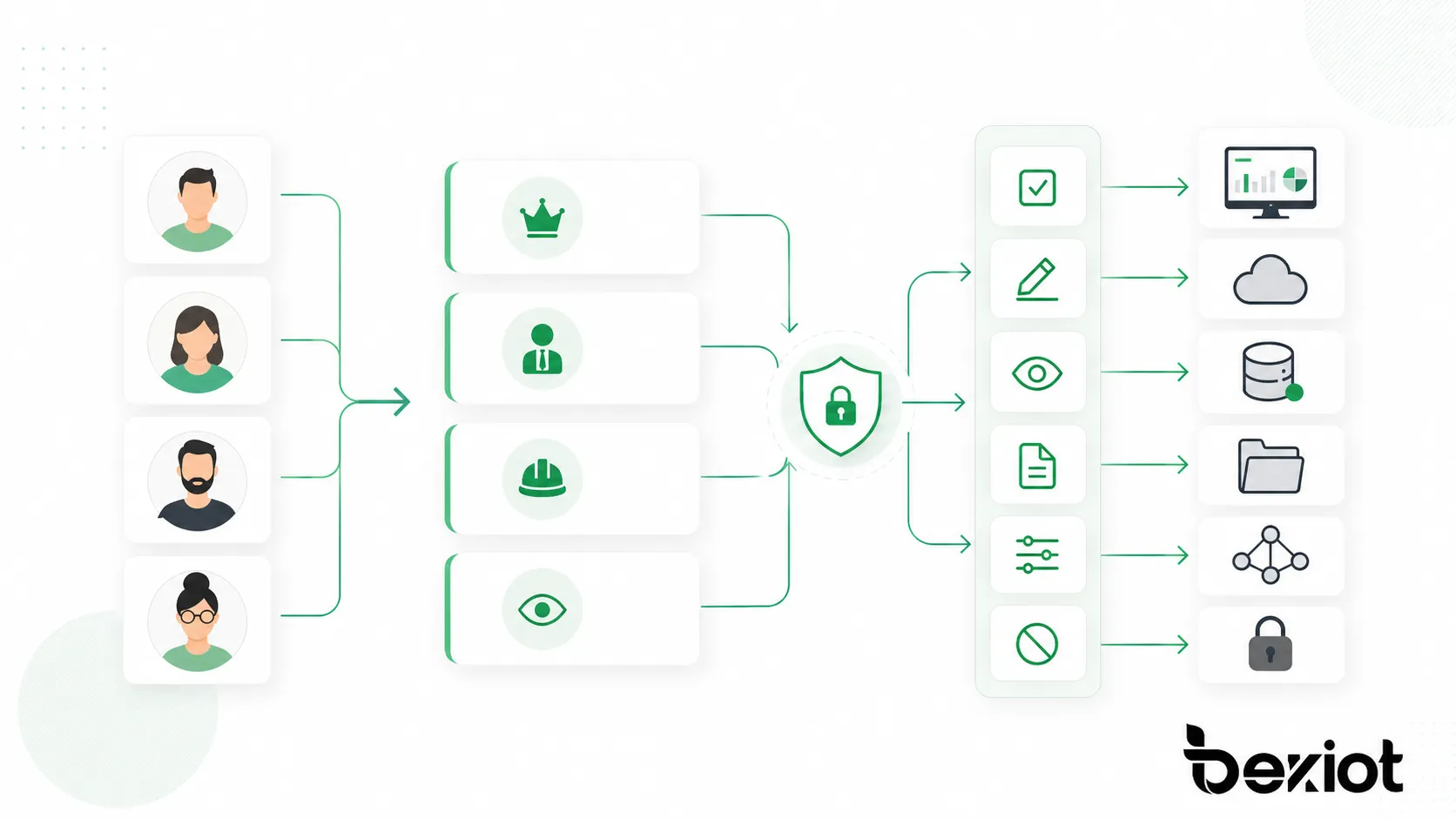
In practical terms, RBAC creates a middle layer between users and permissions. Users are linked to roles. Roles are linked to permissions. This structure makes access easier to assign, review, change, and remove.
RBAC helps organizations manage access by asking a simple question: what should this role be allowed to do?
Why RBAC Is Important
RBAC is important because uncontrolled access can create security, compliance, and operational problems. If too many users have administrator rights, the risk of accidental changes, data exposure, or system misuse increases. If users do not have enough access, work becomes slow and support teams receive more access requests.
A well-designed RBAC model balances security and productivity. Users receive the permissions they need for their responsibilities, but not unnecessary access to unrelated functions. This is closely related to the principle of least privilege, which means users should only have the access required to perform their work.
RBAC also improves consistency. Two users doing the same job should not have completely different permissions unless there is a clear reason. By assigning permissions through roles, organizations can reduce random access differences and make security policies easier to enforce.
How Role-Based Access Control Works
Users, Roles, and Permissions
RBAC works through three basic elements: users, roles, and permissions. A user is a person or account that needs access to a system. A role is a defined job function or access category. A permission is the ability to perform an action, such as view data, create records, edit settings, delete files, approve requests, export reports, configure devices, or manage other users.
The system first defines permissions. Then those permissions are grouped into roles. After that, users are assigned to one or more roles. When a user logs in, the system checks the user’s role and allows or blocks actions based on the permissions attached to that role.
This structure is much easier to manage than assigning every permission directly to every user. If a new employee joins the support team, the administrator can assign the support role instead of manually selecting dozens of individual permissions.
Access Request and Permission Check
When a user attempts to perform an action, the system checks whether the user’s assigned role includes the required permission. For example, a viewer role may be allowed to open reports but not edit them. An operator role may acknowledge alarms but not change system configuration. An administrator role may create users, adjust settings, and manage policy.
This permission check happens every time the user tries to access a protected function or resource. The result is either allowed or denied according to the role policy. In some systems, the permission decision may also consider additional conditions such as location, time, device type, department, or approval status.
The basic workflow is simple, but it becomes powerful when roles are designed carefully and matched to real operational needs.
RBAC is effective because it turns access decisions into repeatable rules instead of one-off manual judgments.
Main Features of Role-Based Access Control
Role Assignment
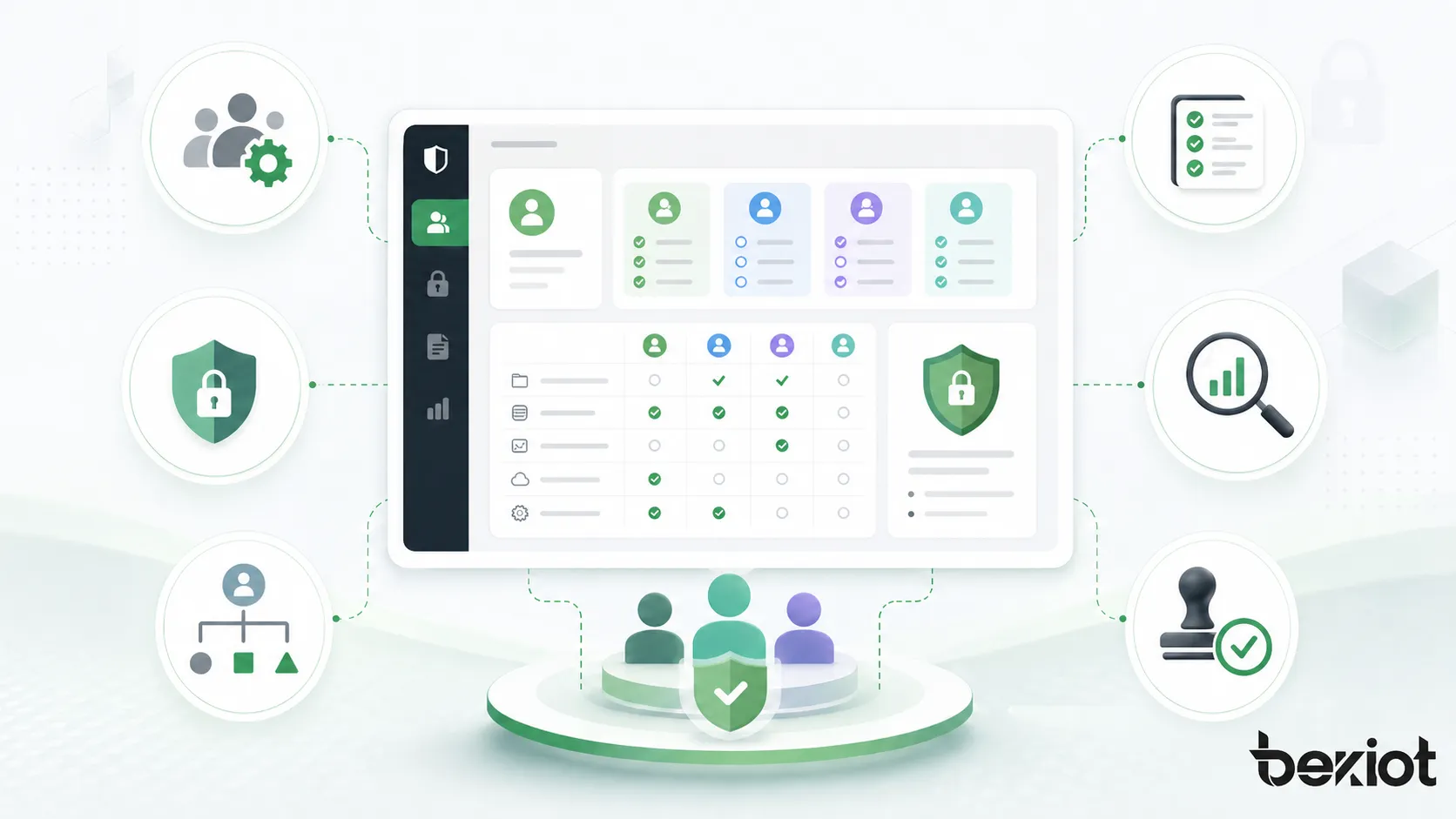
Role assignment is the core feature of RBAC. Administrators assign users to roles based on their work responsibilities. A user may have one role or multiple roles depending on the organization and system design. For example, a person may be both a project manager and an approver, or both a technician and a regional operator.
Role assignment makes onboarding easier. When a new user joins a department, the administrator can assign a predefined role that already contains the required permissions. It also makes offboarding safer because removing the role can remove access quickly when the user changes position or leaves the organization.
This feature is especially helpful in large organizations where many users need similar access patterns.
Permission Grouping
Permission grouping allows administrators to combine related permissions into a role. Instead of granting view, edit, approve, export, configure, or delete rights individually for every user, those permissions are grouped into meaningful role profiles.
For example, a maintenance role may include device status viewing, alarm acknowledgment, work order updates, and limited report access. A security supervisor role may include video review, incident logs, access event review, and user activity reports. A finance approver role may include invoice viewing and approval but not system configuration.
Permission grouping makes access control easier to understand because permissions are connected to recognizable job functions.
Role Hierarchy
Some RBAC systems support role hierarchy. A higher-level role may inherit permissions from a lower-level role. For example, a senior administrator may include all permissions of a standard administrator plus additional audit, policy, or system-level rights. A department manager may inherit basic user permissions and gain approval rights.
Role hierarchy can simplify management, but it must be used carefully. If higher roles inherit too many permissions, users may receive broader access than they actually need. The hierarchy should reflect real responsibility levels and avoid unnecessary privilege expansion.
When designed well, role hierarchy helps organizations manage complex access structures without repeating the same permissions across many roles.
Types of RBAC Models
Core RBAC
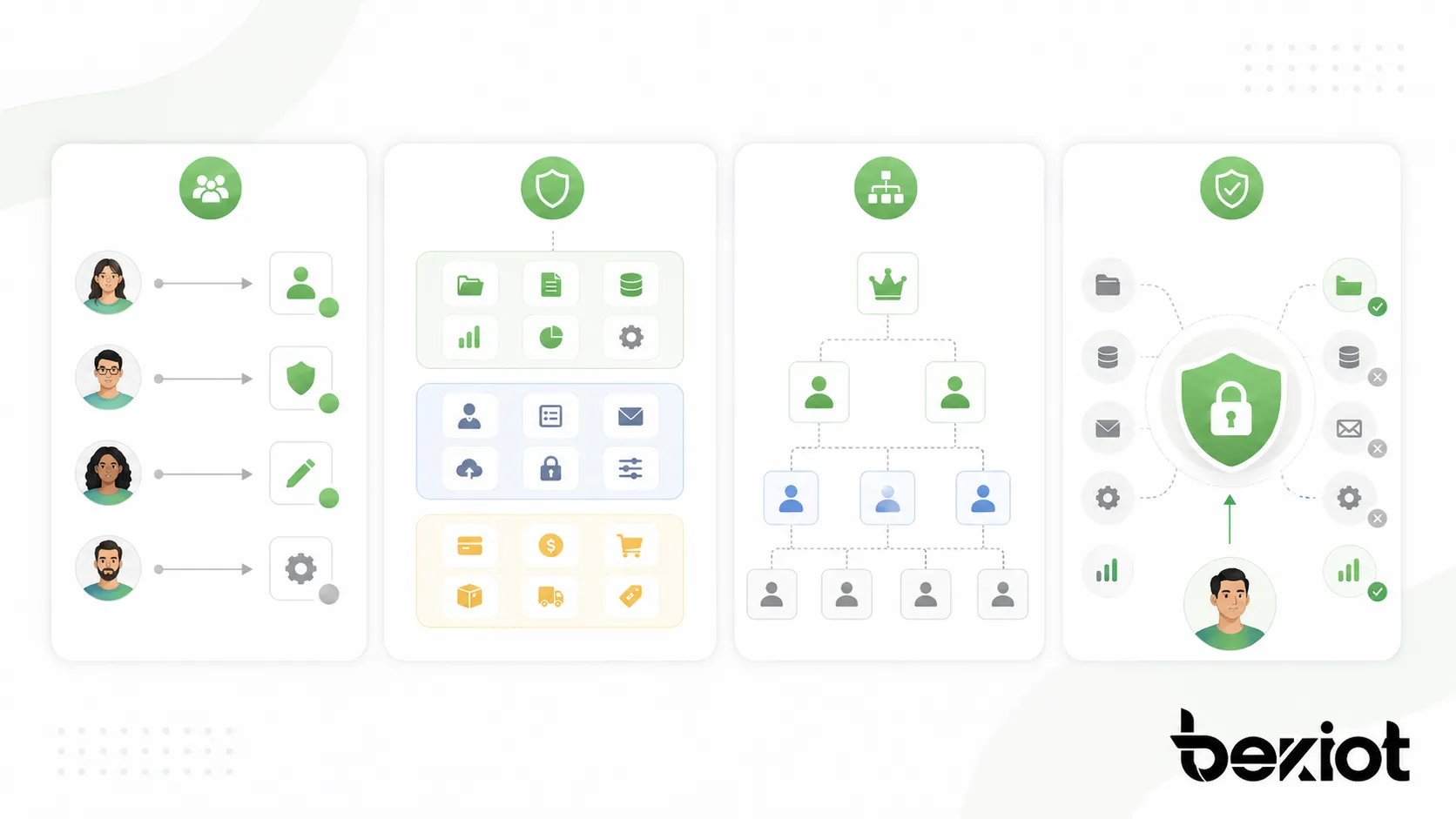
Core RBAC is the basic model that includes users, roles, permissions, and sessions. Users are assigned to roles, and roles are assigned permissions. When users log in, they operate through the roles assigned to them. This is the simplest and most common form of role-based access control.
Core RBAC is suitable for many systems because it provides a clear structure without excessive complexity. It works well when job functions are relatively stable and access requirements can be grouped into standard roles.
For small and medium-sized systems, core RBAC may be enough to provide practical security and administrative efficiency.
Hierarchical RBAC
Hierarchical RBAC adds role inheritance. This means one role can include the permissions of another role. For example, a senior operator role may include all permissions of a basic operator role plus additional control rights. A system administrator may inherit general user permissions and add configuration rights.
This model is useful in organizations with layered responsibilities. It reduces repeated configuration because shared permissions do not need to be manually copied into each higher-level role.
However, role inheritance should be documented clearly. If administrators do not understand which permissions are inherited, users may receive access that is broader than expected.
Constrained RBAC
Constrained RBAC adds restrictions to reduce risk. One common restriction is separation of duties. For example, the same user should not be able to both create a payment request and approve that payment. Another example is preventing the same person from configuring security policy and approving their own access change.
Constraints are important in financial systems, healthcare systems, government systems, security operations, and other environments where conflicts of interest must be controlled. They help prevent fraud, misuse, and operational mistakes.
Constrained RBAC is more complex than basic RBAC, but it provides stronger governance for sensitive workflows.
RBAC and the Principle of Least Privilege
Limiting Access to What Users Need
The principle of least privilege means that users should receive only the access necessary to perform their assigned tasks. RBAC supports this principle by grouping permissions according to job roles rather than giving broad access to everyone.
For example, a viewer does not need administrator rights. A technician may need device status and maintenance tools but not user management rights. A supervisor may need reports and approval functions but not low-level system configuration. By designing roles around actual duties, organizations can reduce unnecessary access.
Least privilege is one of the main reasons organizations implement RBAC. It reduces the potential damage caused by mistakes, compromised accounts, or insider misuse.
Reducing Over-Permissioned Accounts
Over-permissioned accounts are users or service accounts that have more access than they need. This often happens when permissions are granted quickly to solve a short-term problem and then never removed. Over time, users may accumulate access from old projects, past roles, temporary tasks, or emergency changes.
RBAC helps reduce this problem by tying access to current roles. When a user changes job function, their role should change as well. When temporary access is no longer needed, the role can be removed. This makes access cleanup easier than tracking many individual permissions manually.
A mature RBAC program should include regular reviews to identify and remove unnecessary role assignments.
RBAC is strongest when roles are reviewed regularly and access reflects what users need today, not what they needed years ago.
Benefits of Role-Based Access Control
Simpler Access Administration
One major benefit of RBAC is simpler administration. Administrators can manage access by assigning, changing, or removing roles instead of manually editing many individual permissions. This saves time and reduces the chance of inconsistent permission settings.
RBAC is especially useful during onboarding, role changes, and offboarding. A new employee can receive the right access quickly. A promoted employee can move to a different role. A departing employee can lose access by removing role assignments or disabling the account.
This structured approach improves both security and operational efficiency.
Improved Security and Risk Control
RBAC improves security by limiting access according to responsibility. Users are less likely to receive unnecessary privileges, and administrators have a clearer view of who can do what. This makes it easier to detect excessive access and enforce access policies.
It also reduces the risk of accidental changes. If only administrators can modify system settings, ordinary users cannot accidentally alter critical configuration. If only approvers can approve requests, unauthorized users cannot complete sensitive workflows.
By reducing unnecessary permissions, RBAC helps lower the impact of compromised accounts and human error.
Better Compliance and Audit Readiness
Many organizations must prove that access to systems and data is controlled. RBAC supports compliance by making permissions more understandable and easier to document. Auditors can review roles, role memberships, and permission sets rather than trying to interpret hundreds of individual access decisions.
RBAC also supports access review processes. Managers can confirm whether users still belong in certain roles. Security teams can review high-privilege roles. Compliance teams can check whether separation-of-duty rules are being followed.
This makes RBAC valuable in regulated industries such as finance, healthcare, education, energy, government, and public services.
Technical Features of RBAC Systems
Centralized User and Role Management
Many RBAC systems provide centralized user and role management. Administrators can create roles, assign users, define permissions, review access, and adjust policies from one management interface. This is especially important when one platform controls many users or many connected systems.
Centralized management helps avoid scattered access decisions. It also makes it easier to apply consistent rules across departments, sites, applications, and device groups. When integrated with identity providers, directory services, or single sign-on platforms, RBAC can become part of a broader identity and access management strategy.
Centralization improves visibility, but it also requires careful governance because mistakes in a central role may affect many users at once.
Audit Logs and Access Records
Audit logs are important in RBAC systems because they record who accessed what, what action was performed, and whether the action was allowed or denied. These logs help administrators investigate problems, confirm policy enforcement, and review user activity.
Access records also support compliance. If an auditor asks who had administrator rights during a specific period, role assignment history and access logs can provide evidence. If a security incident occurs, logs can help determine whether a user had permission to perform the action.
RBAC is more effective when role management is combined with traceable records and regular review.
Integration With Identity Systems
RBAC often works together with identity systems such as directories, single sign-on platforms, identity providers, human resources systems, and multi-factor authentication services. These integrations help connect access rights with the user lifecycle.
For example, when an employee joins a department, the HR system or identity platform may assign the correct role. When the employee changes department, role assignments may change. When the employee leaves, access can be removed more quickly.
Integration reduces manual work and helps keep access aligned with organizational changes.
Applications of Role-Based Access Control
Enterprise Software and Business Applications
RBAC is widely used in enterprise software such as CRM systems, ERP platforms, document management tools, project management applications, help desk systems, finance platforms, and customer portals. Different users need different levels of access based on their responsibilities.
A sales representative may view and update customer records but not change finance settings. A finance manager may approve invoices but not modify system security policy. A customer support agent may view tickets and respond to users but not export all customer data.
RBAC makes these permission differences easier to define and maintain across large business platforms.
Cloud Platforms and IT Administration
Cloud platforms and IT systems depend heavily on RBAC. Administrators may define roles for cloud administrators, developers, security reviewers, database operators, network managers, billing users, and read-only auditors. Each role receives different access to cloud resources and management functions.
This is important because cloud environments can be powerful and complex. A user with excessive privileges may accidentally delete resources, expose data, change firewall rules, or increase costs. RBAC helps control who can create, modify, delete, or monitor cloud resources.
In IT administration, RBAC supports safer delegation. Teams can receive the access they need without giving every technician full administrator rights.
Network, Security, and Facility Systems
RBAC is also used in network management, security platforms, access control systems, video management systems, alarm platforms, communication consoles, and facility operation systems. Different users may need different operational rights.
A security guard may view cameras and acknowledge alarms. A supervisor may export incident reports. A system administrator may configure devices and users. A maintenance technician may access device status and diagnostics but not change security policy.
In facility and security environments, RBAC helps ensure that users can perform their tasks without exposing sensitive control functions to everyone.
Healthcare, Education, and Public Services
Healthcare systems use RBAC to control access to patient records, scheduling systems, medical devices, administrative data, and reporting tools. Doctors, nurses, administrators, billing staff, and auditors each need different access. RBAC helps protect privacy while supporting care and operations.
Education platforms use RBAC to separate students, teachers, administrators, parents, and IT staff. Public service systems use RBAC to manage access among departments, service agents, supervisors, auditors, and external partners.
In these sectors, RBAC helps organizations manage many user groups while protecting sensitive information and maintaining accountability.
RBAC in Communication and Operational Platforms
Dispatch, Monitoring, and Control Roles
In communication and operational platforms, RBAC can define who is allowed to call, broadcast, monitor, acknowledge alarms, view logs, configure devices, or manage users. This is important because operational systems often combine real-time communication with sensitive control functions.
A dispatcher may need permission to call field terminals, start group communication, or send paging messages. A supervisor may need permission to review recordings and response reports. A system administrator may need permission to configure endpoints, users, and integration settings.
RBAC helps separate these duties so that everyday operators do not automatically receive full configuration control.
Reducing Operational Mistakes
Operational systems often work under time pressure. If users have more permissions than they need, mistakes can affect communication, security, or site operations. For example, an operator might accidentally change a device setting, delete a contact group, or broadcast to the wrong area if access is not properly controlled.
RBAC reduces this risk by limiting users to the tools they are trained and authorized to use. It also helps create clearer workflows. Operators perform operational tasks, supervisors review and approve, and administrators manage system configuration.
This separation improves reliability and helps prevent accidental misuse of powerful functions.
Deployment Considerations
Define Roles Based on Real Workflows
A successful RBAC deployment begins with understanding real workflows. Roles should not be created only from job titles or organizational charts. They should reflect what users actually need to do in the system. A department name alone may not be enough to define access requirements.
Teams should identify common tasks, sensitive actions, approval responsibilities, reporting needs, and administrative functions. Then they can create roles that match these responsibilities. Good role design should be understandable to administrators, managers, and auditors.
If roles are too broad, users may receive excessive access. If roles are too narrow, administration becomes difficult. The best role design balances security with usability.
Avoid Role Explosion
Role explosion happens when too many roles are created. This can occur when every small variation in responsibility becomes a separate role. Over time, the role list becomes difficult to manage, and administrators may struggle to understand which role should be assigned.
To avoid role explosion, organizations should design reusable role templates and use additional conditions or approval workflows where needed. Roles should represent meaningful access patterns, not every small exception.
A clean RBAC model is easier to review, easier to audit, and less likely to produce mistakes.
Plan for Role Changes and Offboarding
Users change jobs, move departments, join projects, take temporary assignments, and leave organizations. RBAC should include a process for updating role assignments when these changes happen. Otherwise, users may keep old access after their responsibilities change.
Offboarding is especially important. When a user leaves, role assignments should be removed quickly, and the account should be disabled according to policy. Temporary access should also have expiration or review dates so it does not remain active indefinitely.
Access control is not finished after initial setup. It must follow the user lifecycle.
RBAC deployment should be designed around people changing roles, not around people staying in the same role forever.
Maintenance and Review Tips
Review Roles Regularly
RBAC roles should be reviewed regularly to confirm that they still match business needs. Systems change, departments change, and workflows evolve. A role that was appropriate two years ago may now contain outdated or excessive permissions.
Regular review should check both role definitions and role memberships. Administrators should ask whether the role still needs each permission and whether each user still belongs in the role. High-privilege roles should be reviewed more frequently.
Regular review helps prevent permission creep and keeps RBAC aligned with current operations.
Monitor High-Risk Permissions
Some permissions are more sensitive than others. These may include user management, system configuration, data export, deletion, approval, security policy changes, financial transactions, device control, and access to confidential records. RBAC systems should make these permissions easy to identify and monitor.
High-risk permissions should be assigned only to roles that truly need them. They may also require additional controls such as multi-factor authentication, approval workflows, logging, or separation-of-duty rules.
Monitoring sensitive permissions helps reduce the chance of serious mistakes or misuse.
Keep Documentation Clear
Clear documentation is important for RBAC. Administrators should document what each role means, what permissions it includes, who can assign it, and when it should be used. Without documentation, roles become difficult to understand and may be assigned incorrectly.
Documentation is also useful for training, audits, troubleshooting, and handover between administrators. It helps ensure that access control decisions remain consistent even when team members change.
A well-documented RBAC model is easier to maintain and easier to trust.
Common Challenges of RBAC
Overly Broad Roles
One common challenge is creating roles that are too broad. A role named “manager” or “operator” may include many permissions that some users do not actually need. Broad roles are easy to assign but may violate least-privilege principles.
To avoid this, organizations should review what tasks the role truly needs to perform. If a role contains high-risk permissions, those permissions should be justified. In some cases, a separate elevated role may be better than adding sensitive rights to a common role.
Broad roles may simplify administration at first, but they can increase long-term security risk.
Too Many Exceptions
Another challenge is too many exceptions. If users frequently need permissions outside their role, administrators may create custom access for many individuals. This weakens the RBAC model because access becomes difficult to review and standardize.
Exceptions should be tracked, justified, and time-limited where possible. If many users need the same exception, the role design may need improvement. If only one user needs temporary access, the organization should consider an approval process rather than a permanent permission change.
RBAC works best when roles cover common access patterns and exceptions remain controlled.
Poor Alignment With Business Processes
RBAC can fail when roles are designed without understanding real business processes. A role may look logical from an IT perspective but not match how people actually work. This can cause users to request extra access frequently, or worse, push administrators to grant broad permissions to avoid complaints.
To prevent this, role design should involve business owners, system administrators, security teams, and real users. Access should support work processes while still protecting sensitive functions.
RBAC is both a technical model and an organizational model. It works best when both sides are considered.
Conclusion
Role-Based Access Control is an access management model that assigns permissions through roles rather than managing every user permission individually. It connects users, roles, and permissions so access can be granted according to job responsibilities, operational duties, and security requirements.
Its main features include role assignment, permission grouping, role hierarchy, least-privilege control, centralized management, audit logs, and integration with identity systems. Its benefits include simpler administration, stronger security, better compliance, clearer accountability, and easier access review.
RBAC is widely used in enterprise applications, cloud platforms, IT administration, network management, security systems, healthcare, education, public services, communication platforms, and operational control environments. When roles are designed carefully and reviewed regularly, RBAC becomes a practical foundation for secure, efficient, and manageable access control.
FAQ
What is Role-Based Access Control in simple terms?
Role-Based Access Control is a way to manage permissions by assigning users to roles. Each role has a defined set of permissions, and users receive access based on the role they are given.
This makes access easier to manage than assigning permissions to every user one by one.
What are the main features of RBAC?
The main features of RBAC include user-role assignment, permission grouping, role hierarchy, least-privilege access, centralized management, audit logging, and access review.
These features help organizations control who can view, change, approve, configure, or manage different parts of a system.
Where is RBAC commonly used?
RBAC is commonly used in enterprise software, cloud platforms, IT systems, network management, security platforms, healthcare systems, education platforms, finance systems, communication tools, and facility operation systems.
It is most useful where many users need different levels of access based on their responsibilities.







