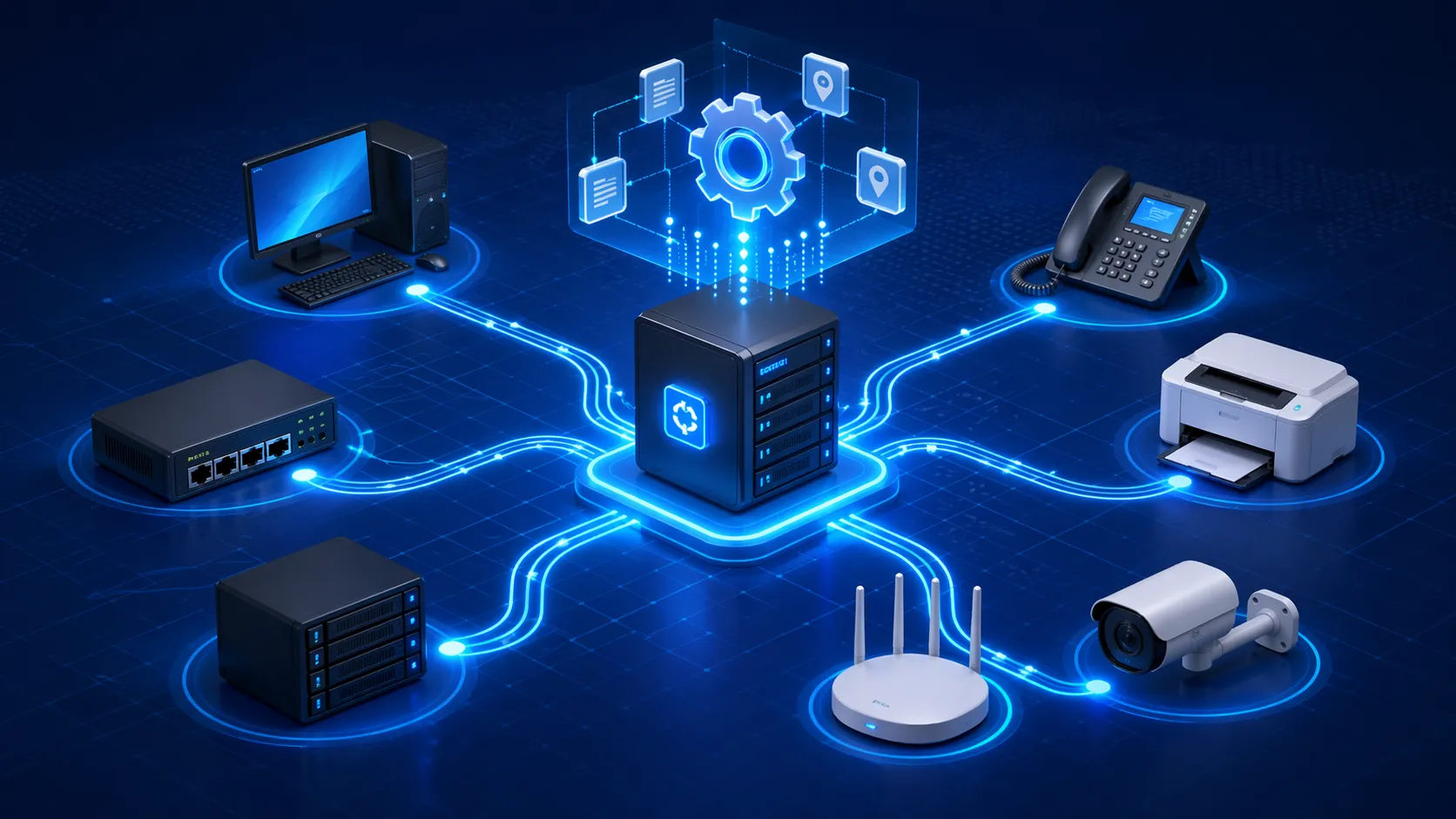
Dynamic Host Configuration Protocol, usually called DHCP, is a network management protocol that automatically assigns IP addresses and other essential network settings to devices when they join a network. Instead of requiring administrators to configure every endpoint manually, DHCP allows devices such as computers, IP phones, printers, gateways, cameras, access points, and servers to receive the information they need to communicate on an IP network in a more efficient and standardized way.
In modern business and industrial environments, DHCP plays a practical role in keeping networks organized, scalable, and easier to manage. It is used in office LANs, campus networks, public institutions, data centers, hospitality systems, VoIP deployments, and many operational communication systems. By automating address assignment, DHCP reduces repetitive configuration work, helps avoid IP conflicts, and supports faster deployment of connected devices.
Understanding What DHCP Means
Definition and Core Purpose
DHCP is a protocol that provides devices with the network parameters they need in order to function correctly on an IP network. The most commonly assigned value is the IP address, but DHCP can also deliver the subnet mask, default gateway, DNS server addresses, lease duration, and other configuration options depending on the network design.
The core purpose of DHCP is to simplify device onboarding and ongoing network administration. Without DHCP, every device would need to be configured by hand or assigned a fixed address in advance. That approach may work in very small environments, but it becomes inefficient and error-prone when the number of endpoints grows. DHCP addresses that problem by making address allocation automatic, centralized, and repeatable.
In practical terms, DHCP makes it easier for users and devices to connect to the network without requiring manual setup each time. This is especially useful in environments where devices are frequently added, replaced, moved, or rebooted.
DHCP helps networks scale by turning address assignment from a manual task into an automated service.
Why Automatic Address Assignment Matters
Every device on an IP network needs a valid IP address to communicate. It also needs supporting information so it knows where the local network ends, how to reach other networks, and which DNS servers to use when resolving names. If any of these values are missing or incorrect, connectivity may fail even if the physical connection is working.
Automatic assignment matters because it reduces the chances of human error. When administrators manually enter addresses, they can accidentally reuse the same address twice, assign the wrong subnet, or leave gateway information incomplete. DHCP minimizes these risks by distributing values from a centrally defined pool and policy set.
This also improves operational speed. A laptop, wireless terminal, IP phone, or SIP speaker can be connected and brought online far more quickly when the network supplies its parameters automatically. In larger organizations, that efficiency translates into smoother maintenance and lower day-to-day administrative burden.
How DHCP Works
The Basic DHCP Process
DHCP works through a structured exchange between a client device and a DHCP server. When a device first joins the network and does not yet have a usable IP configuration, it sends out a request to discover available DHCP services. A DHCP server responds with an offered address and related network settings. The device then requests to use that configuration, and the server confirms the lease.
This sequence is often summarized as Discover, Offer, Request, and Acknowledge. Although the process happens very quickly in normal operation, it is one of the most important automated exchanges in IP networking because it determines how the device will identify itself and route traffic.
Once the lease is granted, the client can operate on the network using the assigned settings for the duration of that lease period. Before the lease expires, the client typically tries to renew it so that connectivity remains uninterrupted.
Leases, Renewal, and Address Pools
A DHCP server usually does not assign addresses permanently by default. Instead, it issues a lease, which means the client is allowed to use that address for a defined period of time. Lease-based assignment helps the network recycle addresses efficiently, especially in environments where devices connect temporarily or where the number of potential devices is larger than the number active at one time.
The server pulls available addresses from an address pool, sometimes called a scope. Administrators define the usable range, reserve addresses if needed, and decide which options the server should provide alongside the address. This makes DHCP flexible enough for both simple and advanced networks.
Lease renewal is important because it keeps the network stable without requiring devices to start from scratch every time. A device that remains active will usually renew its lease automatically, while an inactive device eventually releases its claim on the address back to the pool. This balance supports efficient address use while keeping management centralized.
DHCP is not only about giving out addresses. It is also about controlling how long those addresses are used and under what network settings.
Main Components in a DHCP Environment
DHCP Server, DHCP Client, and Relay Agent
The most visible component in DHCP is the DHCP server. This is the system responsible for maintaining address pools, responding to client requests, and delivering network options. The server may be integrated into a router, firewall, Windows server, Linux server, or dedicated network appliance depending on the architecture.
The DHCP client is the endpoint requesting configuration. This can be a desktop computer, laptop, mobile device, IP camera, wireless access point, printer, industrial terminal, or VoIP device. When the client boots or reconnects, it asks the server for usable network settings.
In more complex networks, a relay agent may also be involved. Because DHCP requests are often broadcast-based at the beginning of the process, they do not naturally travel across routers. A DHCP relay agent forwards those requests between network segments so that centrally hosted DHCP services can still support devices located on different subnets.
Scopes, Reservations, and DHCP Options
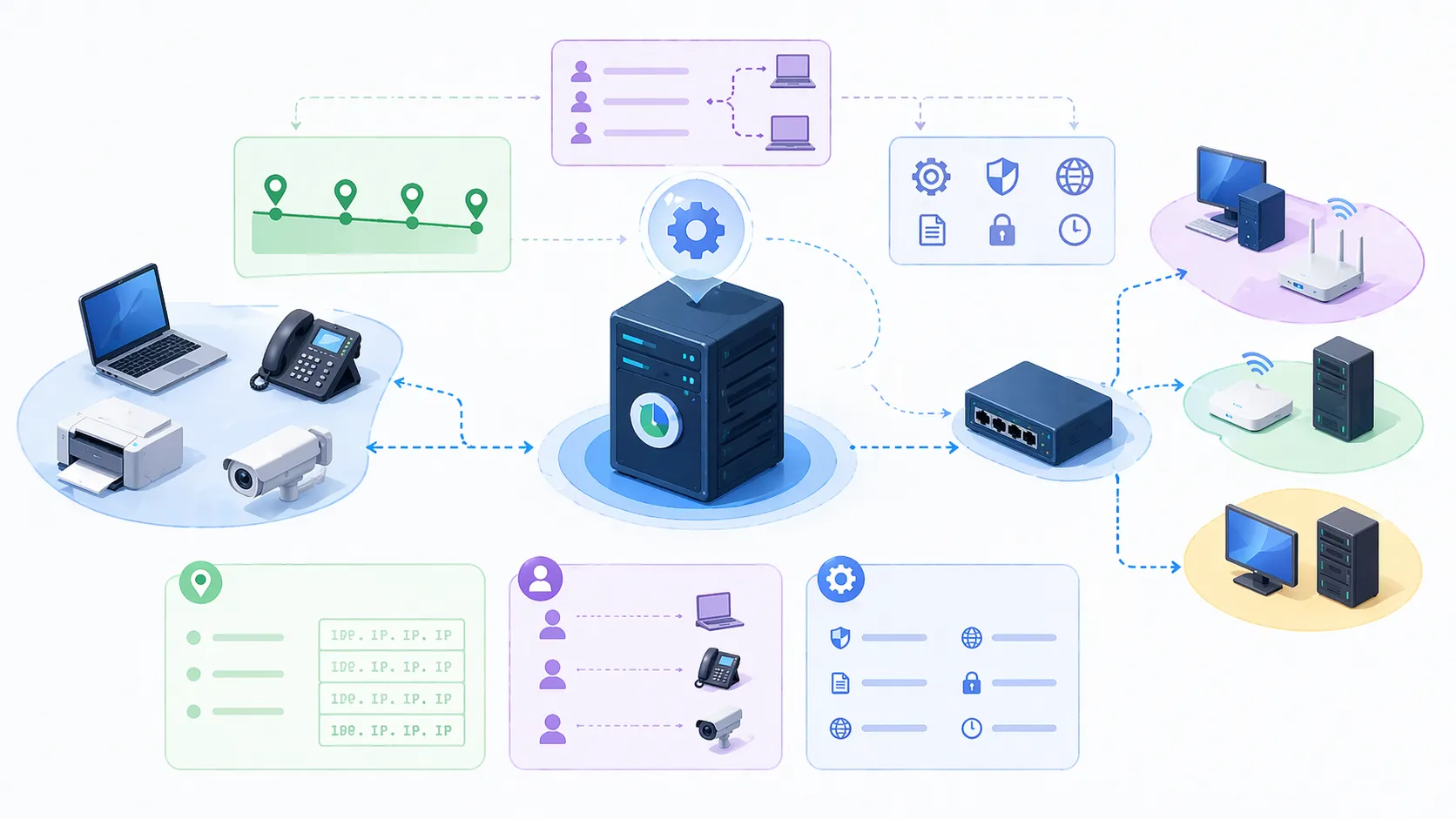
A DHCP scope defines the range of IP addresses and settings available to a particular subnet. This scope may include the network address range, subnet mask, gateway values, DNS servers, lease times, and other operational parameters. Each subnet typically needs its own scope so that assigned addresses match the actual network design.
Reservations are used when a device should always receive the same IP address through DHCP. This approach combines the predictability of a fixed address with the centralized management advantages of DHCP. It is commonly used for devices such as printers, servers, security equipment, and some communication endpoints that benefit from a stable address.
DHCP options extend the usefulness of the protocol. In addition to standard IP values, a server can provide specialized parameters needed by certain device types. This is particularly useful in VoIP and enterprise communications, where endpoints may need provisioning server details, VLAN information, or service-specific settings when they boot.
Benefits of DHCP
Simplified Administration and Faster Deployment
One of the biggest benefits of DHCP is that it simplifies network administration. Instead of manually configuring each endpoint, administrators can define policies once at the server level and let devices receive their settings automatically. This greatly reduces repetitive work in environments with many endpoints.
Faster deployment is another major advantage. New devices can be connected and brought online without requiring detailed hand configuration at the device itself. This is useful in offices, hotels, schools, campuses, and operational sites where devices may be installed in batches or replaced during maintenance windows.
The result is a more efficient installation process and a lower risk of setup inconsistency. Teams can standardize how devices come online, which improves both speed and control.
Reduced Errors and Better Network Consistency
DHCP also helps reduce configuration mistakes. Manual addressing can lead to duplicated IP addresses, incorrect subnet masks, missing DNS values, or inconsistent gateway entries. Any one of these errors can create troubleshooting complexity and service interruption.
By assigning settings from a centralized source, DHCP makes the network more consistent. Devices on the same subnet receive the correct parameters according to defined policy, which makes behavior more predictable and easier to troubleshoot. It also becomes easier to update settings across large numbers of devices when the network changes.
This consistency is particularly valuable in business voice and operational communication systems, where endpoints such as IP phones, SIP gateways, and intercom devices need to come online reliably before higher-level services can function correctly.
Common Uses of DHCP
Office Networks, Campus LANs, and Wi-Fi Environments
DHCP is widely used in office networks, enterprise LANs, campus environments, and wireless infrastructure. In these settings, it provides automatic configuration to laptops, desktops, tablets, smartphones, printers, access points, and a variety of shared devices. Because the number and location of connected clients can change throughout the day, automatic assignment is much more practical than static configuration for every endpoint.
In Wi-Fi networks especially, DHCP is essential because user devices join and leave frequently. The lease-based model allows addresses to be reused efficiently while keeping the user experience straightforward. A device connects to the wireless network, receives valid addressing, and can begin using services almost immediately.
For campuses and multi-building organizations, DHCP also helps centralize policy. Administrators can manage addressing behavior for many subnets from a controlled set of services instead of handling every network area manually.
VoIP, IP Phones, and Industrial Communication Systems
DHCP is also very important in VoIP and IP-based communication systems. IP phones, SIP speakers, intercoms, gateways, dispatch terminals, and related devices often rely on DHCP to obtain their basic network identity at startup. Without this first step, they cannot register with call servers, reach provisioning platforms, or join broader communication workflows.
In business telephony and industrial communication deployments, DHCP may also deliver additional options that help endpoints discover voice services more efficiently. This is relevant in environments using SIP-based infrastructure, including systems built around IP PBX platforms, paging networks, and field communication devices.
For example, in networks deploying Becke Telcom IP phones, SIP amplifiers, intercoms, or gateways, DHCP can help simplify rollout by ensuring that devices receive correct baseline network settings automatically before service-level configuration takes over. This is one reason DHCP remains a foundational service in both standard enterprise IT and more specialized communication networks.

Applications of DHCP Across Industries
Education, Healthcare, Hospitality, and Retail
In education, DHCP supports classrooms, student devices, staff systems, campus Wi-Fi, printers, and IP communication endpoints. Because devices are widely distributed and often change by room or semester, centralized address assignment keeps deployment more manageable.
In healthcare, DHCP helps network medical workstations, VoIP handsets, wireless carts, administrative devices, and other connected terminals. While some critical systems may use reserved or fixed addressing for operational reasons, DHCP still provides important flexibility across the wider infrastructure.
Hospitality and retail environments also depend on DHCP for guest networks, staff terminals, payment-supporting endpoints, back-office devices, and voice systems. In these sectors, fast installation and easy replacement of field devices are practical advantages.
Industrial Sites, Transport Hubs, and Multi-Site Enterprises
In industrial and transportation environments, DHCP helps support networked communication devices, surveillance endpoints, access infrastructure, digital signage, operator terminals, and paging systems. These networks may span multiple rooms, buildings, or outdoor zones, so centralized address management becomes an important operational benefit.
Multi-site enterprises also benefit because DHCP allows local devices to be deployed consistently under centrally defined policy. Combined with VLAN planning, routing, and relay services, it becomes possible to maintain a structured addressing strategy even across geographically distributed environments.
Although DHCP is often invisible to end users, it directly supports the reliability and scalability of the systems they depend on. Many modern digital operations begin with this basic but highly practical service working correctly in the background.
A well-managed DHCP service is one of the quiet foundations of a stable IP network.
DHCP Versus Static IP Addressing
When DHCP Is the Better Choice
DHCP is usually the better choice for general client devices and for environments where flexibility, scale, and ease of deployment matter most. Laptops, user phones, guest devices, shared office equipment, and many communication terminals benefit from automatic assignment because it shortens setup time and reduces configuration overhead.
It is also ideal where devices may move between locations or where replacement hardware needs to be brought online quickly. Administrators can apply network changes centrally without touching every device one by one.
For most everyday business networking, DHCP offers a strong balance between efficiency and control.
When Static Addressing Still Makes Sense
Static IP addressing still makes sense in some cases, especially for infrastructure elements that need to remain consistently reachable at known addresses. Examples often include servers, core routers, some firewalls, certain controllers, and highly predictable service endpoints.
Even so, many organizations use DHCP reservations instead of fully manual static configuration. That method preserves address stability while keeping management centralized at the DHCP server. As a result, the distinction between dynamic and static operation is often more flexible in real-world network design than the basic terms suggest.
The right approach depends on how the device is used, how predictable its address must be, and how the wider network is administered.
Conclusion
Dynamic Host Configuration Protocol is a core network service that automatically assigns IP addresses and related settings to devices so they can communicate correctly on an IP network. Its role may seem basic, but it supports some of the most important goals in modern networking: efficiency, scalability, consistency, and reduced administrative effort.
DHCP helps organizations deploy devices faster, avoid common configuration mistakes, and manage network growth with less manual overhead. It is widely used across office IT, Wi-Fi infrastructure, campus networks, VoIP platforms, and industrial communication systems, making it one of the quiet but essential mechanisms behind everyday connectivity.
As networks continue to expand and converge across voice, data, and operational technology, DHCP remains highly relevant. Whether the environment is a business LAN, a campus voice network, or a communication platform involving IP phones and SIP-based devices, DHCP is often one of the first services that makes everything else possible.
FAQ
What does DHCP assign besides an IP address?
In addition to an IP address, DHCP can assign the subnet mask, default gateway, DNS server addresses, lease time, and other configuration options. Depending on the device type and network design, it may also provide specialized values used for provisioning or service discovery.
This broader role is why DHCP is more than just an address tool. It helps define how a device participates in the network once it comes online.
Is DHCP the same as DNS?
No. DHCP and DNS are different services. DHCP provides network configuration such as IP addressing, while DNS translates domain names into IP addresses so devices can find services by name instead of by numeric address alone.
They often work together in real networks, but they perform different functions.
Can DHCP be used in VoIP and SIP device deployments?
Yes. DHCP is widely used in VoIP and SIP device deployments because IP phones, intercoms, gateways, and other endpoints need valid network settings before they can register with servers or reach provisioning services.
In many communication projects, DHCP is one of the first services that enables the voice platform to come online efficiently and consistently.